

TL;DR:
Looking for the best voice changer for YouTube? These 7 tools can help you create unique voices for videos, Shorts, gaming content, and live streams.
- TopMediai: Best for online AI voice changing and prerecorded YouTube videos.
- VoiceChanger.io: Best free online voice changer for funny effects and Shorts.
- Clownfish: Best free real-time voice changer for Windows.
- iMyFone MagicMic: Best for AI character voices and gaming content.
- Voicemod: Best for real-time voice effects and YouTube Live streaming.
- EaseUS VoiceWave: Best for voice changing, audio recording, and gaming videos.
- Voice.ai: Best for AI-powered character voices and voice conversion.
Whether you need a free online tool, realistic AI voices, or real-time microphone effects, compare their features, pros, and cons to find the right voice changer for your YouTube channel.
Want to create more engaging YouTube videos without using your real voice? Whether you're running a faceless YouTube channel, making gaming videos, producing funny Shorts, or hosting live streams, a good voice changer for YouTube can help you build a unique audio identity and make your content stand out.
There are plenty of options to explore, but which one is actually worth trying? We've rounded up 7 of the best voice changers for YouTube videos, comparing their features, pros and cons, free options, and real-time capabilities to help you find the right fit for your content.
- 1. TopMediai Online Voice Changer - Best Online AI Voice Changer for YouTube Videos
- 2. VoiceChanger.io - Best Free Voice Changer for YouTube Videos Online
- 3. Clownfish Voice Changer - Best Free Real-Time Voice Changer for YouTube
- 4. iMyFone MagicMic - Best Real-Time AI Voice Changer for YouTube Gaming Videos
- 5. Voicemod - Best Real-Time Voice Changer for YouTube Live Streaming
- 6. EaseUS VoiceWave - Best Voice Changer for YouTube Videos and Gaming
- 7. Voice.ai - Best AI Voice Changer for YouTube Character Voices
Quick Comparison: 7 Best Voice Changers for YouTube
| Voice Changer | Best For | Key Features | Platform | Free Version |
|---|---|---|---|---|
| TopMediai | Online AI voice changing | AI voice effects, audio upload and recording, 1,000+ voice options | Online | Yes, with limitations |
| VoiceChanger.io | Free voice effects and YouTube Shorts | Simple voice effects, audio recording, no installation required | Online | Yes |
| Clownfish | Free real-time voice changing | System-wide voice effects, microphone input, VST plugin support | Windows | Yes |
| iMyFone MagicMic | AI character voices and gaming content | AI voice effects, real-time voice changing, soundboard, voice customization | Windows, Mac | Yes, with limitations |
| Voicemod | YouTube Live streaming | Real-time voice effects, virtual microphone, soundboard, VoiceLab | Windows, Mac | Yes, with limitations |
| EaseUS VoiceWave | Voice changing and audio recording | Real-time voice effects, audio recording, noise reduction, voice editing | Windows | Yes, with limitations |
| Voice.ai | AI character voices and voice conversion | AI voice conversion, custom voices, real-time voice changing | Windows, Online | Yes, with limitations |
1. TopMediai Online Voice Changer - Best Online AI Voice Changer for YouTube Videos
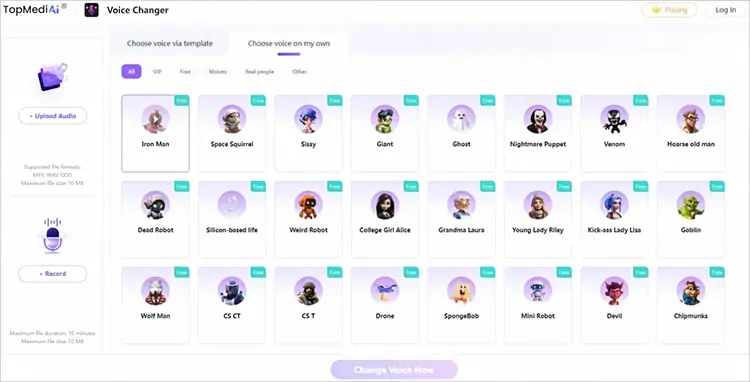
If you don't want to install desktop software and prefer to modify voiceovers for YouTube videos directly in your browser, TopMediai Online Voice Changer is worth trying. It uses AI technology to transform prerecorded voices, allowing you to create different voice effects for video narration, animated characters, and funny clips.
The tool supports MP3, WAV, and OGG audio uploads and also lets you record your voice directly. You can choose from over 1,000 voice effects in its VoiceLab library and experiment with different voice styles to match your video content.
- Offer AI-powered voice transformation and a large VoiceLab voice collection.
- Support uploading audio files and recording directly in the browser.
- Compatible with Windows, Mac, Android, and iPhone browsers.
- Support MP3, WAV, and OGG audio formats.
- Useful for YouTube videos, Shorts, character dialogue, and faceless content.
- Simple workflow that does not require advanced audio-editing skills.
- Uploads are limited to 10 MB.
- Browser recording is limited to 10 minutes.
- Free access and available voice effects may be limited.
- Not designed for direct real-time microphone voice changing during YouTube Live.
- AI-generated voices may not always reproduce the original speaker's emotion and delivery perfectly.
2. VoiceChanger.io - Best Free Voice Changer for YouTube Videos Online
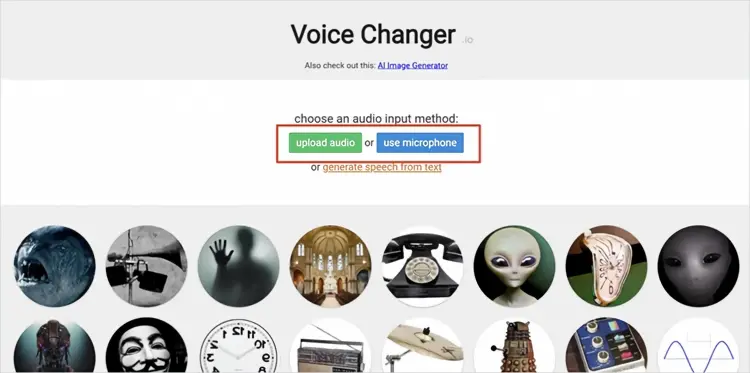
VoiceChanger.io is a free online voice changer for YouTube videos that works directly in your browser. You can record your voice or upload an audio file, then apply effects to create high-pitched, deep, robotic, or cartoon-like voices.
It's useful for making funny YouTube videos, gaming commentary, character dialogue, and Shorts. You can test different effects and download the modified audio for your video editor without installing desktop software.
However, its effects are less advanced than AI voice changers, and it doesn't support direct real-time microphone voice changing for YouTube Live. It's best suited for prerecorded content rather than live streaming.
- Free online voice-changing option.
- No complicated desktop installation required.
- Allow users to experiment with different voice effects.
- Useful for prerecorded YouTube videos and Shorts.
- Beginner-friendly interface.
- Suitable for creating funny voices and character dialogue.
- Voice effects are generally less sophisticated than advanced AI voice conversion.
- Not an ideal choice for real-time YouTube Live streaming.
- Audio editing and video production features are limited.
- Output quality depends on the original microphone recording.
- Fewer advanced customization options than professional desktop software.
3. Clownfish Voice Changer - Best Free Real-Time Voice Changer for YouTube
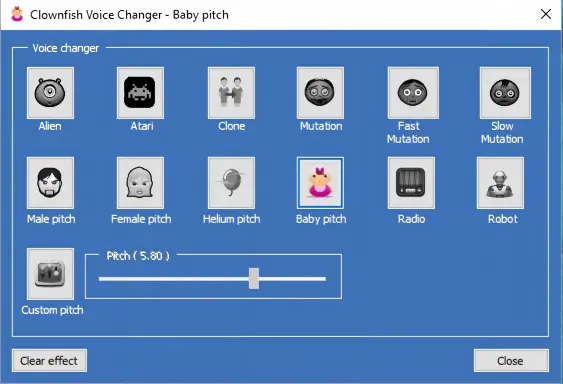
Clownfish Voice Changer is a free Windows desktop tool and a practical voice changer for YouTube Live stream sessions. It works at the system level, changing your microphone input in real time before it reaches compatible apps. This makes it useful for YouTube creators who want to alter their voices during gameplay recordings, team chats, or live broadcasts.
Clownfish offers built-in effects such as Alien, Robot, Helium, Baby, Male, and Female, along with custom pitch adjustment. It also includes a sound player for audio clips and supports VST plugins for additional effects.
To use it, install Clownfish, configure your microphone, and select the modified input in your streaming software. However, its effects are relatively basic compared with AI voice changers and may sound artificial. (Clownfish Voice Changer not working?)
- Free to download and use.
- Support real-time voice changing at the system level.
- Include multiple built-in voice effects.
- Offer custom pitch adjustment.
- Support VST plugins for additional audio effects.
- Include a sound player for playing audio clips.
- Suitable for gaming recordings and live streaming setups.
- Primarily designed for Windows desktop users.
- Voice effects are less realistic than advanced AI voice conversion.
- Interface looks relatively basic compared with newer tools.
- Require microphone and audio-device configuration.
- Does not provide a complete video-editing workflow.
- Some effects may sound artificial or distorted.
4. iMyFone MagicMic - Best Real-Time AI Voice Changer for YouTube Gaming Videos
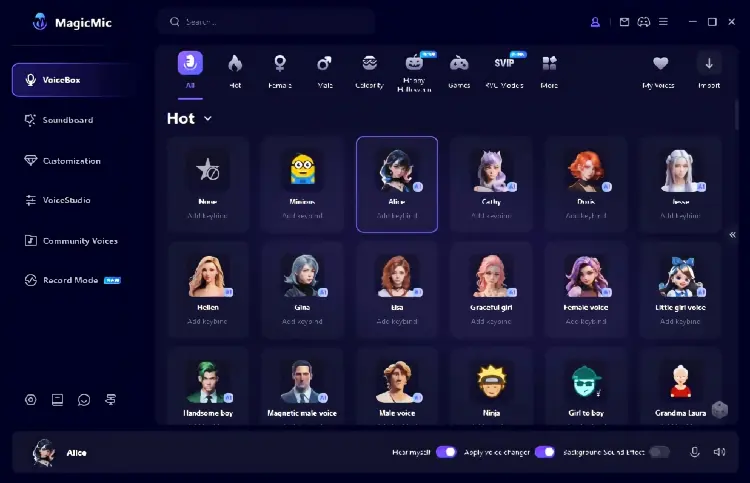
iMyFone MagicMic is an AI voice changer for YouTube creators who want to add creative voice effects to gaming videos, commentary, and live streams. It supports real-time voice changing on desktop and prerecorded audio editing, with AI effects for different genders, characters, and vocal styles.
MagicMic also offers a soundboard, customizable keyboard shortcuts, Voice Studio, voice training, and noise reduction. You can set it as a virtual microphone in your recording or streaming software to use modified audio instead of your original voice.
- Support AI-powered real-time voice changing.
- Offer a large collection of character and voice effects.
- Include a soundboard for adding effects during gameplay.
- Support custom keyboard shortcuts.
- Provide voice customization and voice-training features.
- Include noise reduction for cleaner microphone audio.
- Suitable for gaming videos, comedy content, and live streaming.
- The free desktop version provides only limited voices and sounds.
- Full access requires a paid subscription.
- Require software installation and microphone configuration.
- AI voice processing may require substantial computer resources.
- Mobile versions do not offer the same real-time functionality as desktop versions.
- Some advanced voice effects may need testing to achieve natural results.
5. Voicemod - Best Real-Time Voice Changer for YouTube Live Streaming
Voicemod is a real-time voice changer designed for gamers, streamers, and video creators. If you regularly make YouTube gaming videos, stream recordings, or multiplayer content, it lets you change your microphone voice in real time while recording.
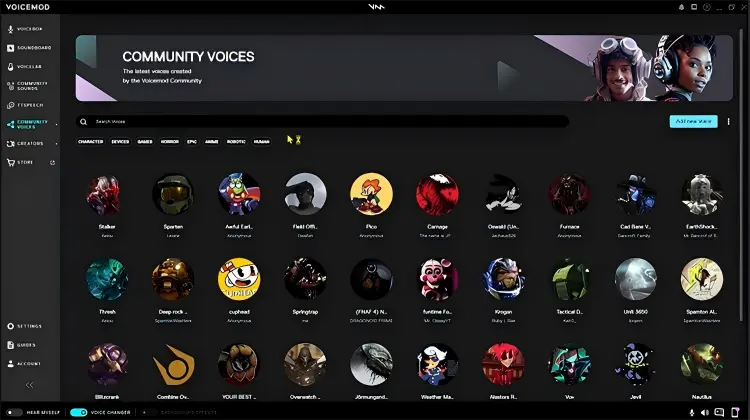
Voicemod offers a variety of voice effects, including robots, monsters, cartoon characters, and different pitch variations. You can also use VoiceLab to customize effects and combine multiple sounds to create character voices that match your video style.
One of its biggest advantages is virtual microphone support. You can route Voicemod's processed audio into recording software such as OBS Studio, allowing your voice effects to appear directly in your recorded videos. (Click here to learn about the best 5 Voicemod alternatives.)
- Support real-time voice changing.
- Work well with gaming and streaming applications.
- Provide a large collection of voice effects.
- Include a soundboard with customizable shortcuts.
- VoiceLab allows users to create custom voice effects with Pro.
- Offer voice enhancement and noise reduction.
- Suitable for YouTube Live, gaming videos, and interactive content.
- Provide a free version.
- The free version has a limited selection of rotating voices.
- Full voice and soundboard access requires Pro.
- VoiceLab is not included in the free version.
- Require virtual microphone configuration.
- Some soundboards and premium content require separate purchases.
- Not a complete solution for editing prerecorded video and audio.
6. EaseUS VoiceWave - Best Voice Changer for YouTube Videos and Gaming
EaseUS VoiceWave is a real-time voice changer designed for Windows users, making it suitable for creating gaming videos, funny content, and creative character voiceovers.
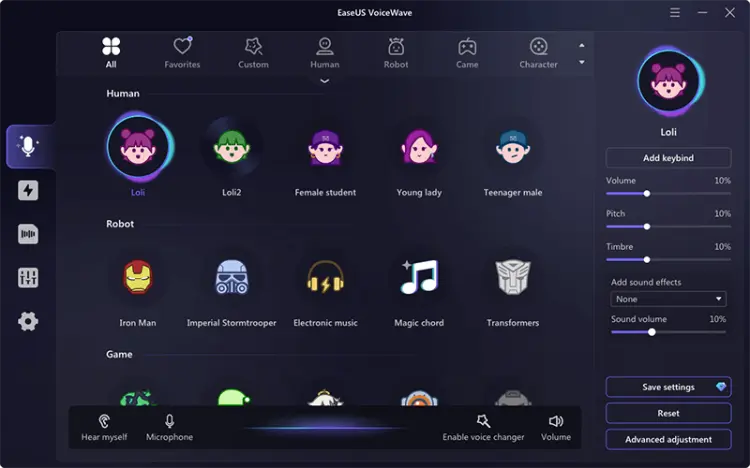
It offers a variety of AI voice effects and preset voices that can modify microphone input, allowing you to use different voices while recording YouTube videos. For creators who frequently switch between characters or produce entertaining voice clips, its real-time processing can help reduce post-production editing.
In addition to real-time voice changing, VoiceWave includes audio recording and export features, making it easy to save modified voices for use in video editing.
- Support real-time voice changing.
- Offer more than 100 voice effects in the paid version.
- Can modify prerecorded audio and video files.
- Include a built-in audio recorder.
- Support MP3, M4A, and WAV exports.
- Provide noise reduction to improve audio quality.
- Include sound effects and customizable voice settings.
- Suitable for gaming recordings and live streaming.
- Primarily designed for Windows users.
- The free version provides limited voice effects.
- Full access requires a paid plan.
- Require installation and virtual microphone configuration.
- Advanced effects may require additional system resources.
- Not a dedicated video editor for YouTube production.
7. Voice.ai - Best AI Voice Changer for YouTube Character Voices
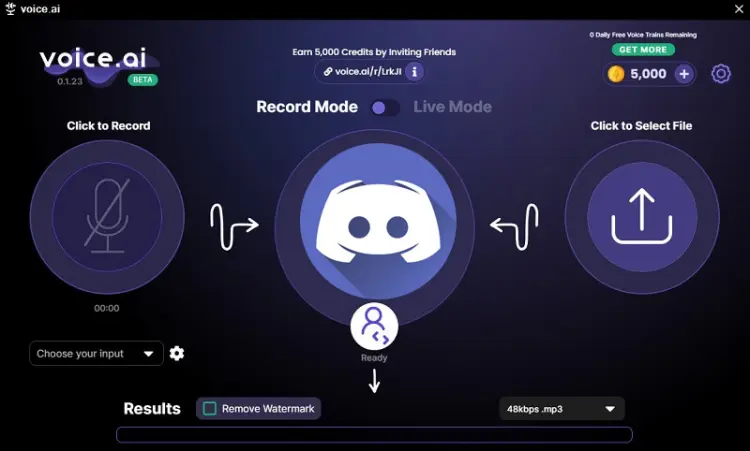
Voice.ai is an AI-powered voice changer that focuses on AI voice conversion. Unlike traditional pitch-changing software, it uses AI voice models to transform your vocal characteristics, making it suitable for YouTube creators who want to produce different character voices.
For example, if you're creating gaming role-play videos, animated voiceovers, or funny Shorts, you can try different AI voice models to give your voice unique character styles.
Voice.ai also supports real-time voice changing, making it useful for video recording and live voice interactions. However, its desktop version currently focuses mainly on Windows, while an iOS app is also available. The two versions offer different user experiences.
- Offer AI-powered voice conversion.
- Provide a wide range of user-generated voices.
- Support real-time voice changing on Windows.
- Suitable for YouTube videos, Shorts, and live streaming.
- The desktop voice changer primarily targets Windows users.
- Require microphone and audio device configuration for real-time use.
- AI voice processing may require considerable system resources.
- Some voice models and advanced features may be limited by usage quotas or paid plans.
Conclusion
Choosing the right voice changer for YouTube can help you create more engaging videos, develop a recognizable channel identity, and experiment with different narration styles. If you mainly produce prerecorded videos and Shorts, TopMediai and VoiceChanger.io offer convenient online solutions. For live streaming and gaming content, Voicemod, MagicMic, Clownfish, and EaseUS VoiceWave provide real-time voice-changing capabilities. Meanwhile, Voice.ai is worth considering for AI-powered character voices.
Ultimately, the best voice changer for YouTube depends on your content style, audio requirements, and budget. Compare their free features first, test the output quality, and choose a tool that fits your production workflow.
Related Articles
Best Voice Changer for Fortnite Review: Top 6 Tools to Try
5 Best Voice Changers for Xbox in 2026: Features, Pros & Cons
Best Voice Changer for Discord: 7 Tools Compared in 2026
Best Voice Changer for Zoom: 9 Top Tools for PC/Mac/Mobile/Online