TL;DR:
Looking for the perfect scary voice changer? Here are the top 8 tools in 2026:
- MagicMic – Best for real-time scary voice effects and gaming.
- Voicemod – Best for streamers, gamers, and live voice chats.
- TopMediai – Best for online AI scary voice creation.
- LingoJam – Best for free and quick online voice effects.
- ElevenLabs Voice Changer – Best for realistic AI horror voices.
- Narakeet – Best for creating scary narration and horror stories.
- Voice.ai – Best for real-time AI voice changing and gaming.
- Scary Voice Changer and Recorder – Best for mobile scary voice recordings.
Want to sound like a ghost, demon, monster, or horror movie villain? A scary voice changer can instantly transform your normal voice into a creepy and terrifying sound without professional audio editing skills. Whether you want to create Halloween videos, prank your friends, add horror narration to YouTube content, or customize your gaming voice chat, AI-powered voice changers make it easier than ever to generate realistic scary voices.
In this guide, we review the 8 best scary voice changer tools in 2026. You can choose the one that suits you.
- Part 1. Safety and Ethical Considerations When Using Horror Voice Changers
- Part 2. Top 8 Scary Voice Changer Tools in 2026
- 1. MagicMic – Best Real-Time Scary Voice Changer for Gaming
- 2. Voicemod – Best Scary Voice Changer for Streamers
- 3. Voice.ai – AI Voice Changer for Real-Time Effects
- 4. TopMediai – Best Online AI Scary Voice Changer
- 5. LingoJam – Best Free Online Creepy Voice Changer
- 6. ElevenLabs Voice Changer – Best AI Scary Voice Generator
- 7. Narakeet – Best Scary Voice Changer for Horror Narration
- 8. Scary Voice Changer and Recorder – Best Mobile Scary Voice Changer App
- Part 3. FAQs About Scary Voice Changer
Part 1. Safety and Ethical Considerations When Using Horror Voice Changers
Using a horror voice changer responsibly helps prevent misuse and protects other people's privacy.
- Use voice changers responsibly and with consent.
- Do not use them for harassment, bullying, or harmful purposes.
- Respect others' privacy and do not alter or record voices without permission.
- Be aware of the potential risks of misuse and use voice changers appropriately.
Part 2. Top 8 Scary Voice Changer Tools in 2026
Before choosing a scary voice changer, check this quick comparison to find the tool that fits your needs.
| Tool | Best Choice For | Real-Time | Online | AI Voice | Mobile |
|---|---|---|---|---|---|
| MagicMic | Gaming and live voice chat | ✓ | — | ✓ | ✓ |
| Voicemod | Streaming and gaming | ✓ | — | ✓ | — |
| TopMediai | Online scary voice creation | — | ✓ | ✓ | ✓ |
| LingoJam | Free voice effects | — | ✓ | — | — |
| ElevenLabs Voice Changer | Realistic horror voices | — | ✓ | ✓ | — |
| Narakeet | Horror narration | — | ✓ | ✓ | — |
| Voice.ai | Real-time AI voices | ✓ | — | ✓ | ✓ |
| Scary Voice Changer and Recorder | Mobile scary recordings | ✓ | — | — | ✓ |
1. MagicMic – Best Real-Time Scary Voice Changer for Gaming
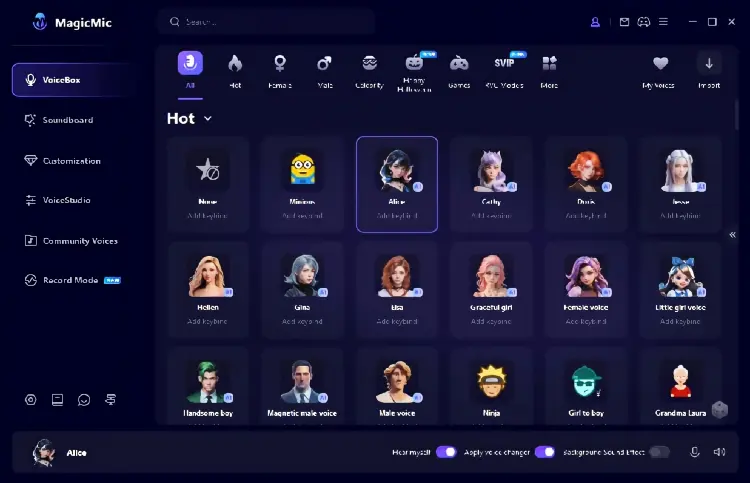
MagicMic is a real-time AI voice changer designed for users who want to transform their voice during online conversations, gaming sessions, livestreams, or voice chats.
With various horror-themed effects, MagicMic can turn your voice into a deep monster, ghost, robot, or creepy character voice instantly. It works with popular communication platforms and games, making it a practical choice for users who need live scary voice effects.
Key Features:
* Real-time scary voice changing during conversations.
* Hundreds of voice effects and sound filters.
* Support gaming, streaming, and online chat.
* Customizable pitch and voice settings.
* Work with microphone input.
Pros:
+ Real-time voice transformation with low delay.
+ Easy for beginners to use.
+ Suitable for gaming and live streaming.
+ Offer many character-style voices.
+ Compatible with Windows, Mac, Android, and iOS devices.
Cons:
- Some advanced voices require paid access.
- Voice quality depends on microphone performance.
2. Voicemod – Best Scary Voice Changer for Streamers
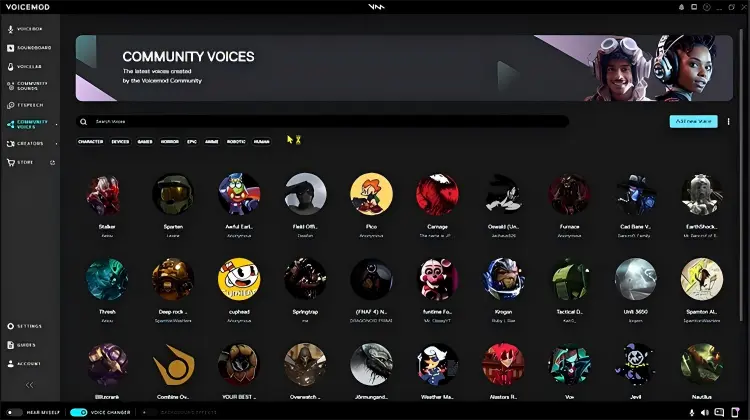
Voicemod is one of the most popular real-time voice changers for gamers and content creators. It provides AI voices, sound effects, and voice customization features that work with games, Discord, streaming software, and other microphone-based applications.
For scary voice effects, Voicemod includes horror-inspired voices that can help users create ghostly whispers, monster sounds, and villain-style voices for entertainment.
Key Features:
* Real-time AI voice transformation.
* Large library of voice effects.
* Virtual microphone support.
* Voice customization with pitch and tone adjustments.
* Compatible with games and streaming apps.
Pros:
+ Excellent real-time performance.
+ Popular among gamers and streamers.
+ Easy integration with voice chat platforms.
+ Regularly updated voice library.
+ Compatible with Windows and macOS.
Cons:
- Many premium effects require payment.
- Beginners may need time to explore settings.
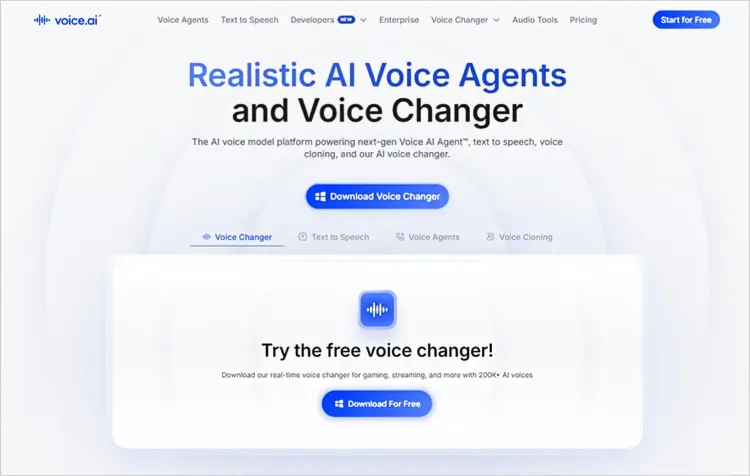
3. Voice.ai – AI Voice Changer for Real-Time Effects
Voice.ai is a powerful AI-powered scary voice changer that transforms your voice in real time using deep-learning technology. Rather than relying on simple pitch adjustments, it uses AI voice models to create more realistic and distinctive effects. Its Voice Universe library features thousands of community-created voices, including creepy, deep, distorted, and character-style voices, making it useful for horror games, Discord, streaming, and scary content.
Voice.ai also supports AI voice cloning, allowing you to upload a clear voice sample or record your own voice to create a custom AI voice. This feature gives you more control over creating unique horror characters, creepy gaming voices, and scary voices for videos and livestreams.
Key Features:
* AI voice transformation.
* Real-time voice effects.
* Community voice library.
* Gaming and streaming support.
Pros:
+ Large selection of AI voices.
+ Support real-time voice changing.
+ Suitable for creative content.
Cons:
- Large voice library can be hard to navigate.
- Some advanced features require a paid plan.
4. TopMediai – Best Online AI Scary Voice Changer
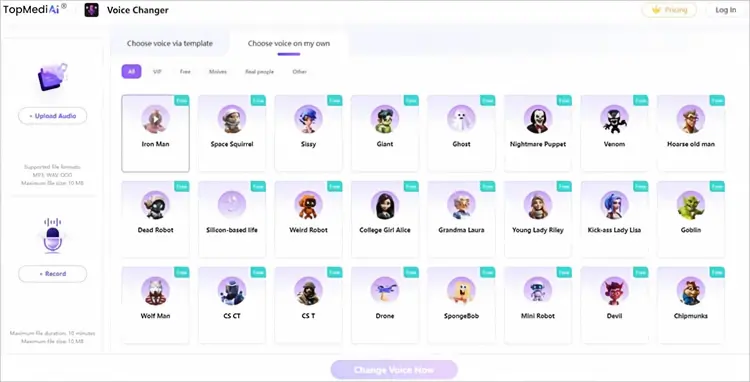
TopMediai is an online AI voice changer that allows users to create scary voices without installing desktop software. Users can upload audio, record their voice, or generate AI voices with different styles.
It is suitable for Halloween videos, horror storytelling, social media content, and creative projects. TopMediai also provides AI voice effects and text-to-speech features for creating creepy voices.
Key Features:
* Wide range of scary and horror-inspired AI voice effects.
* Realistic AI voice conversion with natural-sounding results.
* Upload an audio file or record your voice directly.
* Easy three-step voice-changing process.
* Support Windows, Mac, Android, and iOS devices.
* Work directly in popular web browsers without installation.
* High-quality audio output after voice conversion.
* Suitable for horror videos, Halloween content, gaming, pranks, and character creation.
* Support a variety of voice styles and effects for different creative needs.
How to use this scary voice changer online:
-
Open the TopMediai Online Voice Changer in your browser. Upload the audio you want to transform, or record your voice directly.
-
Browse the available voice filters and choose a scary, horror, demon, or other creepy-sounding voice effect that fits your needs. Click "Change Voice Now" to apply the selected effect to your recording.
-
Preview the generated voice and make adjustments if needed. Download and save the changed audio for use in horror videos, Halloween content, games, pranks, or other creative projects.
Tip: If you want a more dramatic horror effect, TopMediai also offers AI voices designed for demon and Halloween-style content, with adjustable pitch, speed, and pauses.
Pros:
+ No software installation required.
+ Simple interface.
+ Suitable for beginners.
+ Good for creating horror content quickly.
Cons:
- Require an internet connection.
- Real-time voice changing is limited compared with desktop apps.
5. LingoJam – Best Free Online Creepy Voice Changer
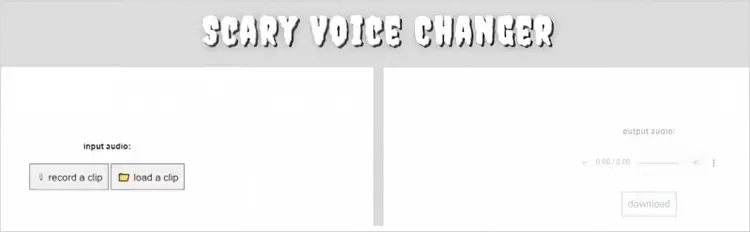
LingoJam is a simple, free online scary voice changer that allows users to experiment with creepy and unusual voice effects directly in a browser.
Unlike professional AI voice tools, the LingoJam scary voice changer focuses on quick voice experiments rather than advanced customization. It is a good option for users who only need basic scary voice effects.
Key Features:
* Free online access.
* Simple voice transformation.
* Browser-based operation.
* Suitable for quick horror voice experiments.
Pros:
+ Completely free.
+ No installation required.
+ Very easy to use.
Cons:
- Limited voice quality.
- Fewer customization options.
- Not designed for professional content creation.
6. ElevenLabs Voice Changer – Best AI Scary Voice Generator
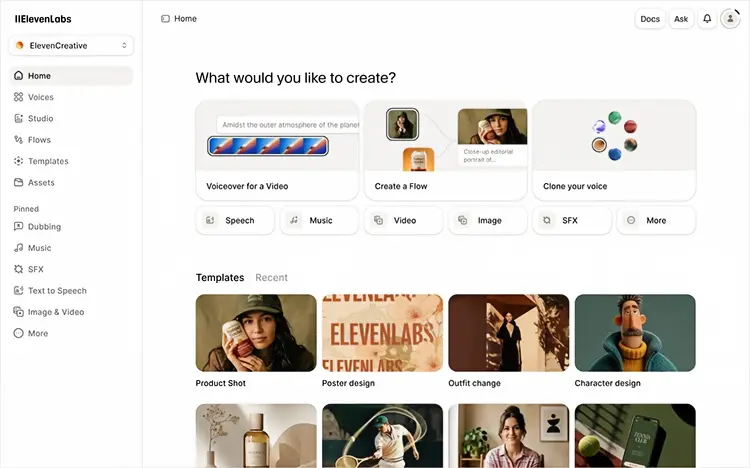
ElevenLabs Voice Changer focuses on realistic AI-generated voices. It provides high-quality scary and horror voice styles that are suitable for storytelling, games, animations, and creative projects.
Users can create voices with different emotional styles, including dark, mysterious, whispering, and villain-like tones.
Key Features:
* Realistic AI voice transformation.
* Horror and scary voice styles.
* High-quality audio output.
* Voice customization options.
* Support creative voice projects.
Pros:
+ Extremely realistic AI voices.
+ Professional audio quality.
+ Great for horror narration and media production.
Cons:
- Mainly designed for generated audio rather than live voice chat.
- Advanced features require a subscription.
7. Narakeet – Best Scary Voice Changer for Horror Narration
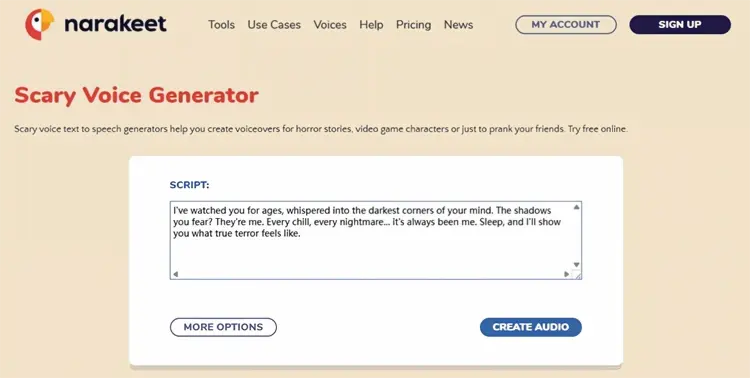
Narakeet is mainly a text-to-speech platform that helps users create voiceovers from text. Although it is not a traditional real-time voice changer, it can be useful for making scary narration, horror stories, and cinematic voice recordings.
Key Features:
* Text-to-speech conversion.
* Multiple AI voices.
* Support video narration.
* Easy voice generation workflow.
Pros:
+ Great for horror videos and storytelling.
+ No recording skills required.
+ Fast voice generation.
Cons:
- Not suitable for live voice changing.
- Limited scary voice customization.
8. Scary Voice Changer and Recorder – Best Mobile Scary Voice Changer App
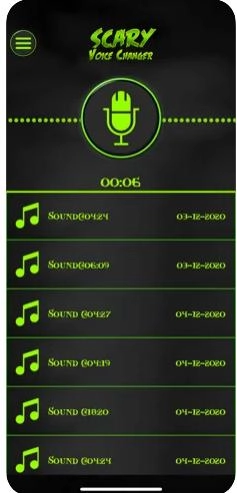
Scary Voice Changer and Recorder is a mobile app focused on scary and fun voice effects. It can transform your voice into different styles, such as ghosts, demons, and monsters, while also allowing you to record and play back your modified voice. It is ideal for creating Halloween content, horror videos, pranks, or gaming voice clips, making ordinary voices sound creepy and entertaining in seconds.
Key Features:
* Unlimited voice recordings.
* Instant scary voice effects.
* Adjust voice speed and pitch.
* Preview and replay recordings.
* Rename or delete recordings.
* Share recordings with friends.
Pros:
+ Easy to use on mobile devices.
+ Good for quick prank recordings.
+ Include multiple scary effects.
Cons:
- Voice realism is lower than AI-based tools.
- Limited advanced editing features.
Part 3. FAQs About Scary Voice Changer
Q1. How can I make my voice sound scary?
You can make your voice scary by lowering your pitch, slowing down your speech, adding pauses, or using a voice changer to apply horror effects. A scary voice changer can automatically adjust pitch, tone, and vocal style to create sounds like ghosts, demons, monsters, or villains.
Q2. Is there a free scary voice changer?
Yes. Many scary voice changers offer free options, including LingoJam, TopMediai the free version, and some mobile voice changer apps.
Q3. Can I use a scary voice changer in real time?
Yes. Tools like MagicMic, Voicemod, and Voice.ai support real-time voice changing for gaming, chatting, and livestreaming.
Q4. What is the most realistic scary AI voice changer?
AI-based tools like ElevenLabs Voice Changer and TopMediai usually provide more realistic results because they use AI models to generate natural-sounding voices instead of simple audio filters.
Conclusion
A scary voice changer makes it easy to create creepy voices for Halloween, gaming, videos, and entertainment. Whether you need real-time voice effects or realistic AI horror narration, there are many tools available for different needs.
For gamers and streamers, MagicMic and Voicemod are strong choices because they provide real-time voice transformation. For creators who want realistic horror voices, TopMediai and ElevenLabs Voice Changer offer better AI-generated results.
Choose the right scary voice changer based on your platform, voice quality requirements, and whether you need live effects or recorded audio.
Related Articles
7 Best French Text to Speech Tools for Natural AI Voices
Oddcast Text to Speech Review: Features, Pros & Cons, and Best Alternative
Best Robot Voice Changer: 9 AI Tools to Create Robot Voices
Best Voice Changer for Zoom: 9 Top Tools for PC/Mac/Mobile/Online