


TL;DR:
Looking for the best real-time voice changer for gaming, streaming, calls, or content creation? This guide compares 7 top voice changer tools.
- Best real-time voice changer for PC gaming: iMyFone MagicMic / Voicemod.
- Best AI real-time voice changer: Voice.ai.
- Best free real-time voice changer for PC: Clownfish Voice Changer.
- Best real-time voice changer app for Android & iPhone: Live Voice Changer - Prankcall / MagicCall.
- Best choice for beginners: EaseUS VoiceWave or Voicemod.
With the growth of live streaming, gaming, online meetings, and short-form content creation, real-time voice changers have become increasingly popular audio tools. They can instantly modify a user's voice while speaking, transforming the original audio into different styles, such as a robot, monster, cartoon character, female voice, male voice, elderly voice, or movie character, without the need for pre-recording or post-editing.
This guide reviews 7 of the best real-time voice changer tools available for different platforms, including real-time voice changers for PC, Android, iPhone, and online voice changing solutions. Each tool covers its key features, advantages, and limitations to help you find the right option for your needs.
Part 1. Top 7 Real-Time Voice Changer Tools
Here is a quick comparison of the best real-time voice changer tools.
| Tool | Platform | Best For | Key Features |
|---|---|---|---|
| iMyFone MagicMic | Windows, Mac, Android, iPhone | Gaming & streaming | AI voices, voice effects, soundboard |
| Clownfish Voice Changer | Windows | Free voice changing | Basic voice effects, system-wide voice changing |
| EaseUS VoiceWave | Windows | Gaming & online chats | Real-time effects, sound effects, voice filters |
| Voicemod | Windows, Mac, Mobile | Gaming & streaming | AI voices, voice effects, soundboard |
| Voice.ai | Windows, Mac | AI voice changing | AI voices, voice cloning, voice library |
| Live Voice Changer - Prankcall | iPhone | Fun & prank calls | Live voice effects, call voice changing |
| MagicCall | Android, iPhone | Mobile calls | Real-time call effects, character voices |
1. iMyFone MagicMic
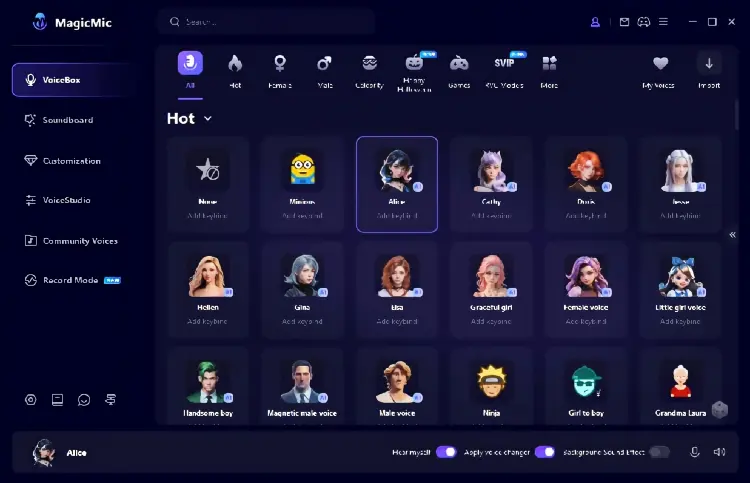
iMyFone MagicMic is a popular real-time voice changer for PC and mobile designed for gaming, livestreaming, online chats, and entertainment. It offers a large collection of voice effects, including character voices, gender-changing voices, robotic sounds, anime-style voices, and AI-powered transformations.
As a flexible real-time voice changer AI tool, MagicMic supports live voice modification while playing games or chatting through platforms such as Discord, Zoom, and other voice communication apps. The mobile version also works as a real-time voice changer Android solution with various effects for gaming and social entertainment.
Pros:
+ Offer hundreds of voice effects and sound effects.
+ Support real-time voice changing for gaming and streaming.
+ Available for Windows, Mac, and mobile devices.
+ Include AI voice effects and voice cloning features.
+ Easy setup for beginners.
Cons:
- Some advanced voices require a paid plan.
- Voice quality depends on microphone quality.
- Desktop version provides more features than mobile apps.
2. Clownfish Voice Changer
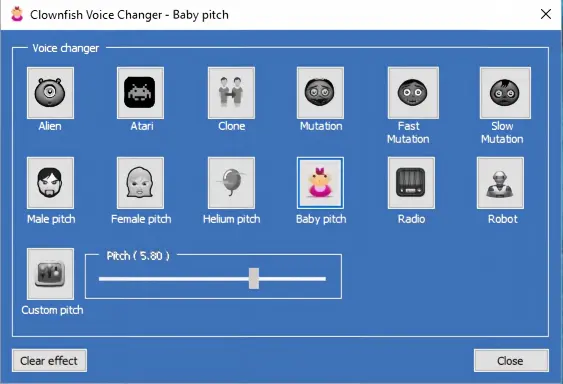
Clownfish Voice Changer is a lightweight and free voice modification tool for Windows users. It works as a system-wide voice changer by installing a virtual microphone, allowing users to change their voice in applications such as Discord, Skype, Steam, and other communication platforms.
For users looking for a free real-time voice changer for PC, Clownfish is a simple option with basic voice effects such as male, female, robot, alien, and helium voices.
Pros:
+ Completely free to use.
+ Lightweight and consumes fewer system resources.
+ Work with many communication applications.
+ Simple interface for beginners.
Cons:
- Voice effects are more basic compared with AI voice changers.
- Limited customization options.
- Audio quality may not be as natural as newer AI tools.
3. EaseUS VoiceWave
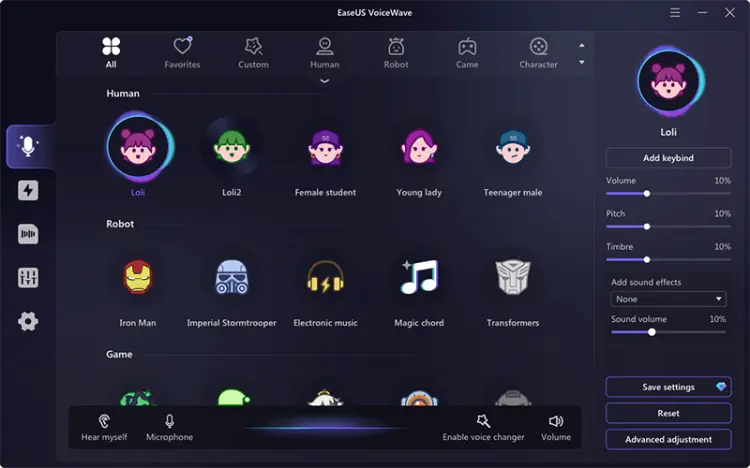
EaseUS VoiceWave is a desktop-based real-time voice changer for PC focused on gamers, streamers, and online creators. It provides real-time voice effects, soundboards, and compatibility with popular games and chat applications.
The software is designed for users who want quick voice transformation without complicated settings. It supports different character voices, emotional effects, and fun voice filters.
Pros:
+ User-friendly interface.
+ Designed for gaming and online communication.
+ Support real-time voice effects.
+ Include sound effects and voice filters.
Cons:
- Mainly focused on Windows users.
- Some effects require premium access.
- Voice library is smaller than some AI competitors.
4. Voicemod
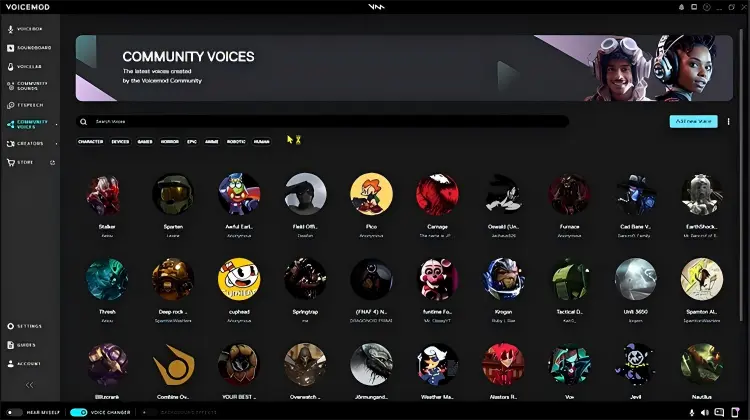
Voicemod is one of the most recognized free real-time voice changer for PC & Mac tools, especially among gamers and streamers. It provides real-time voice effects, AI voices, and a soundboard that works with Discord, games, livestream platforms, and other microphone-based applications.
As a powerful AI real-time voice changer, Voicemod uses AI voice technology to create character-style voices while maintaining fast response times. It also includes Voicelab, allowing users to customize and create unique voice effects.
Pros:
+ One of the best real-time voice changer options for gaming.
+ Support Windows, macOS, and mobile platforms.
+ Offer AI voices and customizable effects.
+ Work with Discord, Twitch, OBS, and games.
+ Provide soundboard features.
Cons:
- Free version has limited voice options.
- Some premium AI voices require a subscription.
- Require system resources while running.
5. Voice.ai
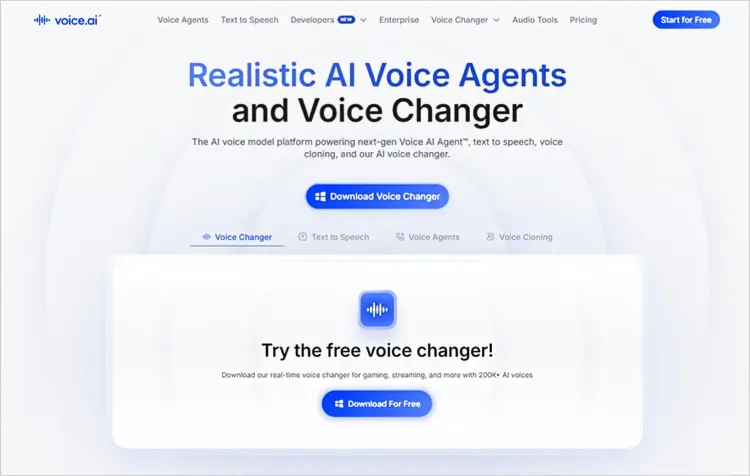
Voice.ai is an AI real-time voice changer that uses deep-learning technology to transform voices into realistic AI-generated voices. It is designed for gamers, streamers, and creators who want more natural voice conversion instead of simple pitch effects.
Voice.ai works as a free real-time voice changer for PC and supports voice changing in games, calls, and online chats. Users can explore a large voice library or create customized AI voices.
Pros:
+ Advanced AI voice transformation technology.
+ Provide realistic voice effects.
+ Large community voice library.
+ Support gaming and streaming platforms.
+ Include voice cloning features.
Cons:
- Require a powerful computer for better performance.
- Some AI voices may need processing time.
- Free features may have usage limitations.
6. Live Voice Changer - Prankcall
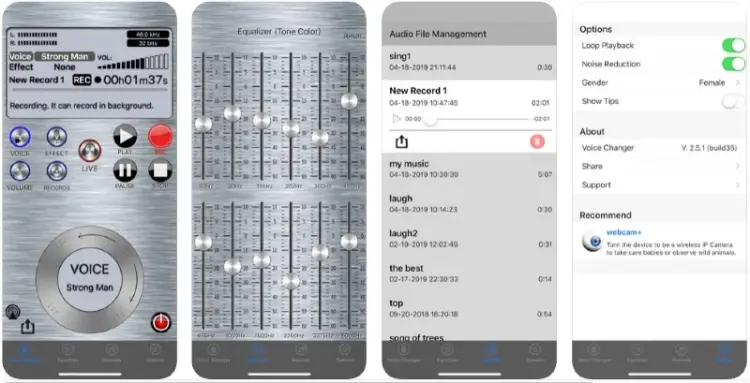
Live Voice Changer - Prankcall is a mobile voice changer app designed mainly for entertainment and prank calls. It allows users to modify their voice during live conversations with different effects.
For users searching for a real-time voice changer app or a simple real-time voice changer for iPhone, this type of mobile solution provides quick voice effects without requiring desktop software.
Pros:
+ Easy to use on mobile devices.
+ Designed for quick voice experiments.
+ Provide multiple voice effects.
+ Suitable for casual entertainment.
Cons:
- Not designed for professional streaming.
- Limited advanced AI features.
- May include advertisements or in-app purchases.
7. MagicCall
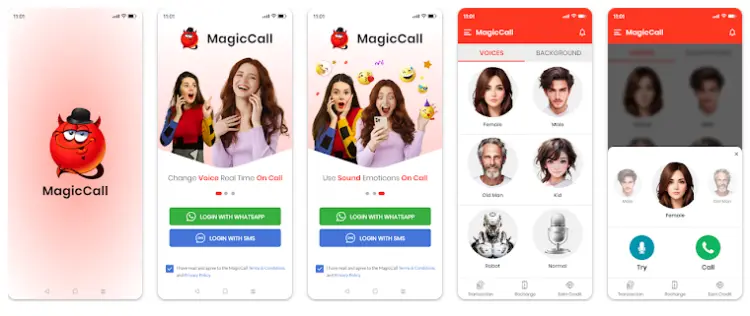
MagicCall is another mobile-focused real-time voice changer app that lets users change their voice during phone calls. It includes various voice effects such as cartoon voices, character voices, and funny sound effects.
It is suitable for users looking for a real-time voice changer Android or iOS solution for casual conversations and entertainment.
Pros:
+ Work on Android and iPhone.
+ Easy voice-changing experience.
+ Offer fun voice effects for calls.
+ Good for casual users.
Cons:
- Mainly designed for phone calls.
- Not suitable for gaming voice chats.
- Advanced AI voice customization is limited.
Part 2. Best Online Voice Changer - TopMediai
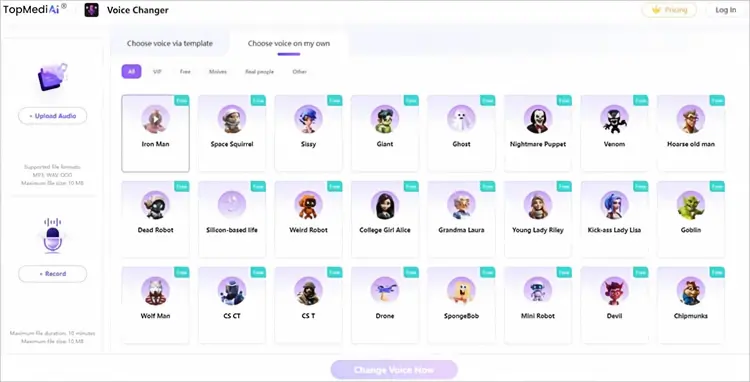
If you want to change your voice without installing desktop software, TopMediai Online Voice Changer is a convenient browser-based option. Unlike dedicated real-time voice changers such as Voicemod, MagicMic, and Voice.ai, TopMediai is mainly designed for recording or uploading audio and then applying AI voice effects. This makes it better suited to voice creation, short-form content, audio experiments, and other scenarios where live microphone voice changing is not required.
TopMediai supports voice recording and audio uploads, allowing you to apply different AI voice effects and generate transformed audio directly in your browser. It can be useful when you need a quick, free real-time voice changer alternative for processing recorded audio rather than changing your voice live during a game or call.
Key features of TopMediai Online Voice Changer:
- Convert uploaded or recorded audio into different AI voices while keeping the original speech content.
- Upload MP3, WAV, or OGG files, or record your voice directly in the browser.
- Choose from a large VoiceLab library with more than 1,000 available voices and effects.
- Apply a selected voice effect and generate the transformed audio through a simple online workflow.
- Change voices directly online without installing desktop voice-changing software.
- Preview the generated voice and download the converted audio for later use.
- Support different voice styles and effects, including character-like, robotic, cartoon, and other creative voice options.
- TopMediai also provides AI voice cloning, text-to-speech, AI music, and other audio creation tools, making it useful beyond basic voice conversion.
How to Use TopMediai Online Voice Changer:
-
Open TopMediai Online Voice Changer and upload an audio file, or use the built-in recording option to record your voice directly in your browser.
-
Browse the available voice effects and select the one you want to use. TopMediai provides various AI voice effects for different creative purposes. After selecting a voice, click "Change Voice Now" to process your recording.
-
Wait for TopMediai to process the audio, then preview the generated voice. If the result meets your needs, download the changed audio and use it for your video, social media content, or other projects.
Pros:
+ Work directly in a web browser.
+ No desktop software installation required.
+ Support audio recording and file uploads.
+ Provide AI-powered voice effects.
+ Convenient for short voice clips and content creation.
+ Suitable for users who do not need live microphone voice changing.
Cons:
- Not a true real-time microphone voice changer.
- Not designed for live gaming or Discord voice chats.
- An internet connection is required.
- Advanced features may require a paid plan.
Conclusion
A real-time voice changer can make gaming, streaming, online calls, and social interactions more entertaining by transforming your voice as you speak. Tools such as iMyFone MagicMic, Voicemod, Voice.ai, EaseUS VoiceWave, and Clownfish Voice Changer are designed for live voice effects, while mobile apps such as MagicCall and Live Voice Changer are more suitable for voice changing on smartphones.
If you prefer not to install desktop software and only need to transform recorded or uploaded audio, TopMediai Online Voice Changer provides a convenient browser-based alternative with AI voice effects and voice conversion features. Choose a dedicated real-time voice changer for live microphone use, or try TopMediai when your goal is to create and transform voice recordings online.
Related Articles
Scary Voice Changer: 8 Best Tools to Create Creepy AI Voices in 2026
5 Best Hindi Text to Speech Tools for Natural AI Voice Creation
Oddcast Text to Speech Review: Features, Pros & Cons, and Best Alternative
7 Best French Text to Speech Tools for Natural AI Voices

