TL;DR:
Looking for the best voice changer for Zoom? We compared 9 popular tools for PC, Mac, Android, iPhone, and online use.
- MagicMic, Voicemod, Clownfish, AV Voice Changer, and Voice.ai are strong choices for real-time Zoom voice changing on desktop;
- TopMediAI and FineVoice are better for creating prerecorded voice clips online;
- Android and iPhone users can try RoboVox or Voice Changer Plus.
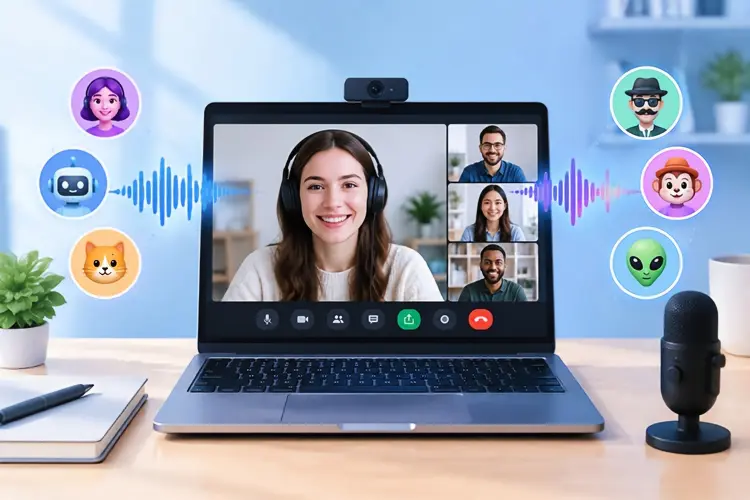
Looking for a voice changer for Zoom to change your voice during meetings, online classes, or video calls? While Zoom does not offer a built-in real-time voice-changing feature, third-party voice changers can process your microphone audio and send the modified voice to Zoom through a virtual microphone. With the right tool, you can easily switch to effects such as male, female, robot, cartoon, and other fun voices without constantly changing your Zoom microphone settings.
In this guide, we'll compare 9 popular voice changers for Zoom, covering their features, compatibility, limitations, and ideal use cases to help you find the best option for your setup.
Part 1. Best Voice Changer Software for Zoom on PC/Mac
If you need a voice changer for Zoom on PC or Mac that changes your voice in real time, desktop software is generally the best choice. These applications can process microphone audio before sending it to Zoom. The following are 5 popular voice changers for Zoom on PC or Mac.
1.1 MagicMic Zoom Voice Changer
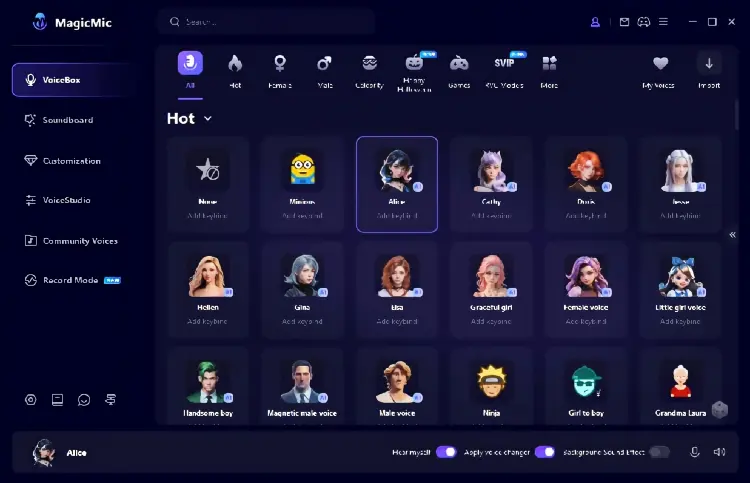
MagicMic is one of the most popular choices for users looking for a powerful voice changer for Zoom meetings. It provides real-time voice transformation with hundreds of voice effects, including male voice, female voice, robot, anime character, celebrity-style voices, game characters, and funny sound effects. MagicMic works by creating a virtual microphone that can be selected inside Zoom settings. Once connected, your transformed voice will be transmitted during Zoom meetings, online classes, interviews, or video calls.
One of the biggest advantages of MagicMic is its large voice library and simple interface. Beginners can select a voice effect with one click, while advanced users can customize pitch, tone, speed, and other parameters to create unique voices. It also supports many communication platforms besides Zoom, including Discord, Skype, Google Meet, Microsoft Teams, and gaming voice chats.
Key Features:
* Real-time AI voice changing during Zoom meetings.
* Hundreds of voice effects and sound effects.
* Virtual microphone support.
* Custom voice adjustment options.
* Work with Windows and Mac.
* Support Zoom, Discord, Skype, Teams, and other apps.
Pros:
+ Support real-time voice changing on Windows and Mac.
+ Designed to work with Zoom and other communication apps.
+ Large selection of voice filters and sound effects.
+ Include voice customization and noise reduction.
+ Mobile versions are available for recording-based voice changing.
+ Relatively beginner-friendly setup.
Cons:
- Some advanced voices require a paid version.
- Large voice libraries may require additional downloads.
- Performance depends on computer hardware.
- Real-time voice changing is mainly a desktop feature.
1.2 Voicemod
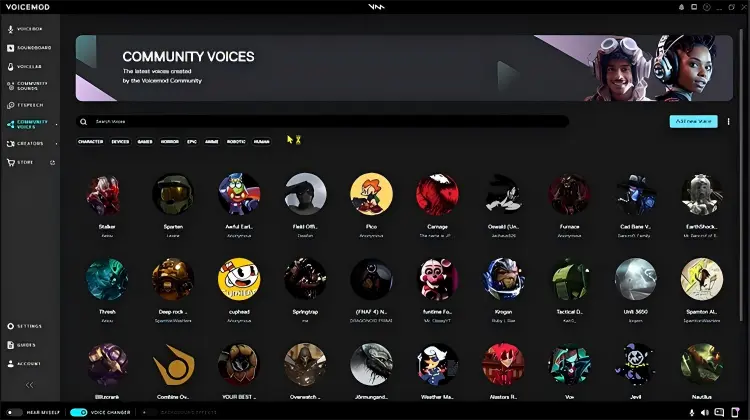
Voicemod is a popular voice changer software for Zoom that provides real-time voice effects through a virtual microphone. It allows Zoom users to select the Voicemod Virtual Microphone as their audio input and apply voice changes before the sound reaches other participants. With a wide range of effects, including robot, alien, deep voice, and character voices, Voicemod is suitable for online meetings, gaming, streaming, and creative calls.
In addition to voice changing, Voicemod offers customization tools through VoiceLab and includes a soundboard feature for playing audio clips during conversations. It is a good choice for users who want a flexible and entertaining voice changer that works beyond Zoom.
Key Features:
* Real-time AI voice changer.
* 200+ built-in voice effects.
* Custom voice creation with VoiceLab.
* Soundboard effects.
* Noise reduction and voice enhancement.
* Work with Zoom and other voice apps.
Pros:
+ Real-time voice changing.
+ Work on Windows and Mac.
+ Large collection of voice effects.
+ Useful beyond Zoom.
+ Good choice for gaming and streaming.
+ Modern and relatively polished interface.
Cons:
- Free version has limited voice options.
- Some advanced customization requires Voicemod Pro.
- May consume more system resources on older computers.
- For first-time users, the audio setup may seem a little complicated.
1.3 Clownfish Voice Changer
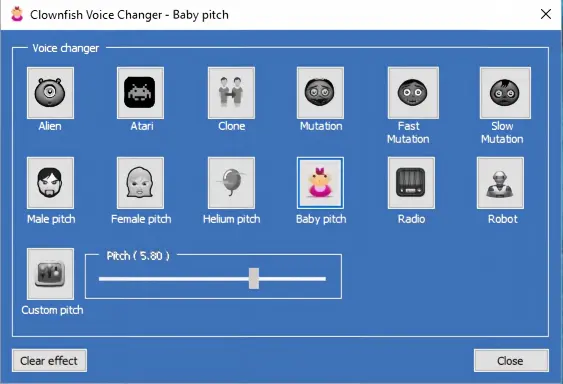
Clownfish Voice Changer is a lightweight and free voice changer for Zoom PC users that can process your system microphone audio in real time. It offers various voice effects, including robot, alien, male, and female voices, and works with multiple voice-chat applications. If your needs are relatively simple and you only want to use basic voice effects in Zoom, Clownfish can be a good choice for beginners.
Key Features:
* Free voice changing software.
* System-wide microphone effects.
* Multiple basic voice filters.
* Background music support.
* Low system requirements.
Pros:
+ Completely free to use.
+ Very easy installation.
+ Require fewer computer resources.
+ Work with Zoom and other communication apps.
+ Suitable for beginners.
Cons:
- Mainly focused on Windows.
- Voice quality is less realistic than AI voice changers.
- Limited customization options.
- Interface looks outdated.
- Fewer modern voice effects.
1.4 AV Voice Changer
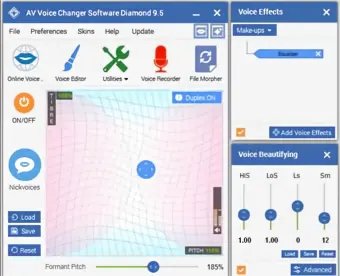
AV Voice Changer is a professional voice modification tool that gives users detailed control over pitch, timbre, resonance, and other audio characteristics. It offers more advanced customization than basic voice changers, allowing users to create deeper, younger, older, feminine, or completely different voices.
For Zoom users, AV Voice Changer can work through a virtual audio device to transmit modified voices during meetings and calls. It is a suitable choice for users interested in voice disguise, privacy, roleplay, or experimenting with different voice styles.
Key Features:
* Advanced voice customization.
* Pitch and tone adjustment.
* Voice analysis tools.
* Audio effects and filters.
* Virtual microphone support.
Pros:
+ Powerful customization options.
+ More professional audio controls.
+ Can create realistic voice changes.
Cons:
- Windows-focused.
- No Mac support.
- Officially listed versions are relatively old.
- Interface feels dated compared with modern AI tools.
- May require more audio configuration.
- Not the best choice for beginners.
1.5 Voice.ai
Voice.ai is an AI-powered voice changer for Zoom that focuses on realistic voice transformation using deep learning technology. It allows users to transform their voice into thousands of AI-generated voices and character styles during online conversations.
Unlike traditional pitch-changing software, Voice.ai uses AI models to recreate the characteristics of different voices, making the result sound more natural. It supports Zoom, Discord, Skype, Teams, and many other communication platforms.
Voice.ai is especially suitable for creators, gamers, and users who want unique AI voices during online meetings. The platform also includes a community voice library where users can explore different AI voice models.
Key Features:
* AI-powered real-time voice conversion.
* Large AI voice library.
* Custom AI voice creation.
* Work with Zoom and other apps.
* Support Windows and Mac.
Pros:
+ More realistic than traditional voice filters.
+ Large selection of AI voices.
+ Good for creative content and entertainment.
+ Support many communication platforms.
+ Free version available.
Cons:
- AI processing may require stronger hardware.
- Some voices may have noticeable delays.
- Require account registration.
- Voice quality depends on the selected AI model.
Part 2. Best Voice Changer for Zoom Online
Online voice changers are a convenient option for users who do not want to install desktop software. These browser-based tools usually rely on AI technology to process audio online, making them suitable for quick voice transformation, content creation, and occasional Zoom calls. The following are 2 popular online voice changers for Zoom.
2.1 TopMediAI Online Voice Changer
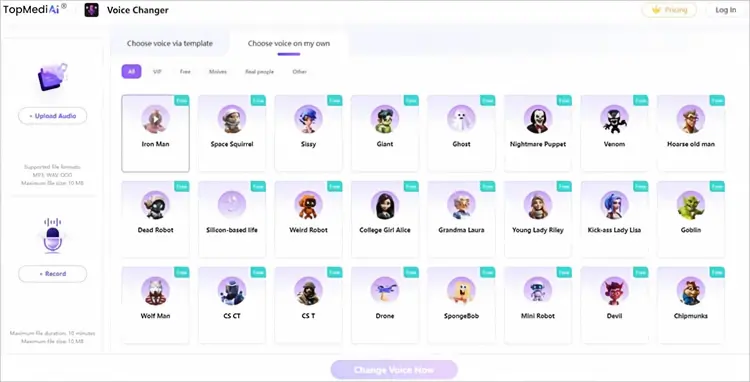
TopMediAI Online Voice Changer is an easy-to-use browser-based tool that uses AI to transform recorded audio into different voices and sound effects. It supports more than 50 voice options, allowing you to turn a pre-recorded voice into various realistic or fun styles with just a few clicks. Simply upload an audio file or record your voice, select your preferred voice effect, and let the AI process the audio automatically. Once finished, you can download the converted file or share it on social media.
As an online tool, TopMediAI does not require software installation and works across different operating systems, including Windows, Mac, and Chromebook. All you need is a stable internet connection and a compatible browser. This makes it a convenient voice changer for Zoom Chromebook and Mac users who want to create or prepare modified voice recordings without installing desktop software.
Key Features:
* Compatible with all major operating systems.
* Offer 50+ built-in voice effects.
* Provide fast and smooth voice conversion.
* Produce clear, sharp, and realistic audio.
* Support downloading and direct sharing of converted files.
* Feature a simple and user-friendly interface.
Pros:
+ Work online.
+ No desktop installation required.
+ Support audio upload and recording.
+ Multiple voice effects.
+ Convenient for quick voice transformations.
+ Useful for creating prerecorded audio.
+ Work across different operating systems.
Cons:
- Not the ideal solution for live Zoom conversations.
- Require uploading or recording audio.
- File and duration limits apply.
- Internet connection is required.
- Less suitable for continuous real-time meetings.
2.2 FineVoice
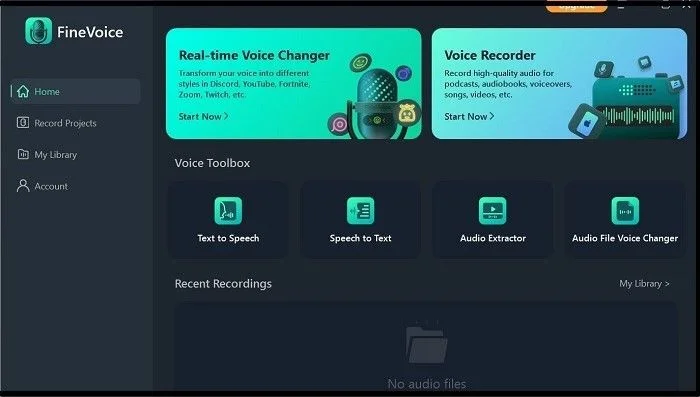
FineVoice is a versatile voice changer for Zoom and other online platforms, offering a variety of voice effects that range from fun and playful to more natural-sounding options. It allows users to modify their voice in real time, making it suitable for Zoom meetings, online calls, gaming, and content creation. In addition to voice changing, FineVoice includes useful features such as voice recording, text-to-speech, and audio enhancement, making it a flexible choice for users who want both entertaining and practical voice modification tools.
Key Features:
* AI voice changer technology.
* Text-to-speech and voice generation.
* Voice cloning features.
* Voice enhancement tools.
* Multiple voice styles and effects.
* Audio editing functions.
Pros:
+ Provide realistic AI-generated voices.
+ Include multiple AI audio tools.
+ Good voice quality for content creation.
+ Simple interface for beginners.
+ Useful beyond Zoom meetings.
Cons:
- Some features require a paid plan.
- Voice quality may vary.
- Customization options are limited.
- Occasional lag may occur.
Part 3. Best Voice Changer App for Zoom
Mobile users who attend Zoom meetings through smartphones or tablets may need a dedicated voice changer app for Zoom. The following are the popular voice changers for Zoom on Android/iPhone.
3.1 RoboVox Voice Changer (Android)
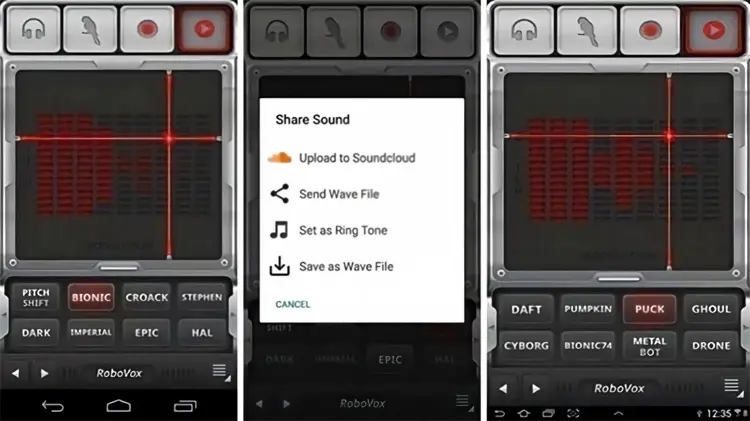
RoboVox Voice Changer is a mobile voice changer for users who enjoy robotic and creative voice effects. It offers 32 voice styles that can be customized with pitch and modulation controls, making it easy to create unique voice effects. The app provides three modes: real-time, parrot, and recording.
Key Features:
* Up to 5 minutes of recording.
* 32 voice styles.
* Customizable pitch and modulation.
* Real-time, parrot, and recording modes.
Pros:
+ Save recordings as WAV files.
+ Include a real-time voice-changing mode.
+ Useful when you do not have a PC.
+ Suitable for casual voice-changing experiments.
Cons:
- Encourage in-app purchases.
- Limited free voice styles.
3.2 Voice Changer Plus (iPhone)
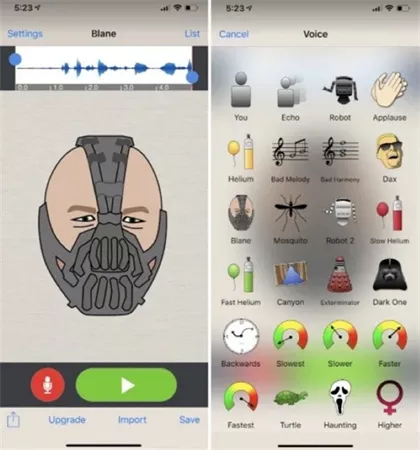
Voice Changer Plus is a popular iPhone voice changer app that offers a variety of voice and sound effects for creating fun audio recordings. With more than 55 voice and background effects, users can choose their favorite style and modify their recordings with ease. The app also includes voiceover tools and lets users add additional effects after recording, making it a convenient option for casual voice-changing and audio creation.
Key Features:
* 55+ voice and background effects.
* Built-in voiceover feature.
* Choose photos to share with recordings.
* Add effects to recordings after capture.
Pros:
+ Available for iPhone and iPad.
+ 55 voice effects and background sounds.
+ Simple recording workflow.
+ Allow recordings to be saved and shared.
+ Support trimming and adding effects.
Cons:
- Primarily a recording app.
- Not a true real-time Zoom microphone solution.
- Does not provide the same virtual microphone workflow as desktop software.
- Better for entertainment than professional meetings.
Part 4. Best Voice Changer for Zoom: Quick Comparison
| Tool | Platform | Real-Time Voice Changing | Free Version | Best For |
|---|---|---|---|---|
| MagicMic | Windows, Mac | Yes | Yes | Beginners & creators |
| Voicemod | Windows, Mac | Yes | Yes | Gamers, streamers & meetings |
| Clownfish Voice Changer | Windows | Yes | Yes | Users looking for a free tool |
| AV Voice Changer | Windows | Yes | Trial/Paid | Advanced users |
| Voice.ai | Windows, Mac | Yes | Yes | AI voice effects |
| TopMediAI Online Voice Changer | Web | Limited/Depends on setup | Yes/Trial | Chromebook & online users |
| FineVoice | Web | Limited/Depends on setup | Yes/Trial | AI voice creation |
| RoboVox Voice Changer | Android | Limited | Yes | Casual mobile users |
| Voice Changer Plus | iPhone/iPad | Limited | Yes | iPhone users |
Sum Up
The best voice changer for Zoom depends on your device and needs. For real-time voice changing on PC or Mac, MagicMic, Voicemod, and Voice.ai are strong choices. For online use, TopMediAI and FineVoice are convenient options, while RoboVox and Voice Changer Plus are better suited to mobile users. Choose the tool that offers the right balance of voice effects, audio quality, Zoom compatibility, and ease of use.
Related Articles
How to Record a Zoom Meeting with Audio: Complete Guide 2026
Best Lecture Recorder for Students: 7 Best Picks for Class
AZ Screen Recorder Guide and 9 Practical Alternatives and Review
Screen Recorder for Mac: 12 Tools for Screen Recording on Mac