


Does AZ Screen Recorder meet your requirements? Among the many screen recording tools available, AZ Screen Recorder is one of the most popular options, especially for mobile users. But if you want to get a better alternative to AZ Screen Recorder for capturing a high-score run or creating quality tutorials, here are some suggestions.

Part 1: What's AZ Screen Recorder and How to Use It?
AZ Screen Recorder is a high-quality screen recording app primarily designed for Android, though it has expanded its reach over time. Now, it is available for Android, iOS, and Windows users. It is widely recognized for its ability to record smooth, clear screen videos without requiring "root" access, which was a major selling point during its early years.
Here's how to use AZ Screen Recorder:
-
Grab the app from the Google Play Store, Apple Store, or Microsoft Store.
-
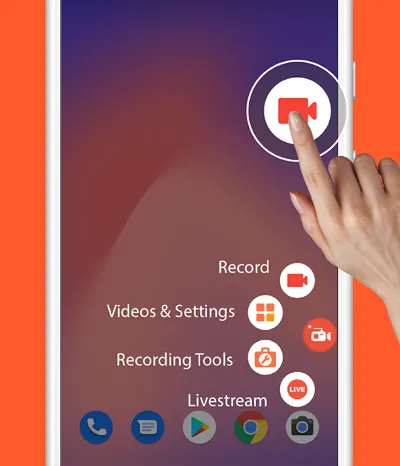
Upon first launch, allow the app to "Display over other apps" to enable the floating control bubble. Tap the gear icon to set your resolution (up to 2K/4K), frame rate (FPS), and bit rate.
-
Tap the red camera icon on the floating menu. A countdown will begin, and your screen is now being captured.
-
Pull down the notification shade to stop. You can then use the built-in editor to trim the video or convert it to a GIF.
Part 2: What Are the Pros and Cons of AZ Screen Recorder?
Like any software, AZ Screen Recorder has both strengths and weaknesses. AZ Screen Recorder is an excellent choice for casual and semi-professional Android users, but it may not meet the needs of users who require advanced editing or cross-platform compatibility.
Pros:
+ Free to use with no time limits.
+ No watermark on recorded videos.
+ Supports high-resolution recording (up to 1080p and 60 FPS).
+ Easy-to-use interface suitable for beginners
+ Includes basic video editing tools.
Cons:
- Primarily designed for Android, with limited options for desktop users.
- Ads may appear in the free version.
- Advanced tools like "Magic Button" require a subscription.
- Advanced editing features are relatively limited.
- Performance may vary depending on device hardware.
Tips: If you want a screen recorder for a Mac computer, open this link.
Part 3: 9 Alternatives to AZ Screen Recorder
If AZ Screen Recorder doesn't fit your specific needs, here are nine excellent alternatives ranging from mobile apps to professional desktop suites.
3.1 XRecorder
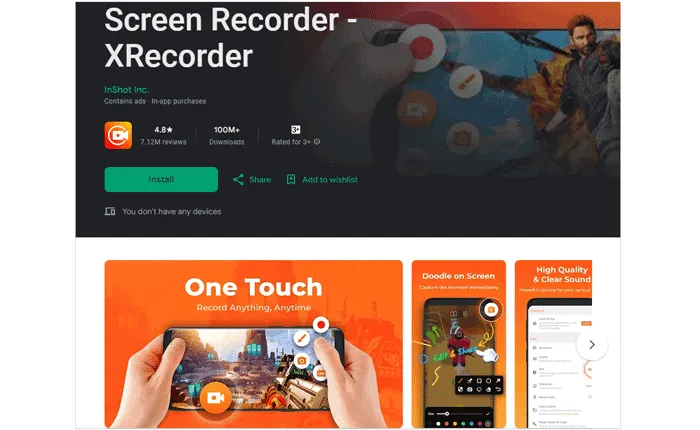
XRecorder is a popular Android screen recording app developed by InShot. It is a fierce competitor to AZ on Android. It offers high-quality recording without watermarks and supports internal audio recording on compatible devices. Its clean interface makes it easy for beginners.
Pros:
+ High-quality mobile screen recording up to 1080p at 60 fps with internal audio support (Android 10+) and no root required.
+ Floating control button for quick start/stop.
+ Built-in video editing: trim/crop, speed control, AI captions, filters, stickers, voice changer, GIF export, and facecam overlay.
+ Live streaming support to YouTube and RTMP.
Cons:
- Some advanced features may require a premium upgrade.
- Occasional recording glitches based on user reports (e.g., dropped frames/black screen).
- Quality and stability depend on device hardware.
- Frequent full-screen ads in the free version
3.2 iReaShare Screen Recorder
iReaShare Screen Recorder is a desktop-based solution suitable for Windows users. It supports full-screen and custom-area recording, making it ideal for creating tutorials, online courses, and professional presentations. What's more, it also allows you to take screenshots on your computer directly.
Pros:
+ High-quality screen recording support.
+ Zero lag because it supports USB connection.
+ Desktop screen and audio capture with customizable recording area.
+ Stable for long recordings with low CPU/RAM usage.
+ Includes audio capture (system or microphone) and mute recording.
+ Lightweight and efficient, ideal for lower-end systems.
+ Easy to use for beginners.
Cons:
- Limited advanced editing tools compared to professional editors.
- Free version can record the screen with unlimited time but has a watermark.
Download the Screen Recorder to replace AZ recording app.
Here's how to use this alternative:
-
Download and install the software on your computer. Then launch it on the desktop.
-
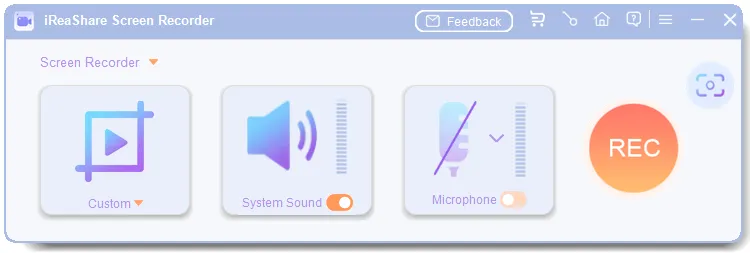
If you want to record the screen of your computer, choose "Custom" or "Full Screen". Then enable an audio source you want, and click "REC".
-
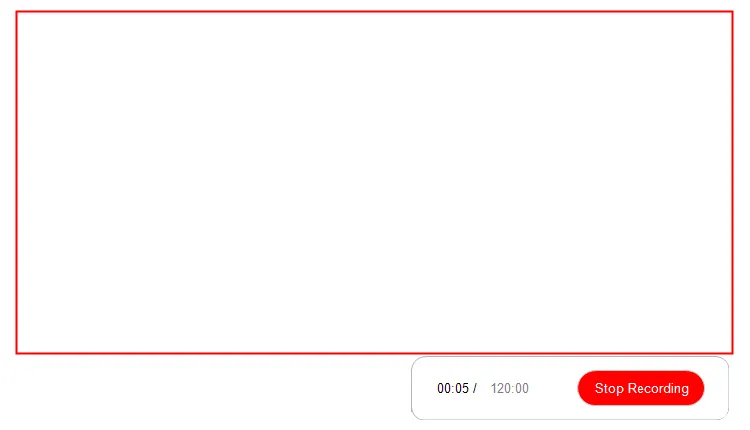
After that, select the region on the screen, and click "Start Recording". Once recorded, click "Stop Recording", and save the video to your computer.
3.3 Apowersoft Screen Recorder
Apowersoft Screen Recorder is a versatile tool available on multiple platforms, including Windows, macOS, Android, and iOS. It supports real-time editing and cloud storage, which is useful for team collaboration.
Pros:
+ Screen capture (full or selected region) with system audio and microphone.
+ Real-time annotations, multi-format export (MP4, AVI, WMV), and cloud storage integration.
+ Online version requires no bulky installation.
+ Supports multiple output formats and scheduling recordings.
Cons:
- The online version still requires a small launcher download.
- Audio can occasionally go out of sync on lower-end systems.
- UI feels dated compared to modern screen recorders.
3.4 Mobizen Screen Recorder
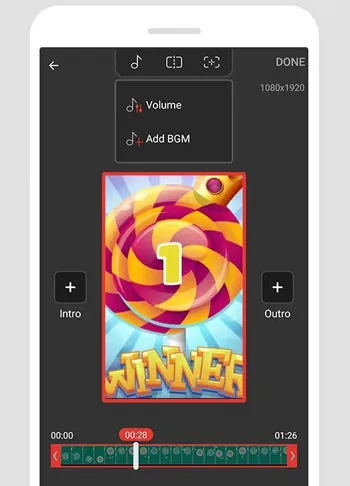
Mobizen Screen Recorder is another well-known Android screen recorder, especially popular among mobile gamers. It supports FaceCam recording and offers various resolution options.
Pros:
+ Focuses on "clean" recording and has a dedicated "Studio" for further editing.
+ One-tap mobile recording experience with intuitive UX/UI.
+ Internal stereo audio capture (with compatible settings) and mic capture.
+ Quick access to recordings and basic on-device editing.
Cons:
- Many advanced features are locked behind a subscription.
- Some users report "Korean-only" menus in certain updates.
3.5 FastStone Capture
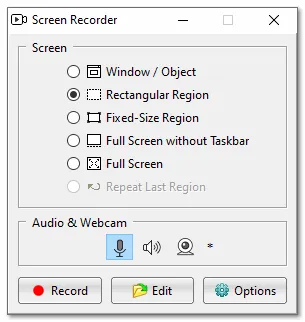
Mobizen Screen Recorder is another well-known Android screen recorder, especially popular among mobile gamers. While it looks a bit "old school," it is incredibly efficient for capturing screen activity and taking scrolling screenshots with minimal CPU usage. It supports FaceCam recording and offers various resolution options.
Pros:
+ Lightweight capture tool supporting screenshots and screen video.
+ Simple interface focused on quick recordings and annotations.
+ Often praised for portability and minimal footprint.
+ Good for basic screen recording and quick captures.
Cons:
- Limited editing capabilities; better suited for screenshots or simple clips.
- The interface looks dated (Windows XP style).
- Limited video export options (.WMV only for video).
- No Mac version.
Read also: Want to get the authentic review about OBS Studio? This article may help.
3.6 ScreenRecorder.me
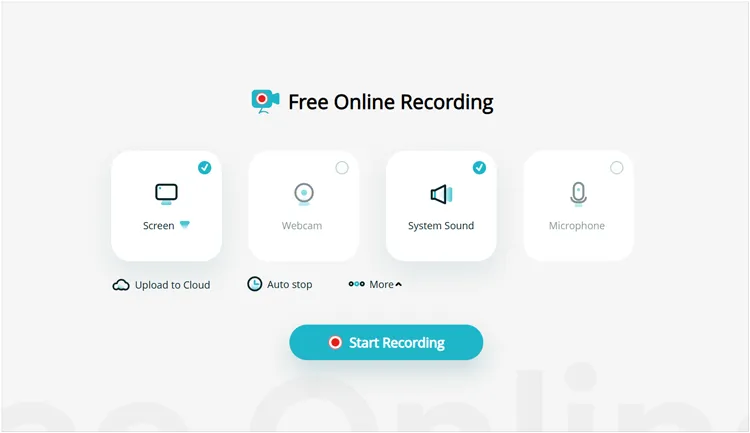
ScreenRecorder.me is an online screen recording tool that works directly in a web browser. It does not require installation and is suitable for quick recordings, although its features are more limited compared to desktop software. It is a perfect "emergency" recorder when you need to capture a browser window or your desktop on a guest computer.
Pros:
+ Online screen recorder that works directly from a browser.
+ No installation needed.
+ Basic capture of screen, audio, and potentially webcam (depending on browser permissions).
+ Great for quick captures without overhead.
Cons:
- No advanced editing tools.
- Recording quality is capped (usually 720p or 1080p depending on browser).
- Lacks internal audio support on some browsers.
3.7 Camtasia
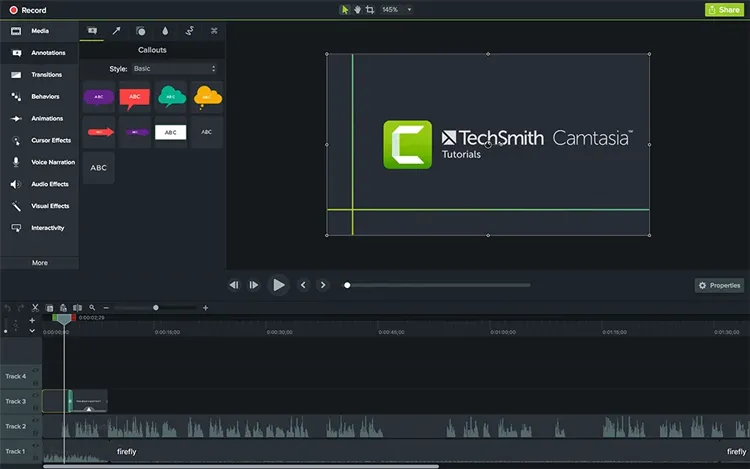
Camtasia is a professional-grade screen recording and video editing software. It is widely used by educators and marketers due to its powerful editing tools, animations, and effects, though it comes at a higher cost.
Pros:
+ Full screen recorder with deep editing: timeline, animations, cursor effects, callouts, transitions, audio mixing.
+ Built-in media assets and royalty-free library.
+ Supports webcam + mic + system audio.
+ Direct sharing to YouTube and LMS platforms.
+ Excellent noise reduction for voiceovers.
Cons:
- Very expensive.
- Can be overkill for simple recording needs.
- Requires significant system resources.
3.8 ActivePresenter
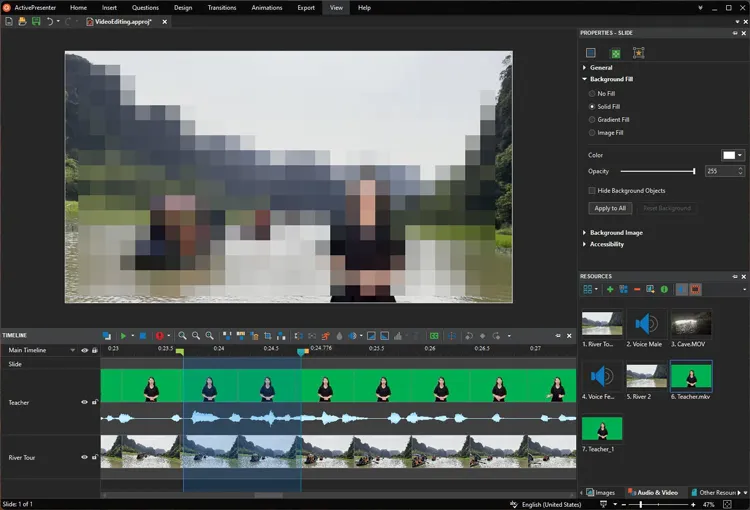
ActivePresenter is a robust screen recording and e-learning authoring tool. It supports interactive content creation, quizzes, and advanced editing, making it ideal for training and educational purposes. Specifically designed for e-learning, it doesn't just record video; it can track mouse clicks and keypresses to automatically generate annotated tutorials and interactive quizzes.
Pros:
+ Screen & webcam recording with simultaneous audio capture.
+ Smart annotation and interactive eLearning simulation capture (actions, clicks).
+ Advanced video editing with timeline, transitions, cut/join, speed/volume control, captions, blur/spotlight.
+ Includes advanced audio editing.
Cons:
- High learning curve due to the complexity of the interface.
- Paid editions needed for commercial licensing or watermark removal.
3.9 FlashBack
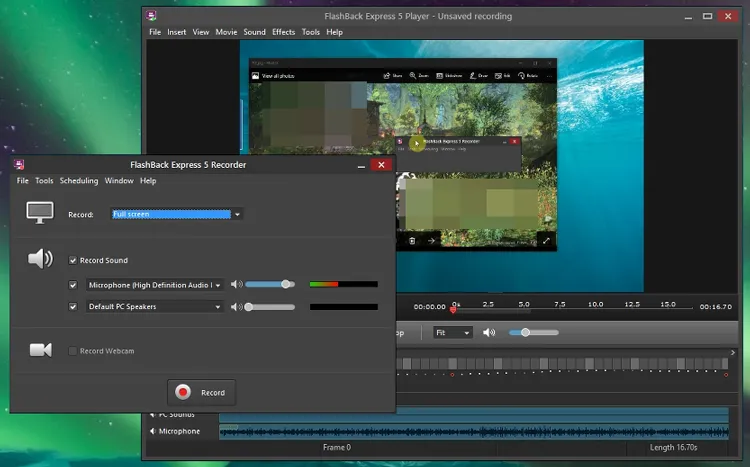
FlashBack is a reliable screen recording software for Windows that supports high-quality recording, webcam overlay, and audio capture. It offers both free and paid versions to suit different user needs.
Pros:
+ Frame-by-frame editing, scheduled recording, and direct YouTube upload.
+ Zoom/pan, export to MP4/AVI/WMV/GIF/QuickTime, and built-in timeline editor.
+ Multi-monitor support and cursor effects.
+ Free Express version includes no watermark or time limits for basic use.
+ Easy recording setup with webcam overlay.
Cons:
- Limited to 720p in the free version.
- No support for Mac or mobile devices.
Conclusion
AZ Screen Recorder is a solid and user-friendly screen recording app, particularly for Android users who want a free and reliable solution. However, depending on your platform, budget, and feature requirements, there are many capable alternatives available. If you want a more user-friendly alternative with editing features, you can choose iReaShare Screen Recorder. It allows you to record a screen within 3 minutes for free without a watermark.
You can also choose FastStone Capture, which is completely free to use but no phone screen recording. Anyway, from lightweight online tools like ScreenRecorder.me to professional software such as Camtasia and ActivePresenter, choosing the right screen recorder ultimately depends on how and where you plan to use it.
Related Articles
How to Screen Record on Mac Step by Step | Advanced Guide
Guide: How to Use Screen Recorder on iReaShare
Best Screen Mirroring App for Android to PC (Proven)
Cast Android to Windows 10/11 PC (Contain USB and Wi-Fi Connections)