TL;DR:
Need a Hindi text to speech tool? Explore the 5 best AI voice generators to create realistic Hindi voiceovers for YouTube, podcasts, courses, and marketing content. Compare voice quality, features, pros, and limitations to find the ideal Hindi AI voice solution for your creative needs.
Hindi is one of the most widely spoken languages in the world, with hundreds of millions of native speakers across India and global communities. As video content, online courses, podcasts, and social media continue to grow, more creators are looking for a reliable Hindi text to speech tool to convert written text into natural-sounding Hindi voices.
In this guide, we review the 5 best Hindi text to speech tools in 2026, including their key features, advantages, limitations, and ideal use cases to help you choose the right option.
Part 1. What Is Hindi Text to Speech?
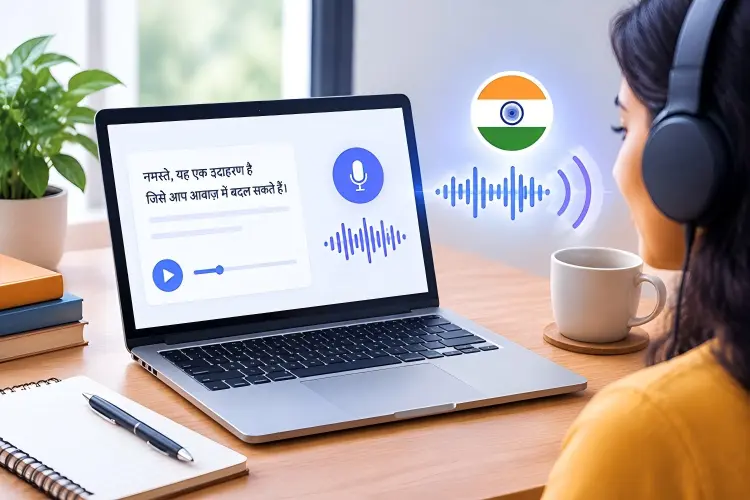
Hindi text to speech (Hindi TTS) is an AI technology that converts written Hindi text into spoken audio. Instead of recording your own voice or hiring a voice artist, you can enter Hindi sentences and generate an AI voice that reads the content naturally.
Common uses of Hindi text to speech include:
- Creating Hindi YouTube videos and Shorts.
- Producing educational courses and tutorials.
- Generating audiobook narration.
- Making advertisements and promotional videos.
- Creating accessibility tools for Hindi readers.
- Adding Hindi voiceovers to global content.
Part 2. 5 Best Hindi Text to Speech Tools
Quick Comparison: Best Hindi Text to Speech Tools
| Method | Best For | Hindi Voice Quality | Main Advantage |
|---|---|---|---|
| TopMediai | AI creators and multilingual content | Excellent | Large AI voice library and voice customization |
| ElevenLabs | Realistic AI narration | Excellent | Highly natural voice generation |
| Narakeet | Presentations and educational videos | Good | Simple text-to-video workflow |
| Speechify | Reading and accessibility | Good | Fast text-to-speech experience |
| Kapwing | Online video creators | Good | Built-in video editing features |
1. TopMediai Hindi Text to Speech
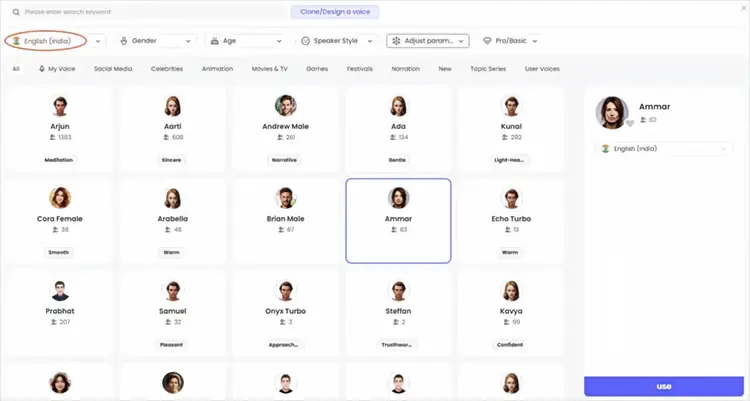
TopMediai is an AI-powered text-to-speech tool that helps users convert Hindi text into natural-sounding AI voices online. It supports Hindi voice generation with multiple AI voice styles, making it suitable for creating YouTube narrations, educational videos, social media content, podcasts, audiobooks, and other voiceover projects. With a large voice library, users can choose different tones, adjust voice parameters, and generate realistic Hindi speech without recording their own voice.
TopMediai supports 3,200+ AI voices and 190+ languages and accents, including Hindi, making it a flexible choice for multilingual content creators.
Key Features:
* Support Hindi text-to-speech conversion with AI-generated voices.
* Offer 3,200+ AI voices in different styles and tones.
* Support 190+ languages and accents, including Hindi.
* Allow users to adjust voice speed, pitch, volume, pauses, and emphasis.
* Generate voiceovers quickly from scripts, articles, and other text content.
* Support audio export in WAV format for generated speech.
* Include AI voice cloning features for creating personalized voices.
* Suitable for YouTube videos, podcasts, e-learning courses, marketing videos, and social media content.
How to Use TopMediai to Create Hindi Text to Speech?
-
Visit TopMediai Text to Speech and paste or type your Hindi script into the text box.
-
Select Hindi as the language, choose your preferred AI voice, and adjust the speed, pitch, or other voice settings if needed.
-
Click the generate button to convert your Hindi text into speech. Preview the result and download the generated audio when you are satisfied.
Pros:
+ Large selection of AI voices and languages.
+ Hindi voices sound natural and are suitable for different content types.
+ Easy-to-use online interface without software installation.
+ Provide customization options for adjusting speech style.
+ Support multiple AI audio tools beyond text-to-speech.
Cons:
- Some advanced voices and features require a paid plan.
- Free usage has character limitations.
- Voice quality may vary between different AI voice models.
- Less suitable for users who need highly detailed professional audio editing features.
2. ElevenLabs Hindi Text to Speech
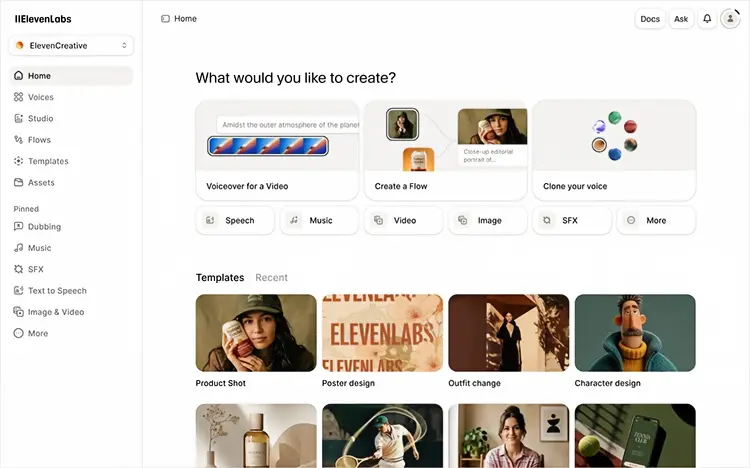
ElevenLabs is an AI Hindi voice generator that can convert Hindi text into realistic, expressive speech for videos, podcasts, audiobooks, e-learning, and other content. Its Hindi text-to-speech models support natural pronunciation, pacing, and emotional delivery, while users can choose from a large voice library or create and clone custom voices.
The latest Eleven v3 supports 74 languages, including Hindi, while Multilingual v2 and Flash v2.5 also support Hindi.
Key Features:
* Support Hindi text-to-speech.
* Eleven v3 supports 74 languages, including Hindi.
* Natural-sounding speech with expressive intonation and emotional delivery.
* Large voice library with thousands of voices.
* Support voice cloning and custom voice creation.
* Allow users to adjust voice settings such as stability, similarity, and speed.
* Eleven v3 supports emotional audio tags and multi-speaker dialogue.
* Support MP3, PCM, Opus, and other audio output formats.
Pros:
+ High-quality and natural-sounding Hindi voices.
+ Strong emotional expression and voice control.
+ Large selection of voices and customization options.
+ Support voice cloning for personalized Hindi narration.
+ Suitable for professional content creation and multilingual projects.
Cons:
- Some advanced features and higher-quality audio options require paid plans.
- Choosing a suitable Hindi-native voice is important for accurate pronunciation and accent.
- Voice generation can sometimes produce inconsistent results because the models are nondeterministic.
- The large number of voice and model options may be overwhelming for beginners.
3. Narakeet Hindi Text to Speech
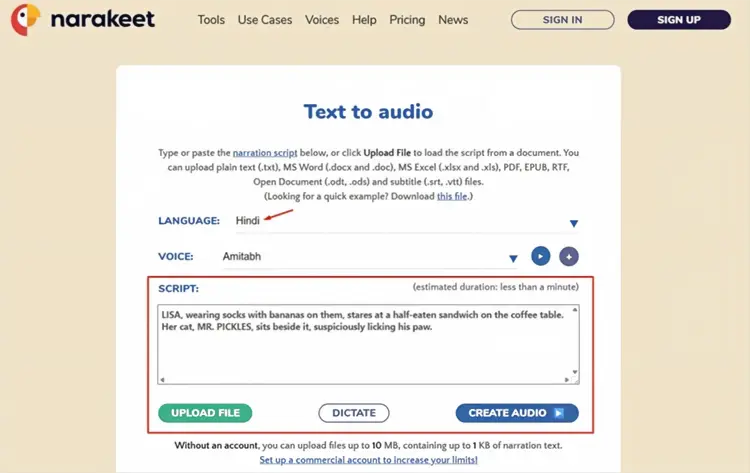
Narakeet is an online text-to-speech and voiceover platform that can convert Hindi text into natural-sounding audio with Indian-accent Hindi voices. It currently offers 20 Hindi voices, including male and female options, and supports more than 100 languages overall. Users can enter Hindi scripts directly, preview different voices, adjust speech speed and volume, and export the result as audio or use it to create videos. It is suitable for YouTube videos, e-learning, podcasts, presentations, tutorials, and other Hindi narration projects.
Key Features:
* Support Hindi text to speech with Indian-accent voices.
* Offer 20 Hindi AI voices for male and female narration.
* Support 100+ languages and regional accents.
* Allow users to adjust voice speed and volume.
* Support pauses and pronunciation customization.
* Convert text to MP3 and WAV audio.
* Can create voiceovers for videos and presentations.
* Support Word documents, PowerPoint files, and Markdown scripts.
Pros:
+ Natural-sounding Hindi voices with Indian accents.
+ Multiple male and female Hindi voices to choose from.
+ Support a wide range of languages.
+ Easy to use without installing desktop software.
+ Useful for both short scripts and long-form narration.
+ Can generate both audio and video content.
Cons:
- Voice customization is less extensive than some advanced AI voice platforms.
- Some advanced features require paid credits.
- The number of Hindi voices is smaller than the overall voice library.
- Best suited to narration and voiceover rather than highly expressive character voices.
4. Speechify Hindi Text to Speech
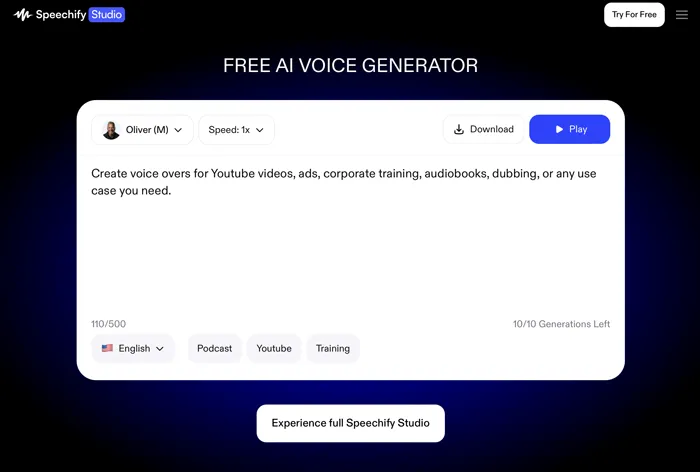
Speechify is an AI-powered text-to-speech platform that can convert Hindi text into natural-sounding speech for reading, narration, videos, podcasts, and other content. It supports Hindi and offers 1,000+ AI voices across 60+ languages, with Hindi voices such as Rajiv and Vinti available in its online TTS tool. Users can paste text or upload files, preview different voices, adjust playback speed, and download the generated audio.
Key Features:
* Support Hindi text to speech.
* Offer 1,000+ AI voices across 60+ languages and accents.
* Provide multiple Hindi voices, including male and female options.
* Allow users to paste text or upload files.
* Support voice preview before generating speech.
* Provide speed controls for adjusting speech playback.
* Support audio downloads for offline use and content creation.
* Available on web, Windows, Mac, iOS, Android, Chrome, and Edge.
* Studio supports Hindi voiceovers with controls for pauses, pitch, speed, volume, pronunciation, and emotion.
Pros:
+ Natural-sounding Hindi AI voices.
+ Large voice library with many languages and accents.
+ Easy-to-use interface for beginners.
+ Support multiple devices and platforms.
+ Offer useful voice customization options.
+ Suitable for both listening and creating Hindi voiceovers.
Cons:
- The free plan has limited voice options and features.
- High-quality natural voices are mainly available with the Premium plan.
- Advanced voiceover customization may require additional credits.
- The large number of voices and features can be overwhelming for new users.
5. Kapwing Hindi Text to Speech
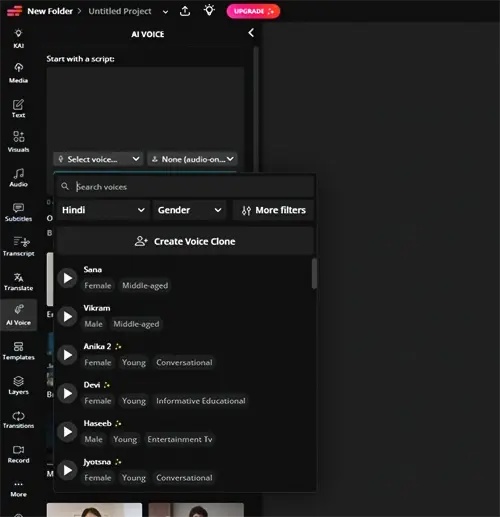
Kapwing is an online AI video editing and content creation platform. Its Hindi Text to Speech tool can quickly convert Hindi text into natural-sounding AI voices, making it suitable for YouTube videos, educational content, social media clips, product introductions, and faceless video creation. Users only need to enter or paste a Hindi script, choose an AI voice, and generate voiceovers. They can also add subtitles, images, video clips, and animations directly in the Kapwing editor.
Kapwing supports multiple Hindi voice styles and combines AI voice generation with video editing features, allowing creators to complete the entire text-to-video production process without additional recording equipment.
Key Features:
* Support Hindi text-to-speech conversion with realistic AI voices.
* Offer multiple Hindi voice options, including different accents and narration styles.
* Convert text into MP3/MP4 voiceovers for videos and presentations.
* Built-in online video editor for adding subtitles, images, transitions, and effects.
* Support AI-generated subtitles with customization options.
* Allow users to adjust voice emphasis, pauses, pronunciation, and emotional tone.
* Provide AI voice generation in 40+ languages with multiple voice choices
Pros:
+ Easy to use with a browser-based interface and no software installation required.
+ Combine Hindi TTS and video editing in one platform, reducing the need for multiple tools.
+ AI voices sound more natural than traditional robotic text-to-speech tools.
+ Suitable for creators making YouTube videos, tutorials, marketing videos, and educational content.
+ Provide additional AI features such as subtitles, dubbing, and AI avatars.
Cons:
- Free users have limited text-to-speech usage, and exported content may include a watermark.
- Advanced features and more voice options require a paid plan.
- Voice customization options may not be as detailed as professional AI voice platforms.
- Mainly designed for video creators, so it may feel less focused for users who only need standalone Hindi audio generation.
Part 3. How to Choose the Best Hindi Text to Speech Tool?
Before choosing a Hindi AI voice generator, consider your actual purpose.
- Realistic Hindi voices: ElevenLabs, TopMediai.
- YouTube and social media videos: TopMediai, Kapwing.
- Education and presentations: Narakeet, Speechify.
- Professional voice projects: ElevenLabs, TopMediai.
Limitations of Hindi Text to Speech Tools
Although AI Hindi voice generators have improved significantly, they still have some limitations:
- Some AI voices may mispronounce uncommon Hindi words.
- Emotional expressions may not always sound completely human.
- Premium-quality voices usually require paid subscriptions.
- Voice cloning features may have usage restrictions.
- Generated voices should not be used for misleading impersonation.
Part 4. Frequently Asked Questions
Q1. Is Hindi text to speech free?
Yes. Many Hindi TTS tools offer free plans or limited free credits. However, premium plans usually provide better voices, longer audio generation, and commercial usage rights.
Q2. Can AI generate realistic Hindi voices?
Yes. Modern AI voice generators can create realistic Hindi voices with natural pronunciation and speaking styles. However, quality depends on the AI model and selected voice.
Q3. Can I use Hindi AI voices for YouTube videos?
Yes. Many creators use Hindi AI voices for YouTube videos, tutorials, and Shorts. However, you should check each tool's commercial license before publishing monetized content.
Q4. Can Hindi text to speech clone my own voice?
Some advanced AI voice platforms support voice cloning. Users should only clone voices with proper permission and avoid impersonating others.
Q5. What is the difference between Hindi Speech to Text and Text to Speech?
Hindi Speech-to-Text (STT) converts spoken Hindi audio into written text, while Hindi Text-to-Speech (TTS) transforms written Hindi text into natural-sounding speech. STT is mainly used for transcription and voice input, whereas TTS is used for creating voiceovers, learning materials, and audio content.
Q6. How can I use Text to Speech Hindi for language learning?
Hindi Text-to-Speech tools help language learners improve pronunciation and listening skills by converting Hindi text into clear audio. Users can listen to words, sentences, and passages to practice speaking, understand native pronunciation, and build Hindi fluency.
Final Thoughts
Hindi text to speech technology has made it easier than ever to create natural voiceovers for videos, courses, marketing content, and other digital projects. The right tool should match your specific needs, such as voice quality, customization options, language support, and workflow requirements. By considering these factors and understanding each platform's strengths and limitations, you can choose a suitable AI voice generator to create clear, engaging, and professional Hindi audio content more efficiently.
Related Articles
Talk It Text to Speech: Check Pros and Cons, Get Alternatives
7 Best French Text to Speech Tools for Natural AI Voices
Best Robot Voice Changer: 9 AI Tools to Create Robot Voices
Oddcast Text to Speech Review: Features, Pros & Cons, and Best Alternative