


Have you tried Talkit but found that it struggles to meet your text-to-speech needs? Or you just want to learn about the Talkit app before installing it? Anyway, you can find you want in this article. We've tested this app and some alternatives, and summarized them in the following. You can use Talkit text to speech app without hassle, or get another tool you want.
Part 1: About Talkit: Pros and Cons
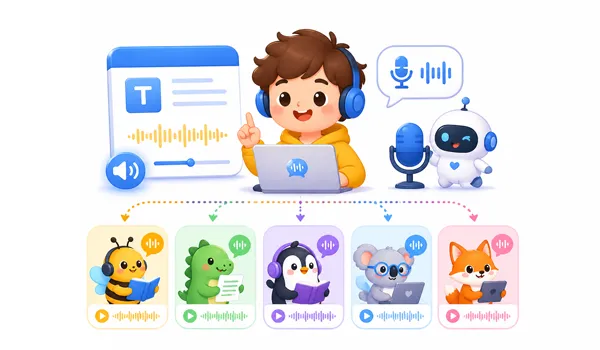
Talkit is a text-to-speech tool designed to convert written text into natural-sounding speech. It is primarily used for educational purposes, accessibility, and productivity, helping people who struggle with reading or have difficulty engaging with written content. While Talkit offers several benefits, like high-quality voices and easy-to-use features, there are also a few drawbacks to consider.
Pros:
+ The layout is straightforward, making it accessible for beginners.
+ It processes text-to-voice conversion rapidly, even for longer documents.
+ It offers a variety of languages and accents, catering to a global audience.
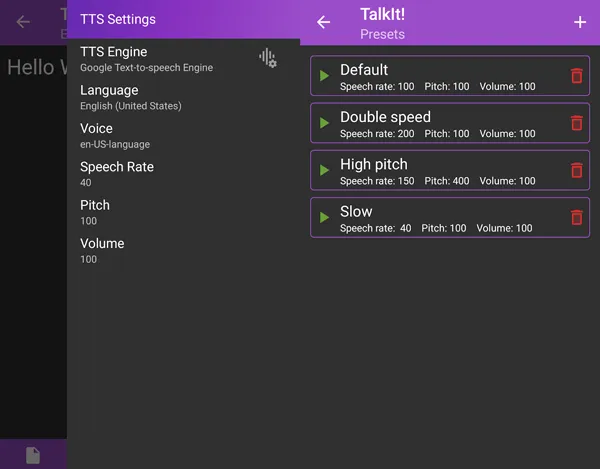
+ Users can adjust the speed, pitch, and volume of the voice, which adds to its flexibility.
Cons:
- The free version may include ads or limitations on characters and export formats.
- The default voices slightly robotic compared to high-end AI models.
- Occasional mispronunciations occur, especially with less common words or names.
Part 2: How to Use Talkit Text to Speech
Using Talkit for text-to-speech is a streamlined process that can be summarized in a few simple steps.
Here's how:
-
Open the application and paste your text into the main editor or upload a supported file (such as .txt or .docx).
-
Choose your preferred language and voice profile from the settings menu. You can often adjust the pitch and speed here.
-
Click the "Play" or "Listen" button to hear a sample of the generated audio. Once satisfied, click the "Download" or "Export" button to save the file as an MP3 or WAV format.
Part 3: 5 Talkit Text to Speech Alternatives
While Talkit is a solid option for text-to-speech, there are several other tools that also provide similar features. Here are some notable alternatives.
3.1 Text to Speech on iReaShare
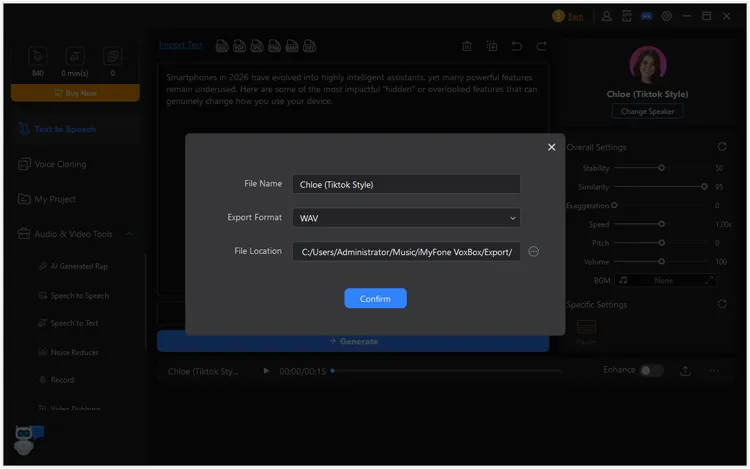
The Text to Speech software on iReaShare offers a robust TTS engine often integrated into its broader data management and utility suite. It is particularly known for its stability and high-quality output for mobile users. If you don't want to install any software on your computer, you can try its online voice generator.
Pros:
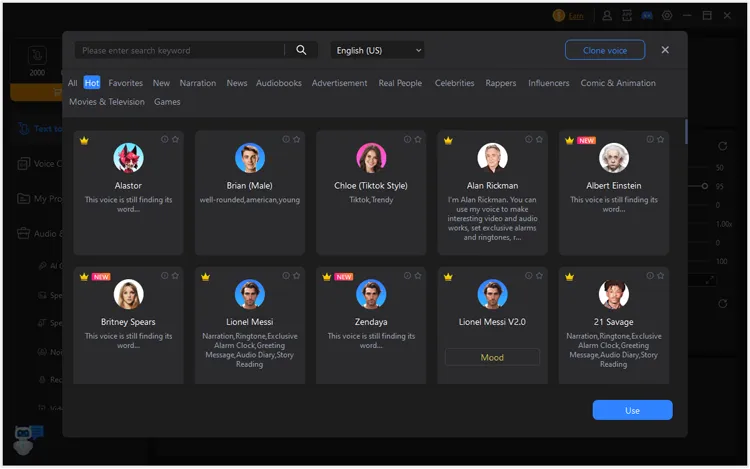
+ Provides access to a massive library, including diverse accents and languages (over 46).
+ The conversion process is straightforward: just paste your text or select a text file.
+ The generated audio can be immediately edited within their timeline-based video editor.
+ Enables you to trim clips, adjust speed, and add background music or sound effects directly in the same software.
+ Includes related features like voice cloning, speech-to-text (transcription), and an audio converter, making it a versatile hub for audio-visual projects.
Cons:
- Some specific voices can still sound robotic or "irregular", occasionally failing to pronounce complex words or nuances in natural human speech correctly.
- The free trial includes a "coin" or character limit system.
Download this text to speech tool.
Here's how to use this Talkit alternative for text to speech:
-
Download and install the program on your PC. Then launch it and choose a voice you like.
-
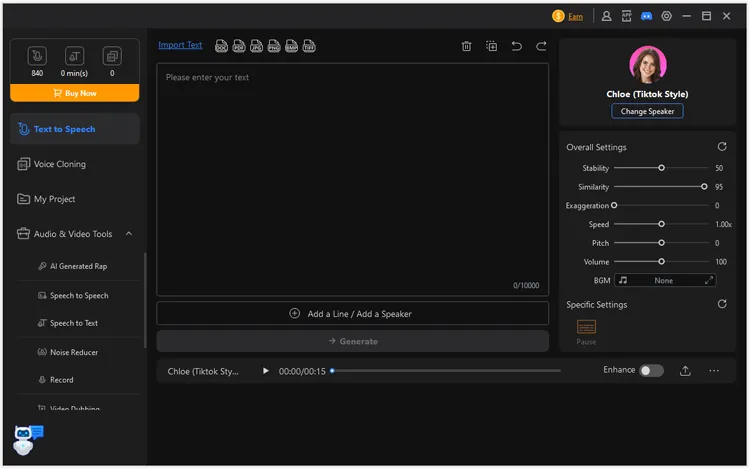
Paste your text content, or click "Import Text" to choose a file that you want to convert. Then adjust the settings on the panel.
-
Click "Generate", and tap the "Export" icon to save the audio file on your computer.
Tips: You can get the full guide of this text to speech tool here.
3.2 TTSMaker
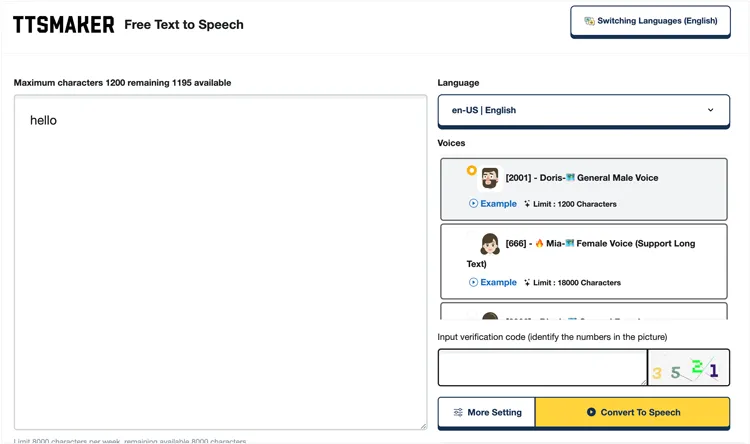
TTSMaker is another simple tool that offers a wide selection of natural-sounding voices. It's great for those who need a quick and straightforward TTS solution. It supports multiple file formats and lets users fine-tune the pronunciation of specific words.
Pros:
+ Voice packs labeled "Unlimited" do not count towards your weekly character limit, and you can use them an unlimited number of times.
+ Supports over 100 languages and a wide variety of voice styles.
+ Completely browser-based, requiring no software downloads or account registrations for basic use.
+ Provides customizable speech output - adjust pitch, rate, and tone easily.
Cons:
- The free tier often has a character limit per week (e.g., 20,000 characters).
- Lacks advanced "emotional" controls or fine-grained syllable editing compared to premium AI tools.
3.3 Speechify
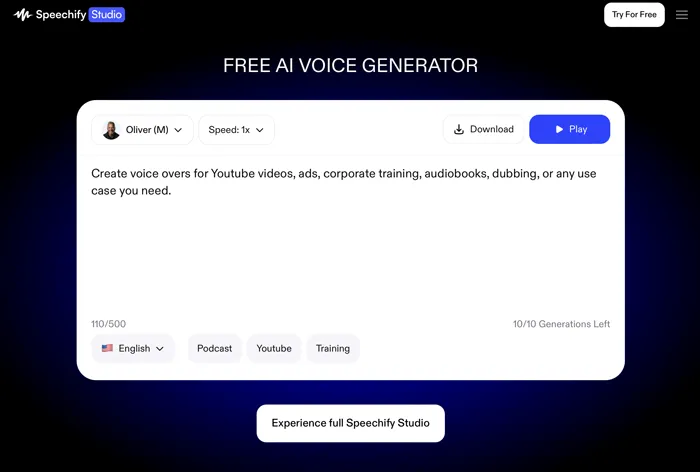
Speechify is an advanced TTS tool designed for people with learning disabilities, visual impairments, and anyone who prefers auditory learning. It integrates well with other apps and offers high-quality voices, making it an excellent choice for users who need to consume a lot of text-based content.
Pros:
+ Offers some of the most natural, human-like voices on the market, including celebrity voices like Snoop Dogg
+ Can "scan" physical books or images of text and instantly convert them into audio.
+ Seamlessly syncs your library across Chrome extensions, iOS, and Android.
+ Strong accessibility focus, widely used by students and people with reading difficulties.
Cons:
- The premium version is one of the more costly subscriptions in the TTS space.
- The free tier is quite restrictive, often limited to "robotic" sounding voices and limited download credits.
- Not ideal for complex production workflows (e.g., detailed narration editing).
3.4 Balabolka
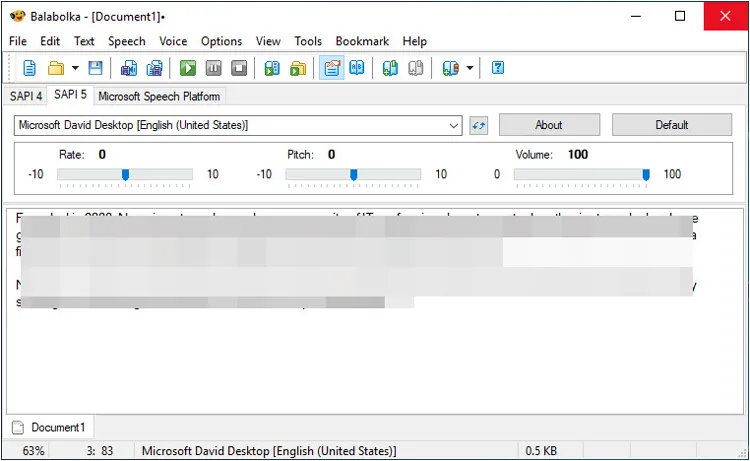
Balabolka is a free text-to-speech software that supports a variety of file formats, including DOCX, EPUB, and PDF. While it lacks some of the polish of paid options, it offers a wide array of customization options and supports multiple languages.
Pros:
+ Allows users to adjust every parameter, including pitch, rate, and volume, and even use custom "substitution lists" to correct mispronounced words.
+ Once voices are installed on your system, it requires no internet connection to function.
+ Can save audio in a vast array of formats (MP3, OGG, WMA, WAV) and even extract text from almost any file type.
+ Lightweight software, low system resource usage.
Cons:
- The UI looks like Windows 95/98 software, which can be off-putting for modern users.
- Requires users to manually download and install SAPI voice packs if they want more variety than what comes with Windows.
- Windows-only, not available on macOS or mobile.
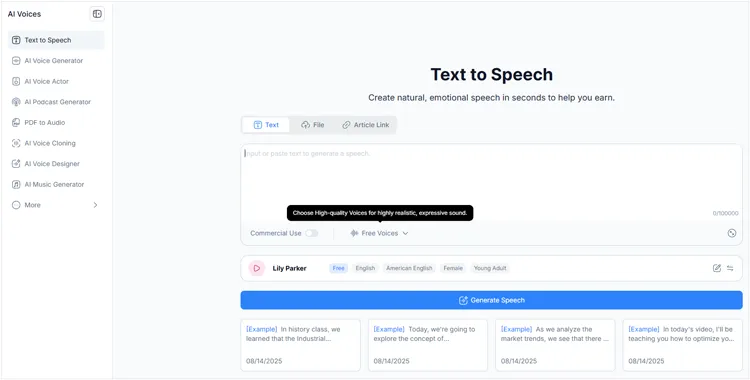
3.5 NoteGPT
NoteGPT is a powerful TTS tool that leverages artificial intelligence to generate speech. It is particularly popular among students and educators for its ability to turn notes, textbooks, and other study materials into audio files. Its unique feature is the integration of GPT-3, which can provide more nuanced and natural speech patterns.
Pros:
+ Excellent for summarizing long YouTube videos or PDFs before converting the "key points" into speech.
+ Can generate mind maps and structured notes alongside the audio.
+ Perfect for students who need to digest 20-minute videos in 5 minutes of summarized audio.
Cons:
- Being a cloud-based AI tool, it cannot be used offline.
- If you only need straight text-to-speech for long novels, the summarization-heavy interface might feel cluttered or unnecessary.
- May require subscription for full functionality.
Part 4: Comparison of 6 Text to Speech Voice Generators
Compare these 6 text-to-speech tools.
| User Needs | Recommended Tool | Main Benefit |
|---|---|---|
| Quick, straightforward text-to-voice conversion for daily tasks. |
Talkit
|
Extremely intuitive interface with high processing speeds. |
| Stable performance integrated with mobile and data management utilities. |
Text to Speech on iReaShare
|
Reliable, high-quality output within a versatile digital toolkit. |
| High-quality voices for commercial projects (e.g., YouTube) on a budget. |
TTSMaker
|
100% free commercial usage rights with no account required. |
| Professional-grade AI voices and scanning physical books for accessibility. |
Speechify
|
The most natural "human-like" voices and advanced OCR features. |
| Advanced customization and offline functionality for Windows power users. |
Balabolka
|
Deep control over voice parameters and zero reliance on the internet. |
| Summarizing long videos or documents and listening to the key points. |
NoteGPT
|
Saves time by merging AI summarization with speech generation. |
Part 5: Q&A About Text to Speech Generation Tools
Q1: Can ChatGPT do text-to-speech?
Yes. While ChatGPT began as a text-only model, it now features integrated voice capabilities. Users on mobile apps can engage in "Voice Mode", and developers can use the OpenAI TTS API to convert text into highly realistic human speech.
Q2: Is Google TTS free to use?
For standard users on Android devices, Google TTS is free. For developers using the Google Cloud Text-to-Speech API, there is a generous free tier (usually up to several million characters per month), after which a pay-as-you-go model applies.
Q3: What is the best free TTS app?
The "best" app depends on your needs. For simple web-based tasks, TTSMaker is excellent. For Windows power users who want total control over file formats and settings, Text to Speech on iReaShare and Balabolka remains the top free choice.
Conclusion
Text-to-speech tools have come a long way in terms of quality, accessibility, and ease of use. Talkit is a solid choice for those who need a reliable TTS solution, but there are several excellent alternatives, such as Text to Speech on iReaShare, Speechify, Balabolka, etc., that cater to different user needs. Whether you’re looking for high-quality voices, more customization, or a free option, there's a TTS tool out there for everyone.
Related Articles
How to Use AI Music Generator on iReaShare
Easily Print Text Messages from iPhone via 4 Methods (Latest)
How to Use Voice Generator on iReaShare
Export Text Messages from Android to PDF with 5 Secure Solutions