TL;DR:
Looking for a French text-to-speech tool? Compare these 7 options to find the right AI voice generator for realistic narration, videos, learning, or accessibility.
- TopMediai: Best for multilingual content and a large French AI voice library.
- ElevenLabs: Best for realistic, expressive French voices.
- Narakeet: Best for simple French voiceovers and videos.
- Synthesia: Best for French AI avatar videos.
- Murf AI: Best for professional voice customization.
- NaturalReader: Best for French reading and learning.
- Speechify: Best for accessibility and listening to French text.
Want to convert French text into natural, fluent speech? French text-to-speech tools can help you quickly turn French text into realistic AI voices, whether you're creating French videos, podcasts, or audio content; learning French; or producing commercial voiceovers—all without recording your own voice. In this article, we'll introduce 7 French text-to-speech tools worth trying to help you find the right French TTS tool for your needs.
Part 1. What Makes a Good French Text to Speech Tool?
When comparing French TTS tools, don't judge them only by whether they support the French language. Several other factors affect the final result.
- French pronunciation: A good tool should pronounce French words, names, and phrases naturally rather than simply applying a generic foreign accent.
- Regional accents: French from France and Canadian French can sound noticeably different. If localization matters, look for tools that offer separate French regional voices.
- Voice naturalness: Listen for unnatural pauses, robotic rhythm, incorrect emphasis, or overly consistent intonation.
- Customization: Controls for speed, pitch, pronunciation, pauses, and emphasis can make a significant difference in longer narration.
- Voice variety: Multiple male and female voices give you more flexibility for different projects.
- Audio quality: If you plan to use the generated speech in videos, podcasts, or professional content, check available export formats and audio quality.
- Commercial usage: Always check the current license terms before using AI-generated French voices in advertisements, monetized videos, client projects, or other commercial content.
- Workflow: A simple online French TTS tool may be enough for reading an article, while video creators may benefit from a platform that combines TTS with video editing or avatars.
Part 2. 7 Best French Text to Speech Tools
Different French text-to-speech tools vary in voice quality, AI features, and ease of use. Here are 7 tools worth trying.
1. TopMediai
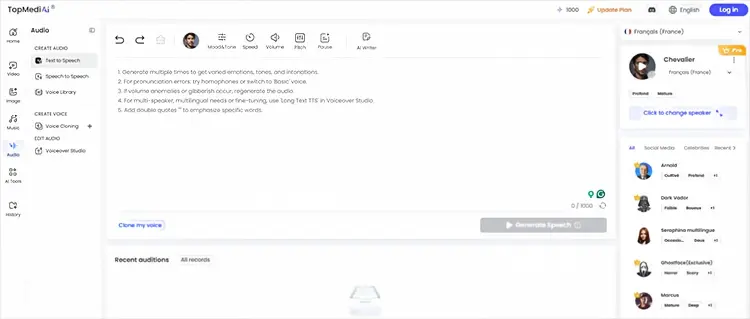
TopMediai is an all-in-one platform for AI voice, music, and video creation. Its AI Voice Generator can convert French text into natural-sounding AI voices. If you need more than just French text-to-speech and also want to create videos, voiceovers, or other AI audio content, TopMediai provides a more complete creative workflow. It supports multiple languages and a wide range of voice options, allowing you to generate speech for different content scenarios. Simply enter your French text, choose a suitable voice, and generate the corresponding French AI voice.
How can I convert text to voice in French?
-
Go to the TopMediai Text to Speech website and choose a French AI voice you like.
-
Enter or paste your French text into the text box, then click "Convert" to start generating the French AI voice.
-
Wait a few seconds for the conversion to finish, then download the generated audio and use it for your videos, podcasts, voiceovers, or other content.
Pros:
+ 3,200+ AI voices available.
+ Support 190+ languages and accents.
+ Include French voices for multilingual content.
+ Support speed, pitch, volume, pause, emphasis, and pronunciation controls.
+ Can export generated speech as MP3 or WAV.
+ Suitable for videos, podcasts, e-learning, ads, and social media.
+ Offer a free trial/credit option for testing the service.
Cons:
- The large number of voices can make it difficult to choose the best French voice quickly.
- Voice quality and character can vary between different voices.
- Some advanced voices/features use credits at different consumption rates.
- Users creating highly specialized professional narration may need to spend time testing several voices before finding the right one.
Best for: Users who want a flexible French AI voice generator with a large voice library and strong multilingual support.
2. ElevenLabs
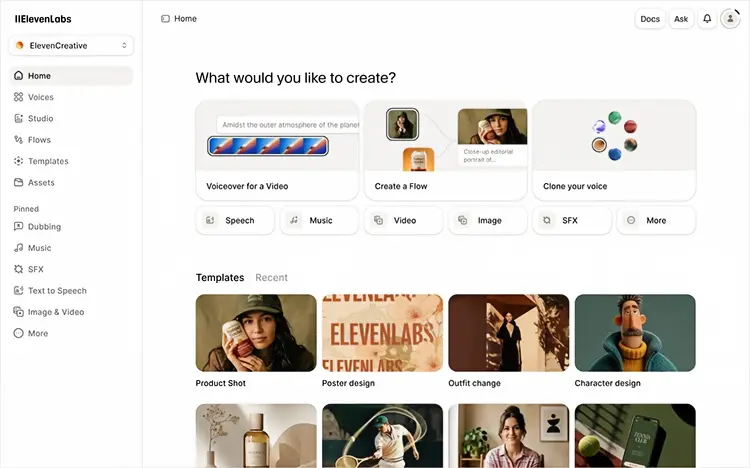
ElevenLabs is one of the more popular AI voice generation platforms available today, and its TTS feature supports multiple languages, including French. Its key strength is its highly natural-sounding voices, which can produce AI speech with different expressions, tones, and delivery styles. For users who need professional French narration, video voiceovers, or audio content, it is a solid choice. In addition to text-to-speech, ElevenLabs also offers features such as voice cloning and AI voice design.
Pros:
+ Highly natural and expressive AI speech.
+ Support French from France and Canada.
+ Strong emotional delivery and pacing.
+ Extensive voice library.
+ Support voice cloning and custom voice creation.
+ Suitable for professional narration, audiobooks, games, and video voiceovers.
+ Support multiple audio output formats.
Cons:
- Choosing the wrong voice can result in an unnatural French accent.
- Not every voice is equally good for French.
- The most advanced voice capabilities may require paid plans.
- It can be more feature-rich than necessary for users who simply want to read French text aloud.
- Users may need to test several voices to find the right combination of accent, tone, and delivery.
Best for: Creators who prioritize realistic French AI voices, emotional expression, and professional-quality narration.
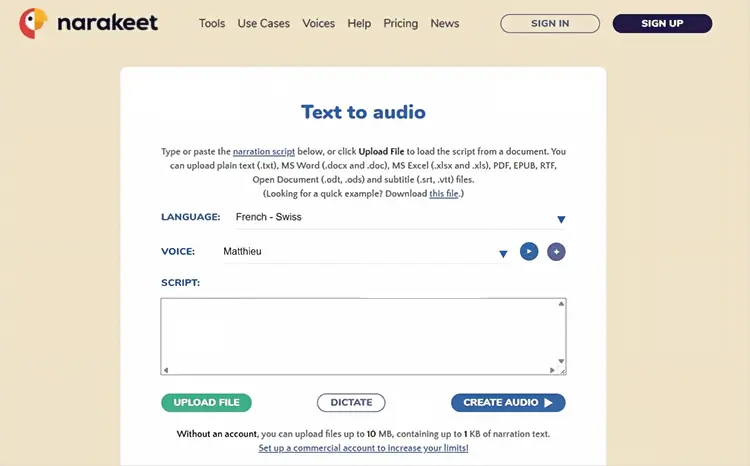
3. Narakeet
Narakeet is a text-to-speech tool primarily designed for video creators, allowing users to convert text into speech and use it in video production. It supports multiple languages, including French, making it easy to create voiceovers without having to record your own voice. It is particularly convenient for users who need to produce tutorials, presentation videos, or marketing videos in batches.
Pros:
+ Support French text-to-speech online.
+ Offer multiple French regional voice options.
+ Around 900 voices across 100 languages.
+ No software installation required.
+ Can convert text and documents into audio.
+ Support MP3 and WAV output.
+ Can create narrated videos.
+ Useful for subtitles and multilingual dubbing.
Cons:
- Voice customization is less extensive than some advanced AI voice platforms.
- Users looking for sophisticated voice cloning may prefer other tools.
- The platform is more focused on practical content production than highly detailed character voice design.
- Large projects may require a paid plan for additional capacity and commercial features.
Best for: Users who need a simple French text-to-speech online tool for voiceovers, presentations, e-learning, and narrated videos.
4. Synthesia
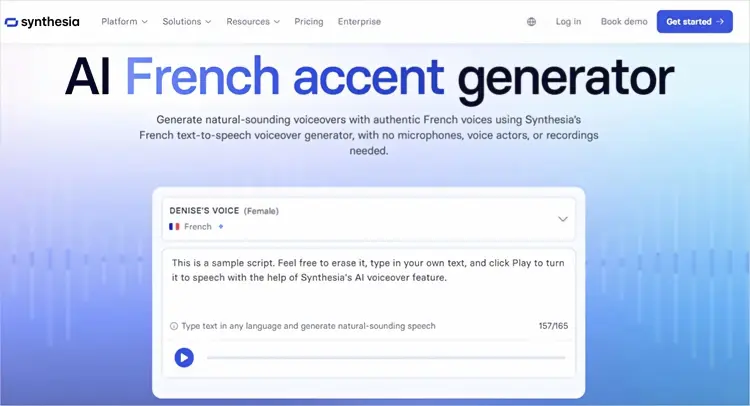
Synthesia takes a slightly different approach to French text-to-speech. Instead of focusing exclusively on generating audio, it combines AI voices with AI avatars and video creation. Its French TTS feature can convert written French into professional voiceovers and then use those voices in presenter-led videos.
Synthesia supports French alongside more than 160 languages and allows users to adjust elements such as tone, speed, and delivery. This makes it particularly useful for businesses creating French-language training, onboarding, marketing, customer support, and educational videos.
Pros:
+ Support French text-to-speech.
+ Support 160+ languages.
+ Offer French male and female AI voices.
+ Allow adjustments to tone, speed, and delivery.
+ Combine French AI voices with AI avatars.
+ Useful for training, marketing, education, and corporate videos.
+ Support voice cloning for eligible plans.
+ Allow users to edit scripts without re-recording.
Cons:
- Primarily designed for AI video creation rather than standalone TTS.
- May be more than you need if you only want French audio.
- Advanced voice cloning features require an Enterprise plan.
- Avatar and video features can add complexity for simple narration tasks.
Best for: Businesses and creators who want to turn French text into AI presenter videos, rather than simply generate audio.
5. Murf AI
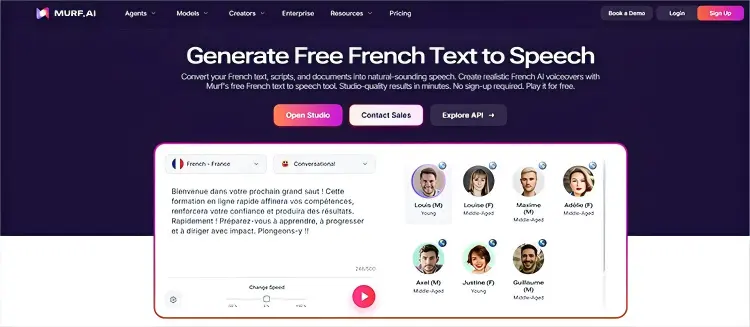
Murf AI is another strong option for professional French text-to-speech. Its French TTS system supports French from France and Canadian French, while its broader platform provides hundreds of AI voices across multiple languages and accents.
Murf stands out because it provides detailed controls for voice delivery. Users can adjust pitch, speed, pronunciation, pauses, emphasis, and voice styles. This is especially useful for professional narration where simply choosing a voice is not enough and the delivery needs to match the content.
Pros:
+ Support French and Canadian French.
+ Offer natural-sounding AI voices.
+ Provide detailed pronunciation controls.
+ Allow adjustment of speed, pitch, pauses, and emphasis.
+ Offer different speaking styles.
+ Useful for e-learning, corporate training, product demos, marketing, and voiceovers.
+ Provide API access for developers.
+ Support professional voice production workflows.
Cons:
- More advanced than necessary for simple text reading.
- Some professional features are aimed at paid users.
- Voice customization can require more time to master.
- The number of settings may feel overwhelming to casual users.
Best for: Professional creators and businesses that need customizable French voiceovers with control over pronunciation, pacing, and delivery.
6. NaturalReader
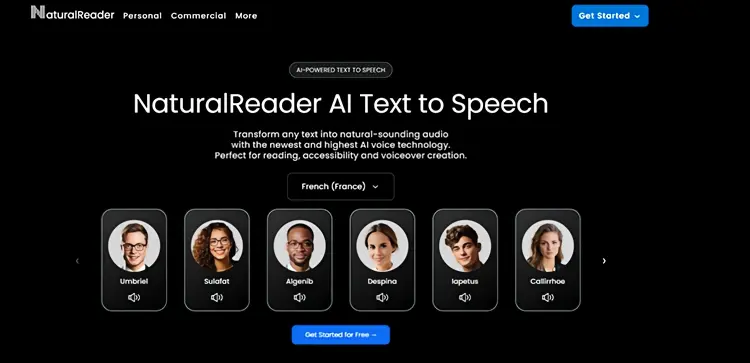
NaturalReader is a text-to-speech and accessibility tool that converts written content into natural-sounding audio. It supports French from both France and Canada, making it useful for listening to French learning materials, documents, and other text without recording your own voice.
NaturalReader is a good option if your main goal is to listen to French text rather than create highly stylized voiceovers. However, it does not automatically translate text, so you need to select the appropriate French voice to ensure accurate pronunciation.
Pros:
+ Support French from France and Canada.
+ Designed for easy text-to-speech reading.
+ Useful for accessibility and language learning.
+ Support many languages and accents.
+ Offer AI voices as well as other voice categories.
+ Provide voice and playback controls.
+ Suitable for documents and long-form reading.
Cons:
- More focused on reading than professional voiceover production.
- Some voice types have usage limits depending on the plan.
- Not every multilingual voice supports every accent.
- Users need to choose the appropriate French voice for stable pronunciation.
- Creative voice customization is less central than in dedicated AI voice platforms.
Best for: Students, readers, and accessibility users who want to listen to French text naturally.
7. Speechify
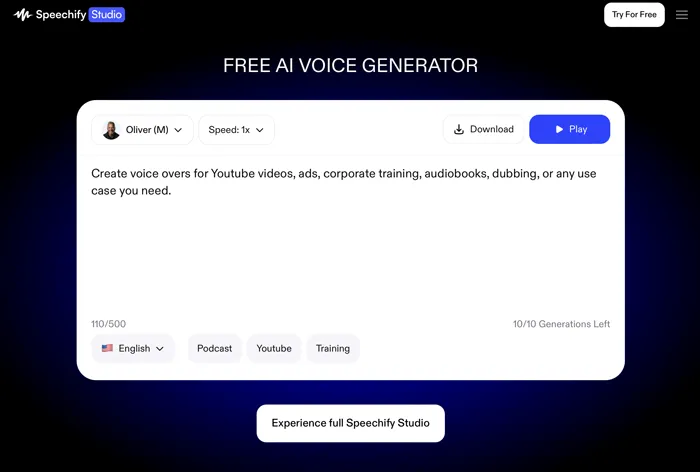
Speechify is a text-to-speech platform primarily designed for reading assistance. It can convert text, documents, and other written content into speech. If your main goal is to listen to French articles rather than create professional voiceovers, Speechify is worth trying. You can also adjust the playback speed, making French learning and reading long texts more convenient.
Pros:
+ Support French text-to-speech.
+ Strong focus on reading and accessibility.
+ Useful for listening to written content.
+ Suitable for language learning.
+ Support multilingual text-to-speech.
+ Convenient for users who primarily want spoken versions of written material.
Cons:
- More focused on reading than professional voiceover production.
- Less suitable for users who need advanced voice editing.
- Fewer creative production features than dedicated AI voice platforms.
- Professional creators may prefer ElevenLabs, Murf AI, or TopMediai for detailed voice customization.
Best for: Users who want to listen to French articles, documents, and learning materials rather than produce complex voiceovers.
Part 3. How to Choose the Best French Text to Speech Tool
The best French text-to-speech generator depends on what you actually want to do with the generated audio.
|
Best For | Key Advantage | Main Limitation | |
|---|---|---|---|---|
| TopMediai | Multilingual content | 3,200+ voices and 190+ languages | Many voices can be hard to choose | |
| ElevenLabs | Realistic voices | Highly natural and expressive French voices | Advanced features can be costly | |
| Narakeet | Simple voiceovers | Easy script-to-audio and video workflow | Fewer advanced controls | |
| Synthesia | AI videos | French voices with AI avatars | Not ideal for audio-only needs | |
| Murf AI | Professional voiceovers | Detailed voice and pronunciation controls | Can be complex for beginners | |
| NaturalReader | Reading & learning | Great for French documents and study materials | Limited creative voice features | |
| Speechify | Accessibility & learning | Convenient for listening to French text | More reading-focused than voiceover-focused |
Part 4. French Text to Speech FAQs
Q1. Is there a free French text-to-speech tool?
Yes. Several platforms provide free trials or free usage options. Narakeet allows users to try French TTS online without registration, while TopMediai also provides free credits for testing its TTS service.
Q2. Which French TTS tool is best for YouTube videos?
For YouTube creators, TopMediai, ElevenLabs, Narakeet, and Murf AI are strong options for generating narration. If you want a presenter-style video with an AI avatar, Synthesia may be a better fit.
Q3. Can AI generate a French accent?
Yes. Many modern AI voice generators can produce French voices and regional variations. For example, ElevenLabs supports French from France and Canada, while Murf provides France French and Canadian French voices.
Q4. Can I convert French text to MP3?
Yes. Several French TTS tools support downloadable audio. TopMediai supports MP3 and WAV output, while Narakeet also provides MP3 and WAV formats.
Final Verdict
The best French text-to-speech tool depends on your needs. TopMediai is a versatile option for multilingual voice generation, while ElevenLabs is ideal for expressive, realistic narration. Narakeet works well for French voiceovers and videos, Synthesia for AI presenter videos, and Murf AI for professional voice customization. NaturalReader and Speechify are better suited for reading and accessibility.
Overall, TopMediai is a practical choice for creators who want voice variety, multilingual support, and ease of use in one platform.
Related Articles
Talk It Text to Speech: Check Pros and Cons, Get Alternatives
Best Voice Changer for Zoom: 9 Top Tools for PC/Mac/Mobile/Online
How to Edit Video on PC: A Step-by-Step Guide for Beginners (2026)
How to Add Watermark to Videos Without Trouble (6 Ways)