TL;DR:
Looking for the best voice changer for Discord in 2026? Compare 7 top tools, including Voice Changer, Voicemod, Clownfish, Voice.ai, EaseUS VoiceWave, MorphVOX Pro, and Dubbing AI, to find the right option for real-time voice effects, AI character voices, soundboards, and free voice changing on Windows or Mac.

Voice Changer Real-time AI voice changer


Discord is a popular platform for gamers to chat by voice, play games together, and interact during live streams. If you want to change your voice on Discord, whether to turn a male voice into a female one, sound like a robot, use funny voice effects, or create a unique voice for your gaming character, a suitable Discord voice changer can come in handy.
This article introduces seven Discord voice changers worth considering in 2026, comparing their key features, pros and cons, and best use cases to help you quickly find the right tool for your needs.
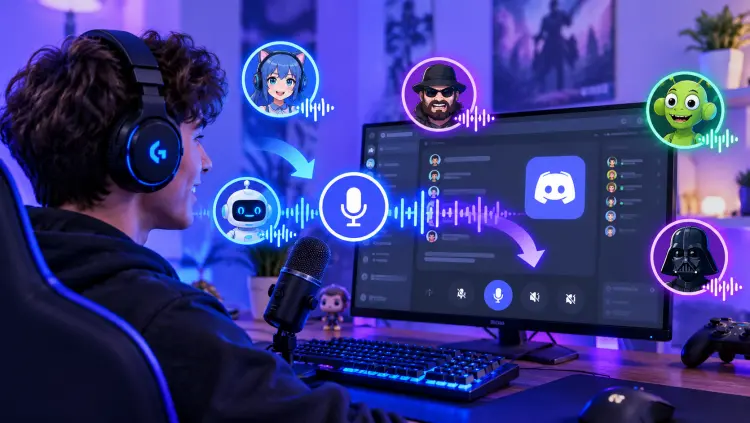
Here is a quick comparison of the best voice changers for Discord.
| Voice Changer | Supported Platforms | Real-Time Voice Changing | Key Features | Free Version | Best For |
|---|---|---|---|---|---|
| Voice Changer | Windows, macOS; mobile features vary | Yes, on supported desktop versions | AI voices, voice filters, soundboard, audio file conversion | Yes, with limited features | All-around Discord voice changing |
| Voicemod | Windows, macOS | Yes | AI voices, 200+ advertised voices, Voicelab, soundboard | Yes, with limitations | Gamers who want customizable voices and sound effects |
| Clownfish Voice Changer | Windows | Yes | Basic voice filters, pitch adjustment, sound playback, VST support | Yes, free to use | Users looking for a simple, free voice changer |
| Voice.ai | Desktop support; check current OS compatibility | Yes | AI voice conversion, community voice library, voice cloning | Yes, with limitations | AI-powered character voices |
| EaseUS VoiceWave | Windows 10/11 | Yes | AI voice effects, soundboard, noise reduction, customization | Yes, with limitations | Windows users who want AI effects and noise reduction |
| MorphVOX Pro | Windows, macOS compatibility varies by version | Yes, with proper audio setup | Voice profiles, pitch controls, customizable effects | Paid software; trial availability may vary | Users who prefer detailed voice customization |
| Dubbing AI | Windows, macOS | Yes | 500+ advertised AI voices, character voices, soundboard | Yes, with limitations | Anime voices, gaming, and role-playing |
1. Voice Changer
Voice Changer is one of the best voice changers for Discord, especially for gamers and users who want to change their voices during live chats and streaming. It transforms microphone input into various character, robotic, cartoon, and male or female voices in real time on supported desktop computers. Its built-in soundboard also lets you play preset or custom audio clips during Discord calls, making it useful for gaming, role-playing, and fun conversations.
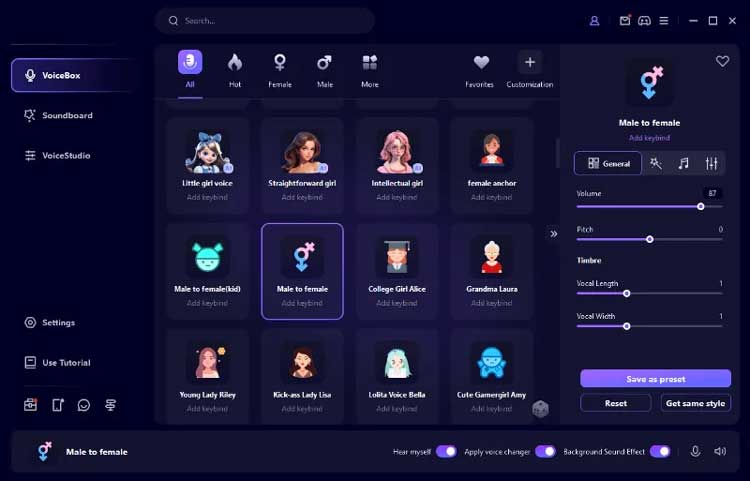
Key features of Voice Changer:
- Real-time voice changing on Windows and macOS for Discord, online gaming, and live streaming.
- A variety of AI voice effects, including male and female voices, robotic sounds, and cartoon-style voices.
- A built-in soundboard for playing preset or custom sound effects with keyboard shortcuts.
- Voice changing for existing recordings and audio files.
- Support for Windows, macOS, Android, and iOS, with different features available across desktop and mobile versions.
- Support real-time voice changing during Discord calls and games on desktop.
- Offer AI voices, traditional voice filters, and sound effects.
- Include a soundboard for playing audio clips during live conversations.
- Support Windows and Mac, making it suitable for desktop users.
- Provide a free version to try selected voice effects before upgrading.
- The free desktop version offers a limited selection of voices and sound effects.
- The mobile version focuses on prerecorded audio rather than real-time microphone voice changing on Discord.
- Some AI effects may require more processing power or a stable internet connection.
- Virtual microphone settings may require troubleshooting if Discord does not receive the modified audio.

If you want to create AI voiceovers or transform recorded audio rather than change your microphone voice in real time on Discord, try TopMediai. It offers online AI voice tools for generating voiceovers, exploring different voice styles, and creating audio content for videos, podcasts, and social media. Since its online voice changer is designed for uploaded or recorded audio, it is better suited to prerecorded content than live Discord voice chats.
2. Voicemod
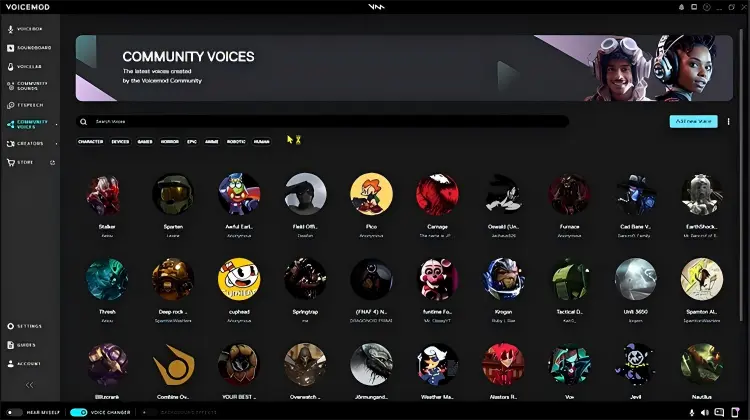
Voicemod is also one of the best voice changers for Discord. It processes microphone audio in real time and works with Discord and many other games and communication apps. Its features include ready-made voice effects, AI-powered voice options, a soundboard, keyboard shortcuts, and Voicelab for building custom effects.
The software uses a virtual microphone, allowing Discord to receive the transformed voice instead of the unprocessed microphone signal. Voicemod advertises more than 200 of its own voices, along with a large community library of voices and sounds. ( Is Voicemod not working?)
- Provide real-time voice changing for Discord voice chats and gaming.
- Offer a broad collection of voice effects and community-created sounds.
- Include Voicelab for customizing effects and soundboards for quick audio playback.
- Have a free version suitable for trying basic voice-changing features.
- Support Windows and macOS for desktop voice effects.
- The free version does not unlock every voice or customization feature.
- Require correct microphone and virtual audio device configuration.
- AI voice quality may vary with the language, microphone, and background noise.
- The mobile companion soundboard should not be confused with a standalone real-time microphone voice changer for Discord mobile.
3. Clownfish Voice Changer
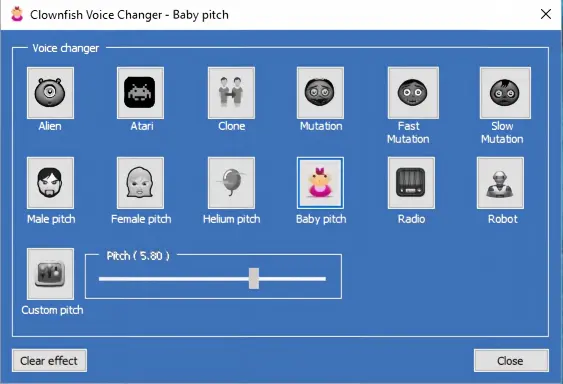
Clownfish Voice Changer is a lightweight voice changer for Windows that modifies microphone audio at the system level. Instead of offering an extensive AI voice-generation workflow, it focuses on straightforward effects such as male and female pitch, helium, baby, robot, alien, and custom-pitch voices. It also includes sound playback, hotkeys, and support for VST effects.
Clownfish is particularly appealing if you want the best free voice changer for Discord without paying for a large library of premium AI voices. However, its interface is relatively basic, and setting it up may require more manual troubleshooting than newer tools.
- Free to use without needing a paid voice subscription.
- Apply voice effects in real time to supported microphone input.
- Offer simple effects for casual gaming and voice chats.
- Run at the system audio level, so it can work with multiple compatible applications.
- Include additional soundboard and plugin options.
- The main desktop experience is Windows-focused.
- Its voice effects are generally less sophisticated than modern AI voice conversion.
- Conflicts with system audio devices, drivers, or other voice software may require manual troubleshooting.
- The interface and device configuration can feel dated.
4. Voice.ai
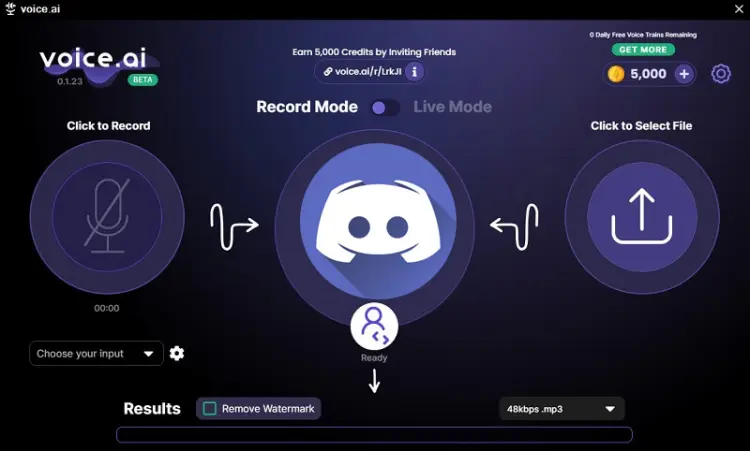
Voice.ai is an AI-powered voice changer designed for gamers, streamers, and voice chat users. As a potential choice for anyone looking for an AI voice changer for Discord, it transforms microphone input into different AI-generated voices in real time, including character-inspired voices, male and female voices, and other realistic voice styles. It also offers a community-driven voice library, voice cloning, and audio conversion for creating custom sound clips.
- Support real-time AI voice changing in Discord and other apps.
- Offer thousands of community-created voices and character-inspired effects.
- Provide AI voice conversion, voice cloning, and audio file conversion.
- Include a free version with some limitations.
- Real-time performance depends on your GPU and hardware.
- Require correct virtual audio device setup.
- AI processing may cause latency or inconsistent audio quality.
- Some voices and advanced features may be restricted.
5. EaseUS VoiceWave
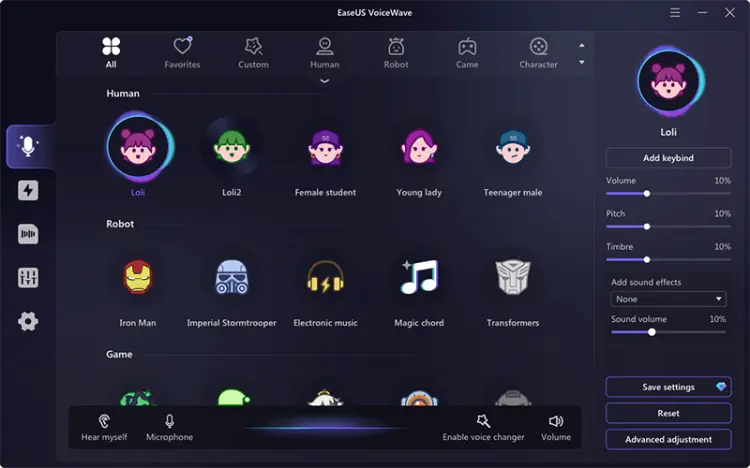
EaseUS VoiceWave is an AI-powered voice changer for Discord PC users, including gamers, streamers, and online chat enthusiasts. It lets you change your microphone voice in real time with effects such as male and female voices, robotic sounds, and character-inspired voices. VoiceWave also features a soundboard, noise reduction, and customizable voice effects, making it a practical option for enhancing Discord voice chats, gaming sessions, and live streams on Windows PCs.
- Support real-time voice changing in Discord on Windows.
- Offer AI voice filters and character-style effects.
- Route modified audio to Discord through a virtual microphone.
- Feature a beginner-friendly interface and customizable effects.
- Suitable for gaming, voice chats, and streaming.
- Official desktop support is limited to Windows 10 and 11.
- The free version offers limited voice effects; more require a paid plan.
- Require proper virtual microphone and audio device setup in Discord.
- Real-time processing can consume significant system resources on low-end PCs.
- Voice quality and latency vary depending on the effects used and PC performance.
6. MorphVOX Pro
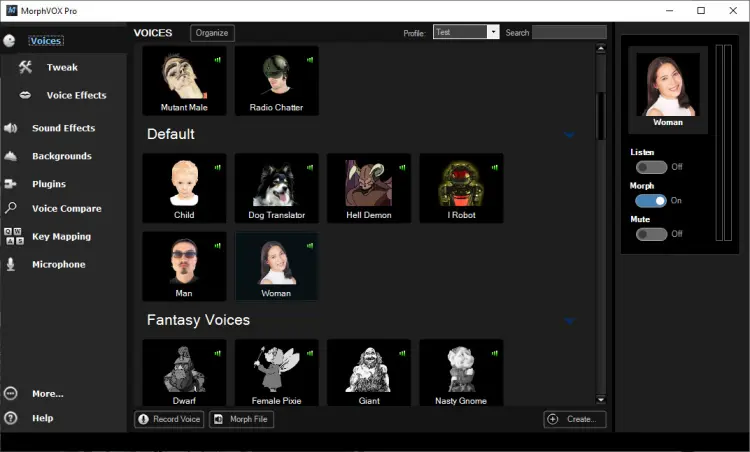
MorphVOX Pro is a long-established voice changer developed by Screaming Bee. It modifies your voice using customizable effects, pitch adjustments, and voice profiles, making it suitable for gamers, role-playing enthusiasts, and users who want greater control over their microphone sound. Unlike AI-powered tools that focus on character voice transformations, MorphVOX Pro emphasizes traditional audio processing and voice customization. For users looking for a voice changer for Discord Mac, it can work with compatible voice-chat applications when the microphone audio is configured correctly.
- Offer customizable voice effects and voice profiles.
- Suitable for role-playing, gaming, and themed voice chats.
- Provide more precise voice adjustments than basic one-click filters.
- Ideal for users who prefer traditional voice changing over AI effects.
- Work with compatible desktop voice chat apps when properly configured.
- Paid software, unlike free tools such as Clownfish.
- Have a steeper learning curve than simpler voice changers.
- May require initial audio and microphone setup.
- Focus on detailed voice customization rather than a frequently updated AI character voice library.
7. Dubbing AI
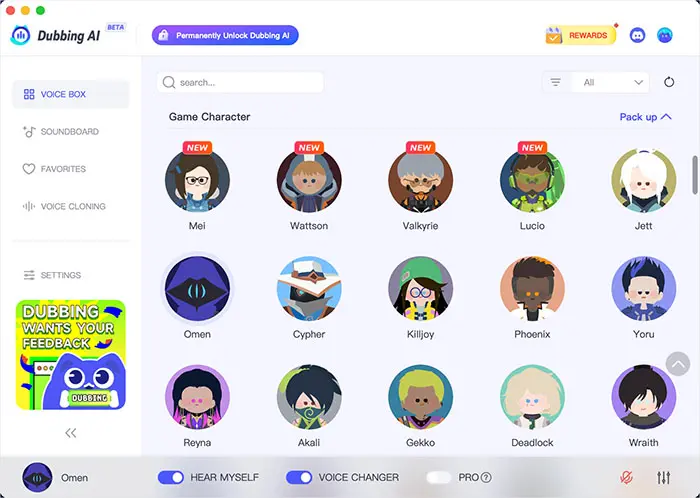
Dubbing AI is an AI-powered real-time voice changer for gamers, streamers, and online chat users. It lets users change their microphone voice during Discord voice chats, offering a variety of AI voice models, anime and game character voices, and sound effects. It is suitable for users who want to try different voices during team gaming, community chats, and role-playing. According to its official website, Dubbing AI supports Windows and macOS and uses a virtual microphone to route the modified voice to Discord and other applications.
- Support real-time voice changing during Discord calls without recording audio first.
- Offer 500+ AI voices, including anime, game-character, and funny voice styles.
- Include a soundboard with meme sounds and gaming effects.
- Easy to set up by selecting the Dubbing AI virtual microphone in Discord.
- Provide a free version for users to try before upgrading.
- Require desktop installation and virtual microphone setup for live voice changing.
- Voice quality and latency may vary depending on hardware and network conditions.
- The free version may limit access to certain voices and features.
- Some AI voices may sound robotic or distorted, reducing speech clarity.
Voice Changer for Discord FAQs
Q1. Is it legal to use a voice changer on Discord?
Using a voice changer on Discord is generally legal for fun, gaming, or privacy. It becomes illegal if used to harass, scam, or impersonate others, or to violate Discord’s rules. Casual use for chats or roleplay is safe.
Q2. How do I use a voice changer with Discord?
For a compatible desktop voice changer:
- Download and install the software from its official website.
- Connect your microphone and headphones.
- Open the voice changer and select your physical microphone.
- Open Discord and navigate to User Settings → Voice & Video.
- Select the voice changer's virtual microphone as your input device.
- Test your voice and adjust Discord's noise suppression or input sensitivity if necessary.
Q3. Can a voice changer work without other Discord users knowing?
A voice changer typically modifies the audio sent through your microphone; it does not necessarily notify other participants that you are using one. However, listeners may recognize the effect from the sound itself. Do not use voice-changing tools to impersonate someone, deceive others for harmful purposes, or violate a community's rules.
Summary
Choosing the right voice changer for Discord depends on whether you need real-time voice effects, AI voices, sound effects, or simple voice filters. While free tools like Clownfish are suitable for basic voice changes, some alternatives offer larger voice libraries and more customization options.
If you want a feature-rich tool for gaming, live chats, and role-playing, Voice Changer is a good option to consider. It supports real-time voice changing, offers a wide range of AI voices and sound effects, and lets you transform your microphone voice directly in Discord without recording audio in advance.
Voice Changer Real-time AI voice changer
Related Articles
Best Voice Changer for Zoom: 9 Top Tools for PC/Mac/Mobile/Online
Female Voice Changer: 9 Best Tools for PC, Online & Mobile
Scary Voice Changer: 8 Best Tools to Create Creepy AI Voices in 2026