

TL;DR:
Want to sound like a creepy zombie without complicated audio editing? These 5 zombie voice changers make it easy to create undead growls, spooky voices, and horror-style effects for Halloween, gaming, and videos.
- TopMediai Online Voice Changer: Create zombie voice clips online without installing software.
- Voicemod: Add creepy real-time voice effects to games, Discord, and live streams.
- iMyFone MagicMic: Combine zombie voices with scary sound effects for pranks and role-play.
- Voice.ai: Experiment with AI-powered zombie and monster voices.
- EaseUS VoiceWave: Create zombie voices for live chats, recordings, and horror videos on Windows.
Whether you need a quick online voice effect or a real-time zombie voice for gaming, there's a tool here to bring your undead character to life.
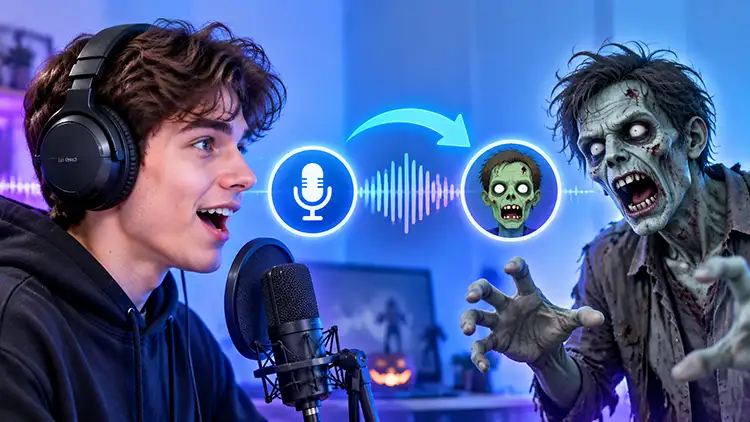
Looking for a fun way to sound like a zombie? Whether you're planning a Halloween prank, making a creepy video, or trying to scare your friends in a game, a zombie voice changer can turn your ordinary voice into something straight out of a horror movie.
Imagine speaking with a deep, raspy growl, letting out an eerie undead moan, or making your voice sound like you've just crawled out of a grave! The good news is that you don't need to be a voice actor to pull it off. There are plenty of online and desktop tools that can help you create spooky zombie voices in just a few clicks.
In this guide, we'll explore five zombie voice changers and see which ones are worth trying for your next fright-filled project.
Zombie Voice Changer: 5 Tools Compared
Here is a quick comparison of the five zombie voice changers. This table helps readers find the right tool for creating zombie voices online, during gameplay, or for horror content.
| Voice Changer | Platform | Voice Changing Mode | Key Features | Best For |
|---|---|---|---|---|
| TopMediai Online Voice Changer | Web browser (Windows, Mac, Android, iOS) | Online, prerecorded audio | AI voice effects, audio upload, voice recording, voice library | Creating zombie voice clips online |
| Voicemod | Windows, macOS | Real-time | Voice filters, Voicelab, pitch adjustment, distortion, reverb | Gaming, Discord, and live streaming |
| iMyFone MagicMic | Windows, macOS | Real-time, prerecorded audio | AI voice filters, soundboard, custom sound effects, hotkeys | Zombie voice pranks and horror sound effects |
| Voice.ai | Windows | Real-time AI voice conversion | AI character voices, community voice library, custom voice models | Experimenting with AI zombie and monster voices |
| EaseUS VoiceWave | Windows | Real-time, prerecorded audio | Zombie AI voice effect, pitch adjustment, soundboard, noise reduction | Live voice changing and horror audio |
1. TopMediai Online Voice Changer
Best for: Users who want to create a zombie voice online for Halloween videos, social media clips, or horror narration.
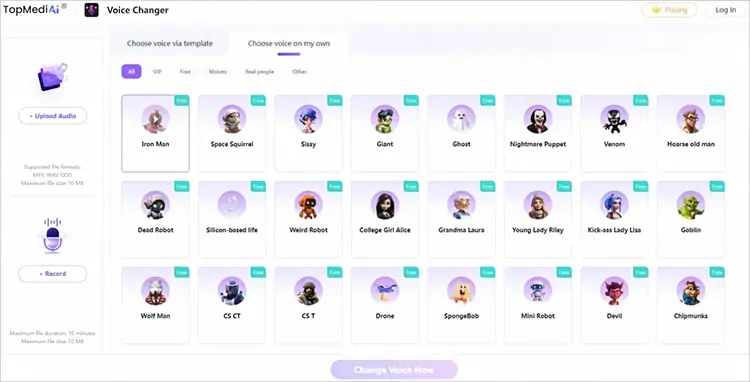
If you want to create a zombie voice without installing desktop software, TopMediai Online Voice Changer is a convenient place to start. It works in a browser and lets you upload an audio recording or record your voice directly.
The platform offers a large collection of AI voice effects through its VoiceLab library. You can explore different character-style voices and choose one that suits a horror scene, Halloween video, or spooky narration.
Key Features:
- Browser-based voice changing on Windows, Mac, Android, and iPhone.
- Upload MP3, WAV, or OGG audio files.
- Record your voice directly in the browser.
- Explore 1,000+ voice effects in VoiceLab.
- Download the transformed audio for editing or sharing.
- Easy to use, making it suitable for beginners.
- No additional desktop software installation required.
- Offer a variety of AI voice effects.
- Support both audio uploads and direct voice recording.
- Uploads are limited to 10 MB.
- Each recording is limited to 10 minutes.
- Mainly designed for prerecorded audio conversion, not as a direct replacement for real-time microphone voice changers in Discord or games.
2. Voicemod
Best for: Gamers, streamers, and users who want a live zombie voice effect during conversations.
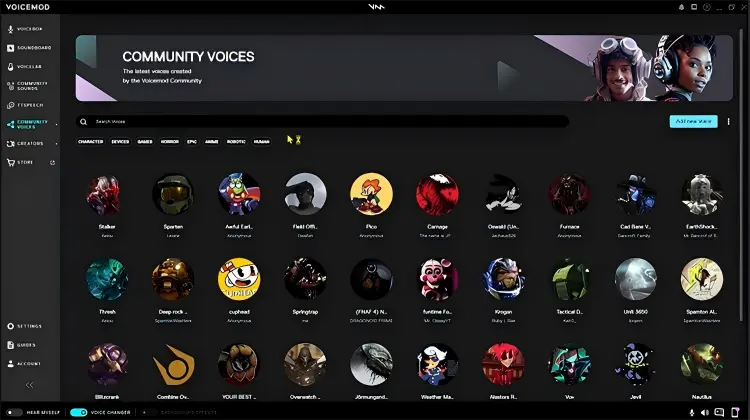
If you want to sound like a zombie while talking to friends or playing games, Voicemod is worth trying. It is a real-time voice changer for Windows and macOS that works with applications such as Discord, Fortnite, and OBS.
Voicemod offers a variety of voice effects, including pitch shifting, distortion, reverb, and echo. These effects can help you create a zombie-like voice even if you don't find a dedicated zombie preset. Its Voicelab feature also lets you combine and customize effects.
Key Features:
- Real-time microphone voice changing.
- Horror-themed and character-style voice effects.
- Custom voice creation through Voicelab.
- Pitch, distortion, reverb, and echo controls.
- Virtual microphone for games, chats, and streaming.
- Suitable for real-time voice changing.
- Work with many gaming and communication apps.
- Offer customizable sound effects.
- Useful for role-playing and Halloween streams.
- Require desktop software for its main real-time workflow.
- Customizing a convincing zombie voice may take some experimentation.
- Some voices and features may have access restrictions.
3. iMyFone MagicMic
Best for: Users who want to combine a zombie voice with scary sound effects for pranks, gaming, or horror content.
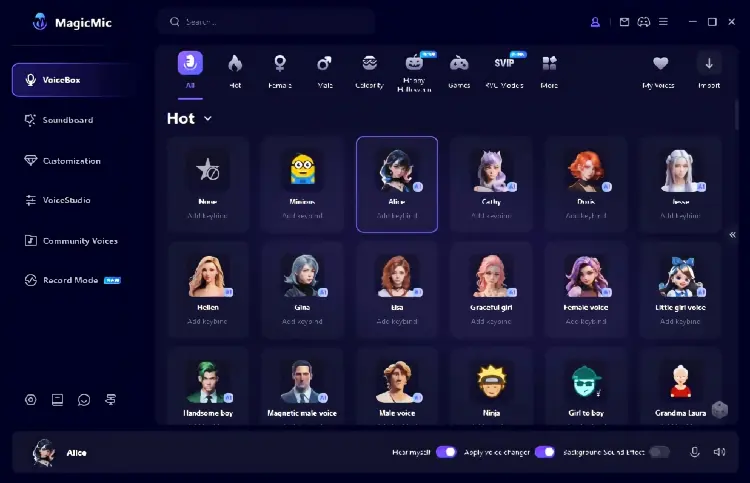
iMyFone MagicMic is another desktop voice changer designed for gaming, streaming, and online communication. It offers real-time voice filters, audio recording, and a soundboard for playing sound effects.
For a zombie-themed prank or horror role-play, you can use a low or distorted voice filter and add eerie sounds such as growls, screams, or background noises. MagicMic also supports custom sound effects and shortcut keys, making it easier to trigger audio during a game or live stream.
Key Features:
- Real-time voice changing on desktop.
- AI voice filters and character effects.
- Soundboard with customizable sound clips.
- Audio recording and voice transformation.
- Shortcut keys for switching effects or playing sounds.
- Work with some games, streaming platforms, and voice chat applications.
- Offer a variety of voice effects.
- Suitable for gaming, entertainment, and voice chats.
- Support real-time voice changing.
- Can be combined with the Soundboard to create spooky sound effects.
- Some features require a paid subscription.
- Require downloading and installing a desktop client.
- May not offer a dedicated zombie voice filter.
4. Voice.ai
Best for: Users who want to experiment with AI character voices rather than rely only on traditional audio filters.
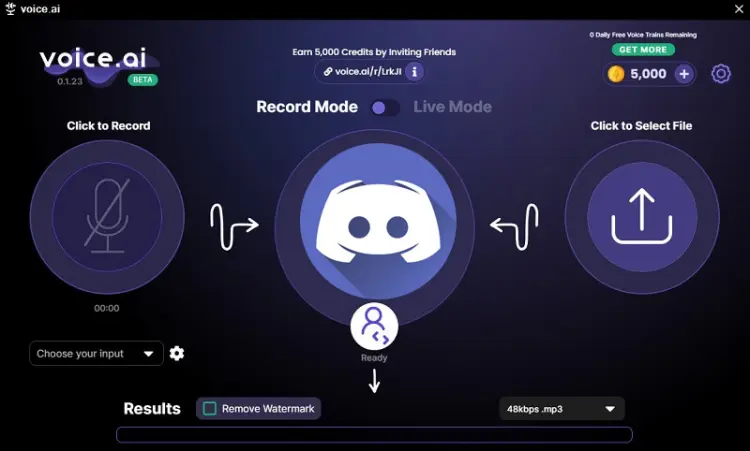
Voice.ai is an AI-powered voice changer that lets you transform your voice in real time. It offers a large community voice library and supports voice changing in games, calls, and other microphone-based applications.
If you're looking for a zombie voice, you can search its voice library for horror or monster-style models. You can also explore custom voice options, although the availability and quality of individual community voices may vary.
Key Features:
- Real-time AI voice conversion.
- Community voice library with many character voices.
- Custom voice creation and model uploads.
- Support for games, chats, and streaming applications.
- Recording and voice transformation for short audio clips.
- AI voice conversion can create distinctive character sounds.
- Offer a broad selection of community voices.
- Support real-time voice changing.
- Useful for gaming, role-playing, and voice recordings.
- Require desktop setup for live voice changing.
- Community voice quality and availability can vary.
- AI processing may require more system resources or a stable connection.
5. EaseUS VoiceWave
Best for: Windows users who want to create zombie voices for live chats, recordings, or horror videos.
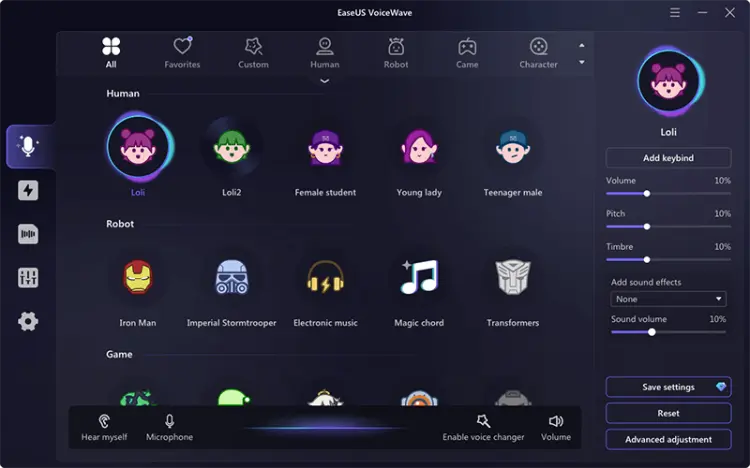
EaseUS VoiceWave is a Windows voice changer designed for gaming, live streaming, online calls, and audio production. It supports both real-time voice changing and the conversion of pre-recorded audio files. With its zombie AI voice effect, you can transform your recordings or audio files into a creepy zombie voice.
In addition, the software offers pitch and tone adjustment, sound effects, audio recording, and noise reduction. By lowering your voice pitch, adding distortion, or combining your voice with horror sound effects, you can use these features to create a chilling zombie voice.
Key Features:
- Real-time voice changing on Windows.
- Voice effects for microphone and audio files.
- Audio recording and MP3 export.
- Soundboard and custom audio effects.
- Noise reduction and audio mixing.
- Support both live and prerecorded voice changing.
- Offer audio recording and editing features.
- Include noise reduction.
- Suitable for gaming and content creation.
- Designed primarily for Windows.
- Require software installation.
- Voice quality may vary depending on the original recording and selected effect.
Final Thoughts
A zombie voice changer is a fun way to add a creepy twist to your Halloween videos, gaming sessions, voice chats, or horror projects. If you prefer a quick and easy solution, TopMediai Online Voice Changer lets you transform prerecorded audio in your browser, while Voicemod, iMyFone MagicMic, Voice.ai, and EaseUS VoiceWave are better suited for real-time voice effects on your PC. Each tool offers a different mix of voice filters, customization options, and sound effects, so the best choice depends on how you plan to use it.
Pick your favorite, experiment with a few scary effects, and get ready to sound like the undead!
Related Articles
Best Robot Voice Changer: 9 AI Tools to Create Robot Voices
5 Best Voice Changers for Xbox in 2026: Features, Pros & Cons
10 Best Anime Voice Changer Tools for PC, Online & Mobile
Scary Voice Changer: 8 Best Tools to Create Creepy AI Voices in 2026