

TL;DR:
Looking for the best anime voice changer? Discover 10 top tools for PC, Discord, online use, Android, and iPhone. Compare free anime voice changers, AI-powered character voices, and real-time effects to find the perfect tool for gaming, voiceovers, and anime-inspired content.
Ever wanted to sound like a cute anime girl, a powerful anime hero, or your favorite character while chatting with friends or playing games? An anime voice changer can make it happen without spending hours practicing voice acting. Whether you're looking for a free anime voice changer for Discord, an AI anime voice changer for creating character voices, or an anime voice changer app for Android or iPhone, there are plenty of tools to try.
In this guide, we'll explore 10 of the best anime voice changers for PC, online use, and mobile, comparing their features, pros, and cons to help you find the perfect match for your next anime-inspired adventure.
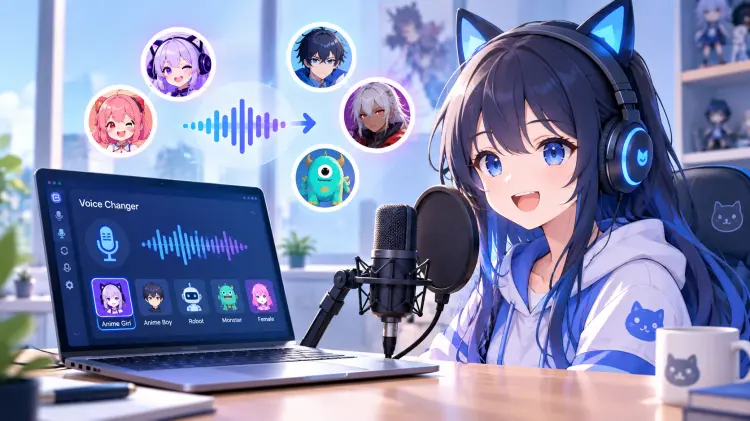
To help you find the right tool quickly, the table below compares the 10 best anime voice changers by platform compatibility, real-time voice-changing support, pricing, and ideal use cases.
| Anime Voice Changer | Platform | Real-Time Voice Changing | Free/Paid | Best For |
|---|---|---|---|---|
| iMyFone MagicMic | Windows, Mac | Yes | Free + Paid | Gaming and streaming |
| Voicemod | Windows, Mac | Yes | Free + Paid | Discord and live gaming |
| EaseUS VoiceWave | Windows | Yes | Free trial + Paid | Anime roleplay on PC |
| Voice.ai | Windows, Mac, iOS, Android | Yes on supported setups | Free + Paid | AI character voices |
| Clownfish Voice Changer | Windows | Yes | Free | Basic live voice effects |
| Dubbing AI | Windows, Mac, iOS, Android | Yes on supported setups | Free + Paid | Anime roleplay and live voice changing |
| TopMediai | Web browser | No | Free trial + Paid | Online anime voiceovers |
| FineVoice | Web browser | No | Free trial + Paid | Recorded anime voice conversion |
| Voice Changer Plus | iOS | No | Free + In-App Purchases | Fun voice recordings |
| Voice Changer | Android | No | Free + Ads | Cartoon-style voice recordings |
Part 1. Best Anime Voice Changer for Desktop
Desktop software is usually the best choice if you want to change your microphone voice while gaming, chatting on Discord, or livestreaming. The following are 6 real-time anime voice changers you can try.
1. iMyFone MagicMic
Best for: Users who want an all-around anime voice changer for PC with AI voice effects, soundboards, and real-time microphone support.
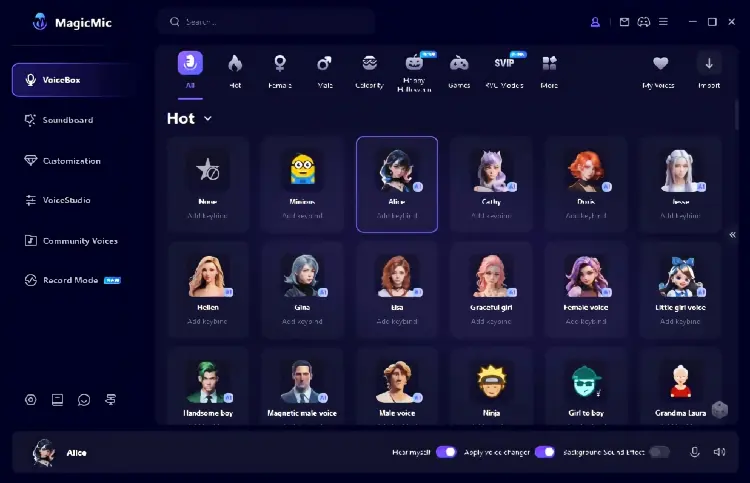
iMyFone MagicMic is an AI-powered voice changer designed for gamers, streamers, and content creators who want more than basic pitch adjustments. It offers a range of character-inspired voices, including anime-style effects, alongside soundboard effects and voice customization tools. You can use the desktop version to transform your microphone input in real time or process recordings for later use. Its broad voice library makes it useful for anime roleplay, gaming conversations, and character-based content.
- Offer a broad selection of AI voices and conventional voice effects.
- Support both live voice chats and prerecorded audio workflows on desktop.
- Provide more creative flexibility than a simple pitch-changing tool.
- Can be used for gaming, streaming, voiceovers, and anime-inspired roleplay.
- Some voices and advanced functions require a paid plan.
- The desktop and mobile versions have different feature sets.
- Finding a convincing character voice may require testing several presets.
- AI conversion quality and latency can vary depending on the voice model and computer setup.
2. Voicemod
Best for: Anyone looking for an anime voice changer for Discord, multiplayer games, or livestreams who values easy real-time voice switching.
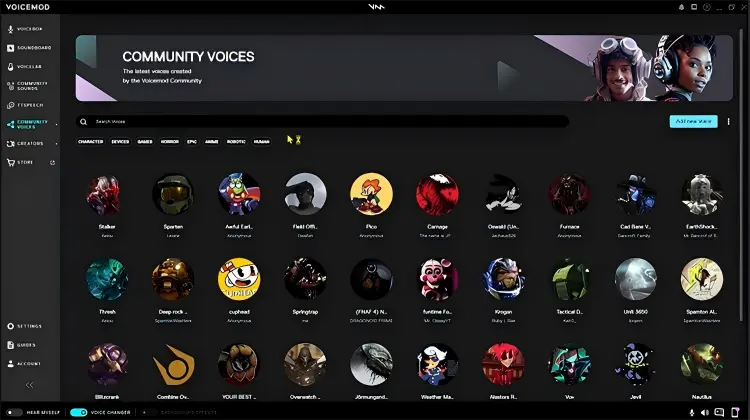
Voicemod is a popular real-time voice changer for gamers and streamers who want to use anime-inspired voices without recording and editing every line separately. Its anime voice collection includes styles such as cute, energetic, and mysterious character voices. You can select a voice, route your microphone through Voicemod's virtual microphone, and use the output in compatible games or chat applications. Voicelab also lets users customize effects to create a more personal anime character voice.
- Easy to set up for real-time voice conversations.
- Offer ready-made anime voices for users who do not want to adjust effects manually.
- Custom voice creation gives you more control over your character's sound.
- Work well for gaming, livestreaming, and anime roleplay.
- The availability of voices and soundboard features can depend on the plan.
- Some advanced anime soundboard options require Voicemod PRO.
- Certain effects may sound exaggerated rather than like a natural anime voice actor.
- Require microphone and input-device configuration in the target app.
3. EaseUS VoiceWave
Best for: Windows users who want an anime voice changer for Discord, gaming, or streaming with convenient character presets.
EaseUS VoiceWave is a Windows voice changer that lets you apply anime-inspired voice effects to your microphone in real time. Its anime voice section includes character-style options for users who want to sound cute, energetic, heroic, or intimidating. You can preview effects before using them in Discord, Roblox, VRChat, and compatible streaming applications. The software is particularly useful if you want to maintain a consistent anime-style voice while interacting with other people rather than converting recordings one at a time.
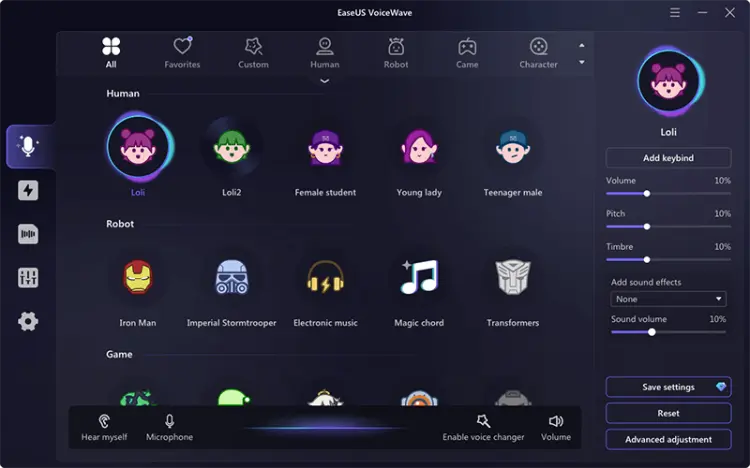
- Designed specifically to make anime-style voice selection straightforward.
- Support live communication rather than only prerecorded audio conversion.
- Let users test and compare voices before joining a call.
- Useful for anime roleplay, gaming, VTuber content, and livestreams.
- The desktop version is primarily a Windows solution.
- Some voices and features may be restricted by the free or paid plan.
- AI voice effects may need adjustment to suit your natural speaking voice.
- Setup can be confusing if the wrong microphone is selected in Discord or another app.
4. Voice.ai
Best for: Users who prioritize AI anime voice conversion and want to experiment with different character voices in real time.
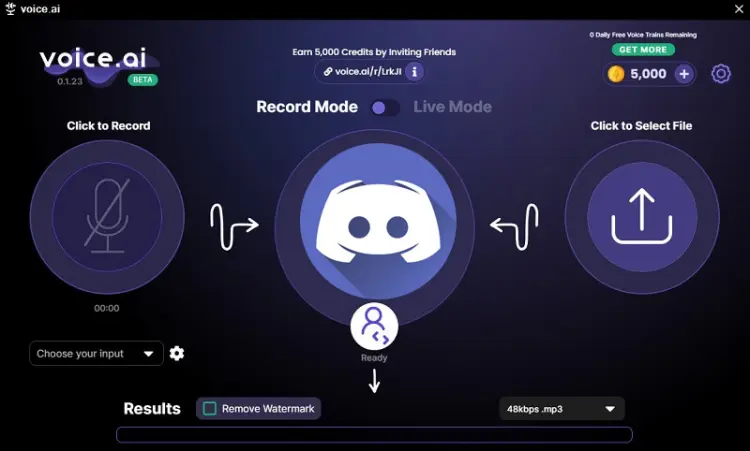
Voice.ai is an AI voice-changing platform that focuses on converting speech into different character voices. Its anime voice changer is designed for people who want to imitate anime-inspired vocal styles during gaming, streaming, or voice chats. Instead of relying exclusively on conventional pitch shifting, AI voice conversion can change the character of the voice more substantially. The platform also offers a library of user-generated voices, allowing you to explore different styles rather than being limited to a single built-in anime effect.
- AI conversion can produce more character-specific results than basic pitch shifting.
- Provide a range of community-created voice options.
- Suitable for live roleplay as well as creative audio projects.
- Offer a free entry point for trying anime voice effects.
- Voice quality varies between individual AI models.
- The desktop application and its supported features may require more setup than a browser tool.
- Certain advanced functions, such as voice cloning, may require payment.
- Performance and latency depend on the software configuration and available computing resources.
5. Clownfish Voice Changer
Best for: Budget-conscious Windows users who want a free anime voice changer alternative for basic pitch effects and casual Discord conversations.
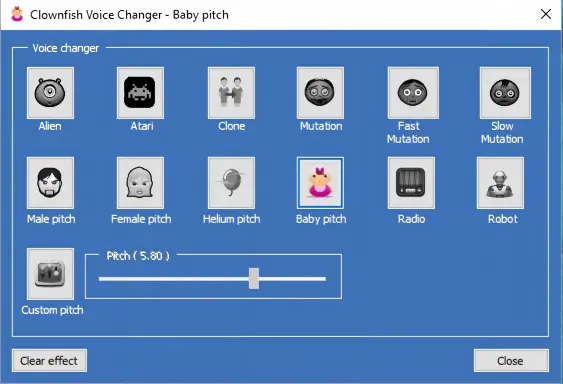
Clownfish Voice Changer is a lightweight Windows utility that modifies microphone audio at the system level. It does not specialize in AI-generated anime character voices, but its pitch controls and effects can help you create simple anime-inspired sounds, such as a higher-pitched character voice or a robotic anime villain effect. Once configured, it can work with compatible applications that use the selected microphone. It is a practical choice for people who prefer a free tool and do not need a large library of AI character models.
- Free to use without needing a subscription for its core voice-changing functions.
- Lightweight and relatively simple once installed.
- Work with multiple compatible applications through system-level audio integration.
- Custom pitch settings let you experiment with basic anime-style voices.
- Does not offer the same dedicated AI anime character library as specialized AI tools.
- Extreme pitch changes can sound artificial or distorted.
- Its Windows-focused setup excludes users seeking a native iPhone or Android solution.
- Microphone integration may require troubleshooting on some devices or systems.
6. Dubbing AI
Best for: Anime fans and content creators who want to switch between AI character voices for live roleplay or anime-inspired video dubbing.
Dubbing AI is an AI-powered voice changer built for live voice transformation and creative dubbing. Its anime-focused tools offer character archetypes such as heroic protagonists, tsundere heroines, cool rivals, and chibi-style mascots. This makes it especially relevant to creators producing anime-inspired short videos, fan dubs, or animated stories with multiple characters. You can switch between voice styles during supported live sessions and use the transformed audio in compatible creative workflows.
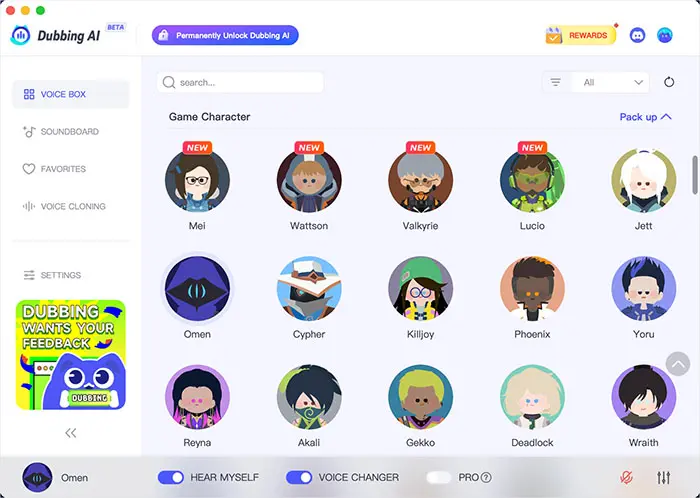
- Offer a dedicated selection of anime character styles.
- Useful for creators who need multiple distinct character voices.
- Support real-time voice changing for gaming and compatible chat applications.
- Can fit anime fan dubbing, VTuber streams, and short-form video production.
- Require installing desktop software for its main real-time workflow.
- The most suitable voice may take experimentation to find.
- Some features and voice options may be subject to account or plan restrictions.
- Generated voices should be checked for clarity and consistency before being used in a finished dub.
Part 2. Best Anime Voice Changer Online
If you do not want to install desktop software, an anime voice changer online can be a more convenient option. Browser-based tools are particularly useful for converting recorded speech, creating voiceovers, or experimenting with anime voices on different devices. However, online audio conversion is not necessarily the same as changing your microphone voice live in Discord.
1. TopMediai
Best for: Content creators who want to create anime-style voiceovers, add character voices to gaming videos and social media content, or convert recorded audio online without installing software.
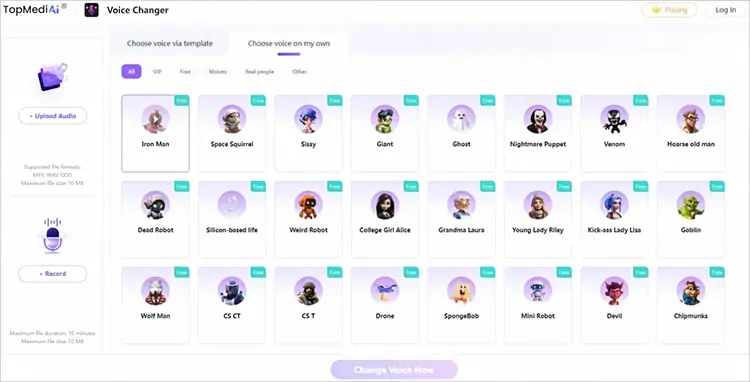
TopMediai is a convenient anime voice changer online that lets you transform your voice directly in a web browser without installing desktop software. You can upload an audio file or record your voice, choose an available AI voice effect, and download the converted audio for anime-inspired videos, gaming content, social media posts, or character voiceovers. The platform also offers AI text-to-speech and voice cloning tools, making it useful for creators who want to experiment with different character voices.
- Work online on Windows, Mac, Android, and iPhone.
- Allow users to upload audio or record their voices directly.
- Offer AI voice effects and a simple three-step conversion process.
- Include additional AI voice and content creation tools.
- Primarily designed for audio processing rather than real-time microphone voice changing.
- Free usage may have limitations depending on the feature and plan.
2. FineVoice
Best for: People looking for an anime voice changer online free to test AI voice conversion on recordings, subject to the tool's current free-use limits.
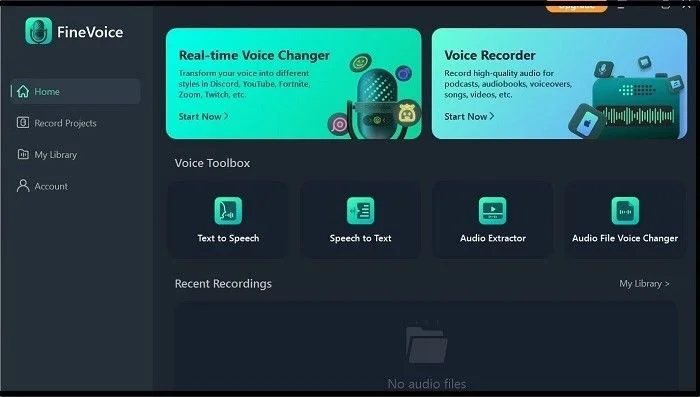
FineVoice provides a browser-based anime AI voice changer that lets you record audio or upload an existing recording and convert it into an anime-inspired voice. Its options are designed for a variety of character styles, from cute and youthful voices to deeper or more dramatic ones. The workflow is straightforward: provide your audio, select a suitable AI voice, generate the converted result, and export it in a supported format. FineVoice also advertises batch audio conversion and voice customization, making it useful for creators who need more than one character line for a project.
- No traditional desktop installation is needed for the browser workflow.
- Allow you to convert an existing recording rather than speaking live.
- Provide anime-oriented voices alongside other AI voice categories.
- Suitable for voiceovers, anime roleplay clips, and character dialogue production.
- File size, duration, and usage restrictions may apply; check the current tool limits.
- It is primarily suited to recorded audio conversion rather than a live microphone feed.
- Access to advanced voice models and batch features may depend on the plan.
- The output may need additional editing to match the timing and emotion of a finished animation.
Part 3. Best Anime Voice Changer for Android/iPhone
Mobile anime voice changer apps are convenient for making funny audio clips, recording character impressions, and sharing transformed voices on social media. However, many mobile apps process recordings instead of changing your microphone voice during live calls. If you specifically need a real-time anime voice changer for mobile gaming or Discord, check this limitation before installing an app.
1. Voice Changer Plus
Best for: iPhone users who want a simple anime voice changer app for recording, experimenting with voice effects, and sharing funny audio clips.
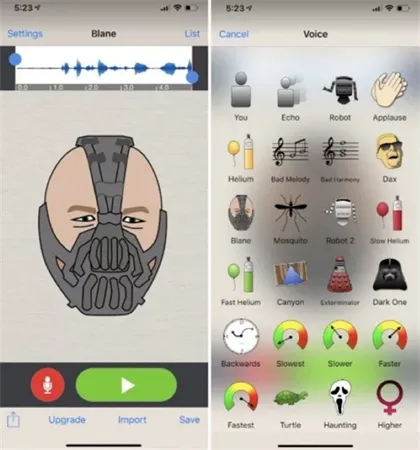
Voice Changer Plus is an iPhone and iPad app designed for recording speech and applying entertaining audio effects. Although it is not a dedicated AI anime character voice generator, you can experiment with its voice effects to create exaggerated, high-pitched, or otherwise unusual voices for anime-inspired clips. The app allows you to record your voice, preview different effects, save the result, and share your recordings. You can also apply additional effects to saved audio, making it a convenient choice for casual character impressions and short social media clips.
- Simple recording workflow suitable for beginners.
- Offer multiple effects for creating playful and exaggerated character voices.
- Make it easy to save and share anime-inspired audio clips.
- Does not require a complex desktop audio setup.
- Does not specialize in AI-powered anime character voice conversion.
- Primarily changes prerecorded audio rather than transforming your microphone voice live.
- Some premium conveniences, such as ad removal, require an in-app purchase.
- Available effects may not reproduce a specific anime character's voice convincingly.
2. Voice Changer
Best for: Android users who want a simple, accessible anime voice changer alternative for making funny recordings without installing desktop software.
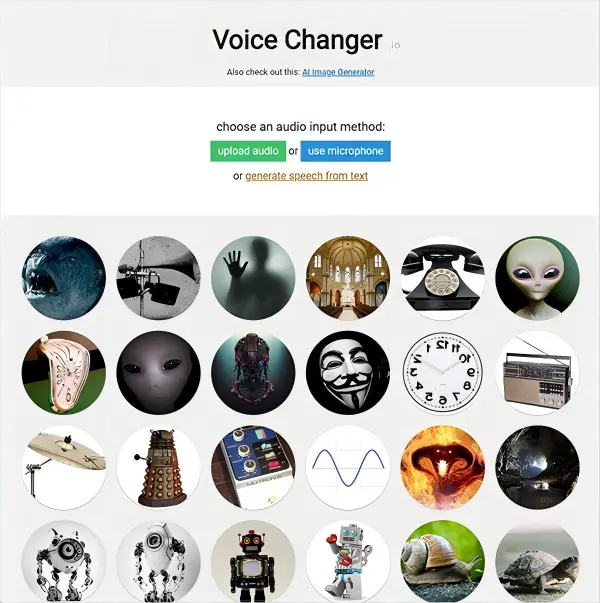
Voice Changer by AndroidRock is an Android app that applies effects to recorded audio or imported sound files. It includes options such as robot, alien, chipmunk, and duck voices. While it is not a dedicated anime AI voice changer, its high-pitched and exaggerated effects can help you create playful anime-inspired voices for memes, short clips, and casual roleplay. You can save edited recordings, make further changes, and share the results with friends or on social networks.
- Offer a straightforward way to create funny voice clips on Android.
- Provide multiple effects without requiring professional audio-editing skills.
- Support both new recordings and existing audio files.
- Let you save and share your creations directly from the app.
- Contain advertisements.
- Does not provide a dedicated library of AI anime character voices.
- Is primarily designed for recorded audio rather than real-time microphone voice changing.
- Some effects sound cartoonish rather than like natural anime voice acting.
Conclusion
Choosing the best anime voice changer depends on how you plan to use it.
- For real-time anime voice effects while gaming or chatting on Discord, Voicemod, MagicMic, EaseUS VoiceWave, Voice.ai, and Dubbing AI are worth considering.
- If you prefer an online anime voice changer that works in your browser, TopMediai and FineVoice let you create anime-style voiceovers without installing desktop software.
- For mobile users, Voice Changer Plus for iPhone and Voice Changer by AndroidRock for Android offer simple voice effects for fun recordings.
Related Articles
Female Voice Changer: 9 Best Tools for PC, Online & Mobile
6 Best Autotune Voice Changer Tools for Desktop, Online & Mobile
Scary Voice Changer: 8 Best Tools to Create Creepy AI Voices in 2026