

TL;DR:
Want to create realistic AI voiceovers without recording every line? Explore these 6 AI voice clone tools, compare their features and free options, and find the right one for your needs.
- TopMediai: All-in-one online voice cloning and text-to-speech tool.
- ElevenLabs: Natural-sounding cloned voices and multilingual speech generation.
- VEED: Clone your voice and add AI voiceovers while editing videos.
- Cartesia: Advanced voice cloning and real-time speech generation for developers.
- Canva: Create personalized voiceovers for presentations and video projects.
- Murf AI: Professional AI narration and enterprise voice cloning solutions.
Ever wished you could turn your own voice into an AI-powered narrator? With an AI voice clone, you can! Simply upload a voice recording, let AI learn your speaking style, and generate new audio that sounds remarkably like you. It's a handy way to create YouTube videos, podcasts, online courses, or marketing voiceovers without recording everything from scratch. The best part? You don't need professional recording equipment or technical skills to get started.
Whether you're looking for a free AI voice clone generator or an AI voice clone text-to-speech solution for regular content creation, there are plenty of options to explore. In this guide, we'll introduce 6 popular AI voice cloning tools, compare their features, and break down their pros and cons to help you find the right one.
Part 1. What Is AI Voice Cloning?
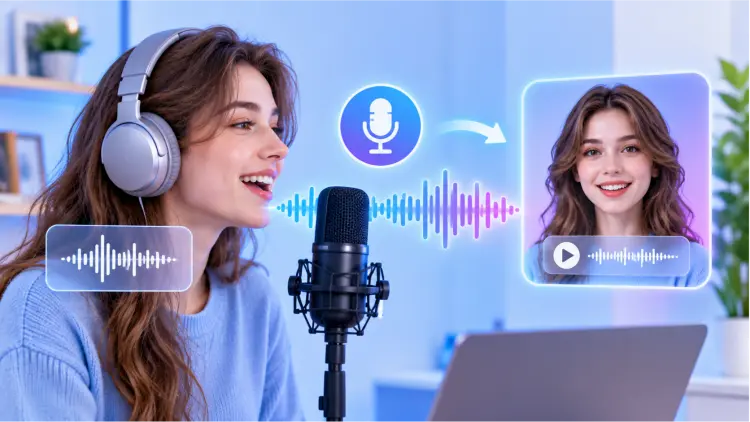
An AI voice clone is a digital copy of a person's voice created using AI. It analyzes vocal features such as pitch, tone, accent, pronunciation, and speaking speed to generate new speech that sounds similar to the original speaker.
Unlike traditional text-to-speech tools that use preset voices, AI voice cloning lets you create a personalized voice from your own recordings.
How Does AI Voice Cloning Work?
Most tools follow four simple steps:
- Upload a voice sample: Record or upload a short audio clip.
- Analyze the voice: AI identifies vocal characteristics and speaking patterns.
- Create a voice model: The platform builds a digital version of the voice.
- Generate speech: Enter text and let AI convert it into audio using the cloned voice.
The results depend on sample quality, recording length, background noise, and the AI model.
What Can You Do with an AI Voice Clone?
- Video narration: Create YouTube voiceovers.
- Audiobooks and podcasts: Narrate content without repeated recording.
- Marketing: Produce promotional audio.
- Education: Create lessons and tutorials.
- Multilingual content: Generate speech in different languages.
- Accessibility: Turn written text into personalized audio.
Always get permission before cloning someone else's voice. Never use cloned voices for impersonation, deception, or unauthorized endorsements.
Part 2. Top 6 AI Voice Cloning Tools
If you are searching for the best AI voice clone tool, the following six tools are worth considering.
| AI Voice Clone Tool | Key Features | Free Option | Best For |
|---|---|---|---|
| TopMediai | Voice cloning, text-to-speech, voice customization | Limited free trial | All-in-one voice creation |
| ElevenLabs | Instant and professional voice cloning, multilingual TTS | Free plan with usage limits | Natural-sounding AI voices |
| VEED | Voice cloning, video editing, subtitles | Limited free credits | Video creators |
| Cartesia | Instant and professional cloning, real-time TTS, API | Free plan with limited credits | Developers and businesses |
| Canva | Voice cloning, multilingual TTS, design integration | Free access to the third-party app may be available | Presentations and video projects |
| Murf AI | Professional TTS, custom voice cloning, API | Free TTS trial; cloning requires Enterprise access | Business voiceovers |
1. TopMediai
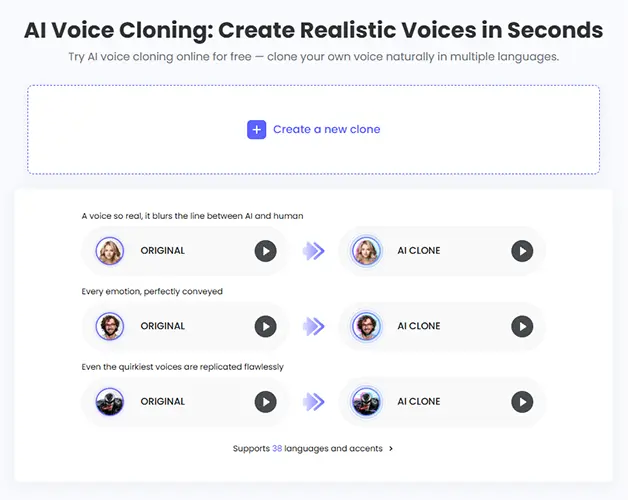
TopMediai is an online AI voice and multimedia creation platform that offers features such as AI Voice Clone, Text to Speech, and Online Voice Changer. Without installing complicated software, users can create AI voices directly in their browsers and use cloned voices to generate speech content.
TopMediai's AI voice cloning feature is suitable for users who want to create personalized voices quickly. You can upload a voice sample and let AI learn its characteristics, then enter text to generate speech in your cloned voice. This can save time on repeated recordings for video creators, podcasters, and social media users.
Key Features:
- Upload voice samples online to create AI voice clones.
- Convert text into speech using your cloned voice.
- Choose from multiple AI voices and languages.
- Adjust speech settings such as speed and pitch.
- Access integrated AI music, video, and voice creation tools.
- Work online without requiring desktop software installation.
- Combine multiple AI voice and multimedia features.
- Useful for video voiceovers and everyday voice content creation.
- The free trial has character or usage limits.
- Cloning quality depends on the recording quality and sample length.
- Some advanced features require a subscription.
Best For: Users who want an all-in-one online platform for AI voice cloning, text-to-speech conversion, and other AI-powered creative tasks.
2. ElevenLabs
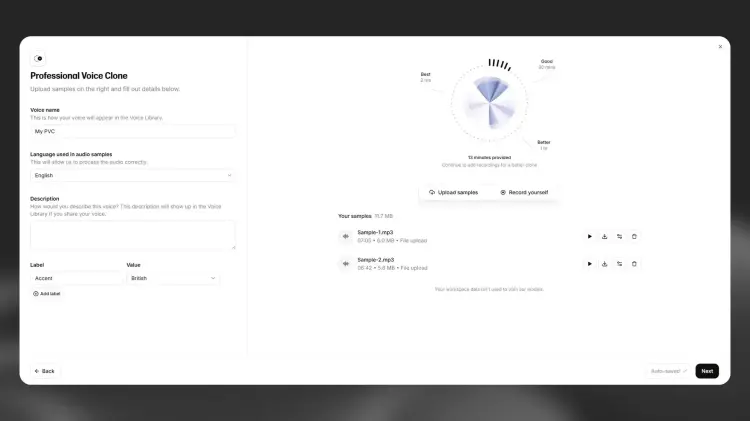
ElevenLabs is a well-known AI voice generation platform that offers natural-sounding speech synthesis, AI voice cloning, and multilingual speech generation. It can create a voice model based on user-provided audio samples and convert entered text into speech that closely resembles the original speaker's voice.
ElevenLabs offers different voice cloning options, including Instant Voice Cloning and Professional Voice Cloning. Instant cloning is suitable for users who want to create an AI voice quickly, while Professional Voice Cloning is better suited to creators who require higher voice similarity and consistency.
Key Features:
- Support AI voice cloning and text-to-speech conversion.
- Generate speech in multiple languages.
- Allow users to customize speech expression and voice characteristics.
- Support API integration to add voice generation capabilities to other applications.
- Suitable for video voiceovers, audiobooks, and content creation.
- Produce highly natural-sounding AI speech.
- Offer multiple voice generation and cloning options.
- Suitable for professional content creators and developers.
- Advanced voice cloning features typically require a paid plan.
- Voice quality depends on the original recording.
- The free plan comes with usage limits.
Best For: Content creators who want natural-sounding AI voices and need multilingual speech generation capabilities.
3. VEED
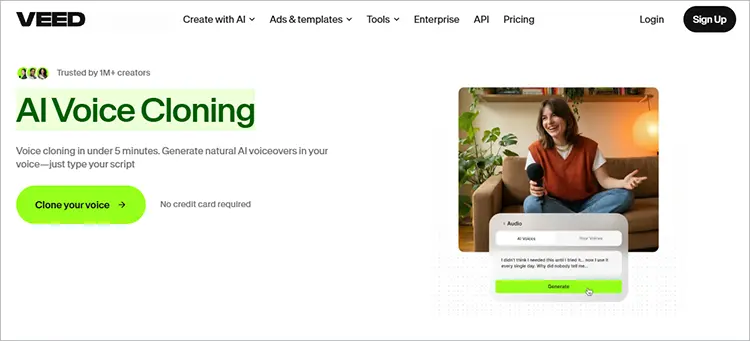
VEED is an online video editor with built-in AI voice clone technology. It lets you create a digital copy of your voice from an audio sample and generate AI voiceovers from text. You can then use the cloned voice in videos, tutorials, presentations, and social media content.
VEED also combines voice cloning with video editing, subtitle generation, and audio enhancement tools. This all-in-one workflow makes it easy to create voiceovers and edit videos in one place, without switching between different applications.
Key Features:
- Clone a voice from an uploaded audio sample.
- Convert written scripts into personalized AI speech.
- Integrate generated voiceovers into video projects.
- Access online video editing and subtitle tools.
- Use audio enhancement features to improve recordings.
- Test voice cloning without a credit card.
- Combine voice cloning and video editing in one platform.
- Easy-to-use browser-based interface.
- Offer a free way to test voice cloning.
- Convenient for creating video narrations and social media content.
- Include additional editing tools for a more complete workflow.
- Free AI credits are limited.
- Longer scripts and frequent voice generation require a paid plan.
- Primarily focuses on video and content production rather than advanced voice model customization.
- Require a stable internet connection to use its online tools.
Best For: YouTubers, social media creators, and video editors who want to generate cloned voiceovers and edit videos in one place.
4. Cartesia
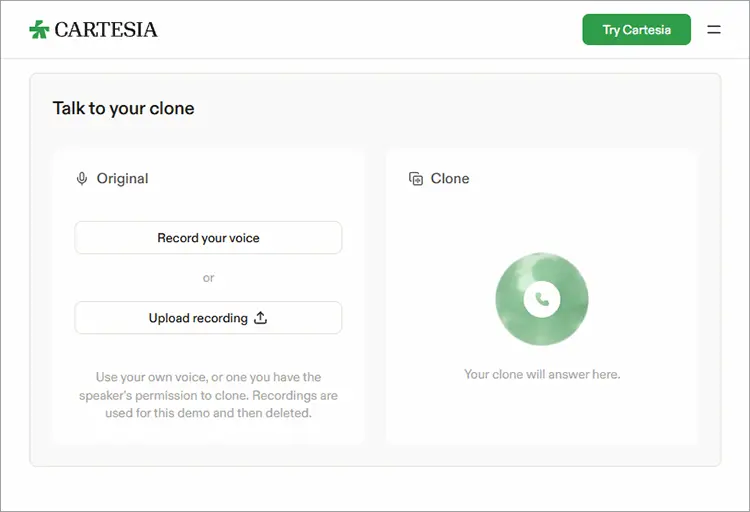
Cartesia is an AI voice platform specializing in realistic speech generation, voice cloning, and real-time audio applications. It allows developers and businesses to integrate custom AI voices into apps, voice agents, and automated communication systems.
Cartesia offers Instant Voice Cloning for quickly replicating a voice from a short audio sample and Professional Voice Cloning for creating higher-quality voice models from longer recordings. With its Sonic text-to-speech technology and developer APIs, users can generate speech with custom voices for conversational AI, virtual assistants, and other real-time voice applications.
Key Features:
- Instant Voice Cloning from short audio recordings.
- Professional Voice Cloning for higher-fidelity voice models.
- Sonic AI text-to-speech technology.
- Real-time speech generation capabilities.
- API integration for developers.
- Support for voice agents and conversational AI applications.
- Offer a free plan with monthly credits for experimentation.
- Provide both instant and professional voice cloning options.
- Suitable for real-time voice applications.
- Support developer-friendly API integration.
- Designed for scalable speech generation and business applications.
- Some advanced cloning capabilities require higher-tier subscriptions.
- The free plan does not include commercial usage rights.
- Its developer-oriented features may be overwhelming for beginners.
- Building production-ready voice applications may require technical knowledge.
Best For: Developers, startups, and businesses that need custom AI voices for real-time applications, voice agents, and API-based text-to-speech systems.
5. Canva
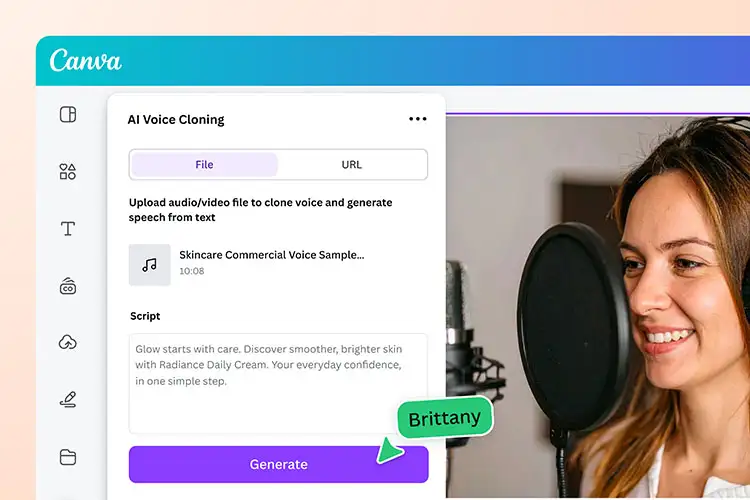
Canva is a popular graphic design platform that also offers AI-powered voice cloning. Users can upload a voice recording to create a digital voice replica, then convert text into speech without recording themselves repeatedly.
Its main advantage is seamless integration with Canva's design tools, allowing users to add AI voiceovers to presentations, educational materials, marketing videos, and social media content.
Key Features:
- Create a voice clone from an uploaded audio sample or link.
- Convert text into speech using the cloned voice.
- Support more than 130 languages.
- Accept audio samples between 10 seconds and 5 minutes.
- Integrate AI-generated audio into Canva design workflows.
- Create narration for presentations, videos, and educational content.
- Free to use with a Canva plan, according to the app listing.
- Simple workflow for users familiar with Canva.
- Support multilingual voice generation.
- Useful for adding narration to visual content.
- Does not require professional recording equipment.
- The cloning app is developed by a third party rather than being a native Canva voice model.
- Uploaded recordings must meet specific duration and file-size requirements.
- Advanced voice model controls may be more limited than specialized cloning platforms.
- Users should review the third-party app's data permissions and privacy terms.
Best For: Canva users, teachers, marketers, and designers who want to add personalized AI voiceovers to presentations and videos.
6. Murf AI
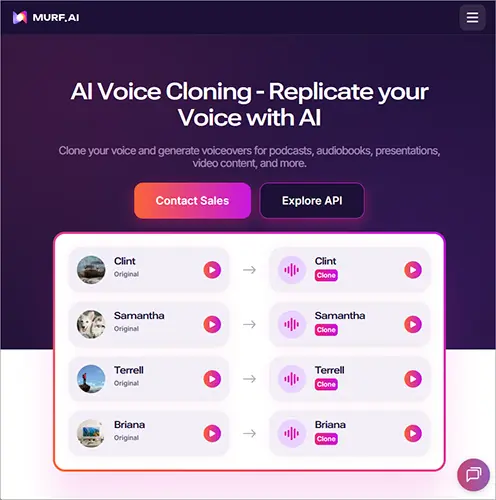
Murf AI is an AI voice generation platform for professional voiceovers, business presentations, e-learning, and multimedia content. It converts text into speech and lets users customize pronunciation, speed, emphasis, and speaking style to create natural-sounding narration.
Murf also offers custom voice cloning, allowing eligible users to create voice models from reference recordings and maintain a consistent voice across different projects.
Key Features:
- AI text-to-speech for professional voiceovers.
- Custom voice cloning for eligible enterprise users.
- Instant Voice Cloning from a short reference recording through its API.
- Professional Voice Cloning for more extensive voice recordings.
- Adjustable pronunciation, speed, emphasis, and speaking style.
- API integration for business applications.
- Produce polished, professional-sounding voiceovers.
- Offer useful speech customization controls.
- Suitable for corporate training and e-learning content.
- Support enterprise voice cloning and API-based workflows.
- Provide a free TTS trial without requiring a credit card.
- Custom voice cloning is not included in the standard free Studio plan.
- Voice cloning availability is restricted to Enterprise customers.
- Professional cloning may require longer recordings and additional setup.
- The platform may be more expensive than necessary for casual users who only need occasional voiceovers.
Best For: Businesses, e-learning teams, and professional content producers who need polished narration and enterprise-level custom voice solutions.
Part 3. FAQs on AI Voice Cloning
Q1. Can AI Voice Cloning Replicate Anyone's Voice?
Technically, AI can learn the vocal characteristics of different people, but that doesn't mean you can freely clone and use anyone's voice.
Before cloning someone else's voice, you should obtain their explicit permission, especially for commercial use, public distribution, or situations where the generated voice could be mistaken for the real person.
Q2. What Is the Difference Between AI Voice Cloning and Text-to-Speech?
Both technologies can generate AI speech, but they work differently.
Traditional text-to-speech (TTS) primarily uses preset voices provided by the platform to read text aloud. AI voice cloning, on the other hand, creates a voice model based on a specific person's voice samples, allowing the generated speech to sound more like that individual.
Q3. Can AI-Cloned Voices Be Used for Commercial Projects?
Not necessarily. Commercial usage rights depend on the platform's subscription plan, terms of service, voice licensing, and ownership rights to the original recordings.
Before using AI-cloned voices in advertisements, commercial videos, audiobooks, or other revenue-generating projects, check whether the platform grants commercial usage rights and make sure you have the necessary authorization to use the voice.
Conclusion
Choosing the right AI voice clone tool depends on your budget, voice quality expectations, and how you plan to use the generated audio. While ElevenLabs and Murf AI are worth considering for professional voiceovers, VEED and Canva offer convenient options for creators who also need video editing features.
If you're looking for an easy way to clone your voice and turn text into natural-sounding speech, TopMediai is a great option to try. It combines voice cloning with text-to-speech features, making it easier to create voiceovers for videos, podcasts, and other content without recording every line yourself. Give it a try and see how much simpler your next audio project can be!
Related Articles
5 Best Chinese Text-to-Speech Tools for Natural AI Voices
Text-to-Speech Robot: 7 Best Robot Voice Generators in 2026