


TL;DR:
While native ecosystem tools like AirDrop or Quick Share are often not enough for cross-platform transfer, 12 robust third-party applications exist to seamlessly bridge the cross-platform file-sharing gap.
- Local & Offline Sharing: Tools like LocalSend, LANDrop, and the browser-based Snapdrop offer maximum speed, zero costs, and total privacy without needing an internet connection.
- Remote & Cloud Sharing: Services like Send Anywhere, Google Drive, Dropbox, etc., provide reliable, long-distance transfers via cloud links or temporary pins, alongside advanced backup and collaboration features.
- Bulk Ecosystem Migration: For users undergoing complete device upgrades, dedicated desktop software like iReaShare Phone Transfer delivers the most stable, secure, and wired phone-to-phone data migration experience.
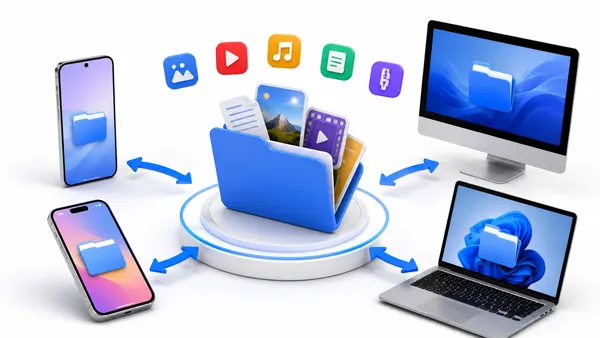
Moving files seamlessly between different operating systems - like sending a video from an iPhone to an Android phone, or sharing a document between Android/iOS and macOS/Windows OS - is a daily necessity. While tech giants offer native solutions like Apple's AirDrop or Android's Quick Share, these file sharing apps often fail when crossing enemy lines, especially if you want to transfer many files at once.
Fortunately, some robust cross-platform applications exist to bridge this gap. This article explores twelve excellent file-sharing applications and answers the most pressing questions regarding modern file transfer utilities.
Part 1: A List of Cross-Platform File Sharing Apps
First of all, take a quick look at these 12 file transfer apps below to help you make a decision easily.
| User Need | Recommended Tools | Main Benefit |
|---|---|---|
| Fast, local sharing between Android and Windows | Quick Share | Native system speed and automated background device pairing without manual setup. |
| Remote, long-distance sharing without proximity limits | Send Anywhere | Globally accessible transfers using simple 6-digit expiring keys or web links. |
| Full device upgrades or bulk phone data migration | iReaShare Phone Transfer | Stable, wired desktop software that safely migrates entire contact lists, messages, and media libraries at once. |
| Ad-free privacy and offline local network sharing | LocalSend / LANDrop | Secure, open-source peer-to-peer transfers that require no internet and no account creation. |
| Cloud-based file backup and team collaboration | Google Drive | Generous 15 GB free storage paired with deep real-time document editing tools. |
| Offline mobile-to-mobile group sharing without routers | Xender / InShare | Creates an independent local Wi-Fi hotspot to share large media and apps with multiple phones simultaneously. |
| Fast syncing for large files and professional delivery | Dropbox | Advanced block-level delta syncing and customizable, branded links for corporate transfers. |
| Instant local sharing without installing any software | Snapdrop | Zero-footprint, browser-based AirDrop clone that runs instantly on any device via a simple URL. |
| High-speed offline transfer with local messaging | Feem v4 | Utilizes ultra-fast Wi-Fi Direct technology and includes an integrated chat feature for connected peers. |
| Lightweight background utility for desktop-heavy networks | NitroShare | Minimalist, low-resource tool that runs silently in the system tray for easy desktop drag-and-drop actions. |
1.1 Quick Share
Formerly known as Nearby Share on Android, Google rebranded and merged its local transfer system with Samsung's Quick Share. While it is native to Android, Google provides an official Quick Share app for Windows, making it incredibly fast to beam large files wirelessly from your phone to your PC over Wi-Fi and Bluetooth.
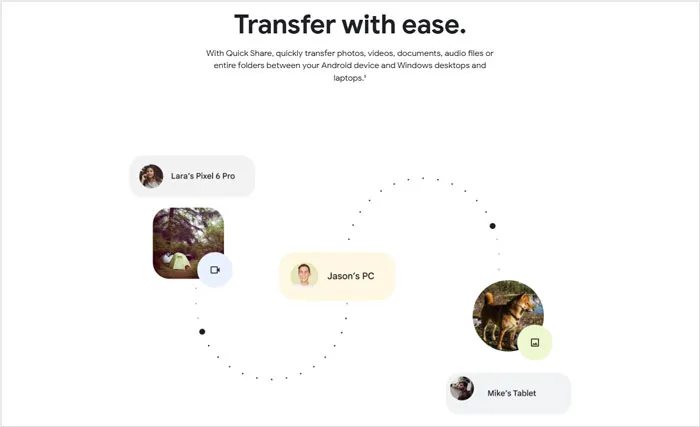
- Built natively into Android devices and works seamlessly with the Windows desktop application.
- Automatically switches between Bluetooth, Wi-Fi Direct, and WebRTC to find the fastest possible transfer method.
- Allows you to bypass transfer approval prompts for devices signed into your same Google Account.
- Even though it can share files with AirDrop on some new iOS devices, but still lacks support for old iOS, iPadOS, and macOS.
- The Windows desktop application requires specific, relatively modern Wi-Fi and Bluetooth drivers to work reliably.
- To unlock its best automation and contact-sharing features, users must be logged into a Google Account.
1.2 Send Anywhere
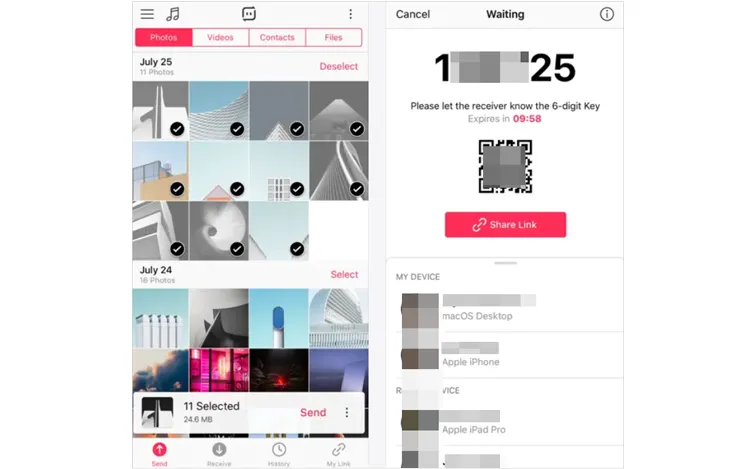
Unlike local network tools, Send Anywhere uses a cloud-routing system optimized for speed. It allows you to share files globally by generating a temporary 6-digit key, a QR code, or a shareable link. This mobile file sharing app works seamlessly across Android, iOS, Windows, macOS, Linux, and web browsers.
- Files can be shared globally across the internet; devices do not need to be on the same local network.
- Offers multiple convenient ways to share, including 6-digit one-time keys, QR codes, and shareable web links.
- Features dedicated apps for Android, iOS, Windows, macOS, Linux, and even a browser extension.
- Requires an active internet connection to relay the file keys, meaning it cannot function fully offline.
- The free version contains frequent, intrusive advertisements on mobile and desktop apps.
- The 6-digit keys expire quickly (within 10 minutes by default), requiring precise timing between sender and receiver.
1.3 iReaShare Phone Transfer
iReaShare Phone Transfer is a desktop-focused software tool tailored specifically for phone-to-phone data migration. It is highly reliable for users who are switching devices and need to move massive chunks of data - such as entire contact lists, text histories, photo libraries, and more - across iOS and Android ecosystems.
Main features of this cross-platform file sharing app:
* Seamlessly transfer files from one phone to another.
* Support the transfer of contacts, messages, videos, photos, music, documents, apps, etc.
* Allows you to select data types before the transfer.
* Compatible with Android 6.0 or later, and iOS 5.0 or higher.
Download iReaShare Phone Transfer below.
Download for Win Download for Mac
- Specially designed to move bulk data categories all at once rather than file-by-file.
- Supports reliable USB cable transfers, eliminating the risk of disconnection during large gigabyte migrations.
- Perfectly bridges the gap between competing operating systems, making iOS-to-Android switching smooth.
- No ads on the interface, and follow the read-only mode.
- It is a desktop-based software suite, meaning you cannot transfer data directly phone-to-phone without a PC or Mac.
- Unlike simple utility apps, the full functionality of the software requires a premium license or subscription.
- The Wi-Fi transfer mode can work for Android devices only.
Here's how to transfer files from iOS to Android with this app:
-
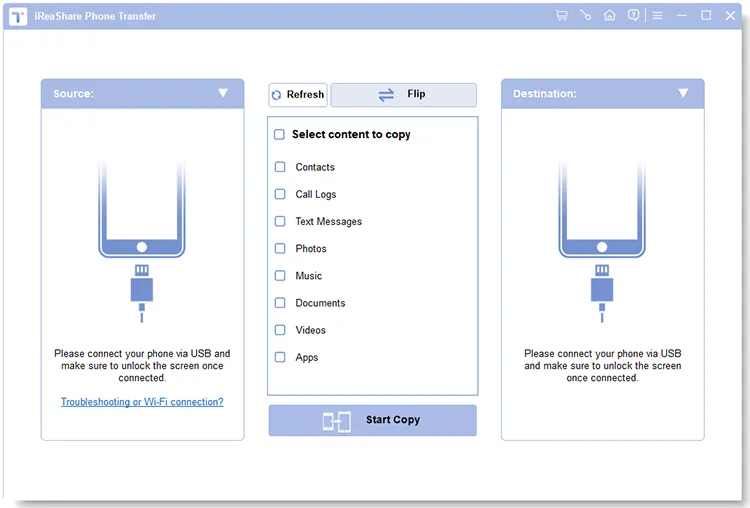
Download and install it on your computer. Then open it and connect both mobile devices to the computer with their own USB cables.
-
Enable USB debugging on Android and click "Trust" on iOS to make it trust your computer. Then the software will recognize both devices. Then ensure your Android phone is the "Destination" device, or click "Flip".
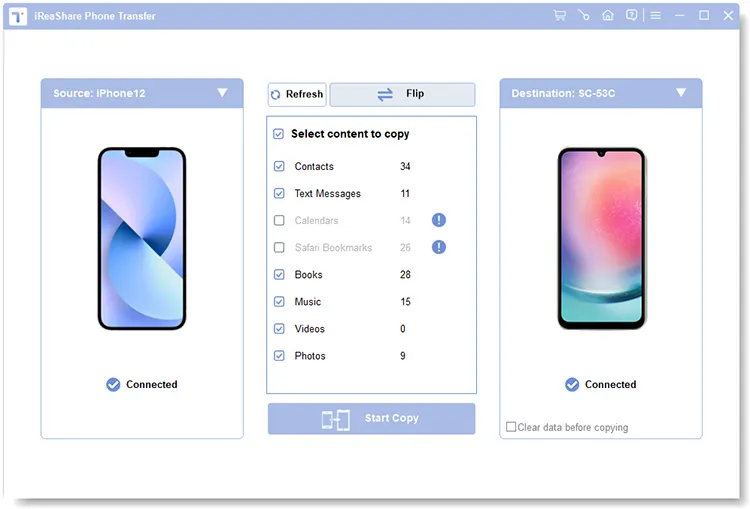
-
Select the data types you want, and click "Start Copy" to transfer the iOS files to the Android device directly.
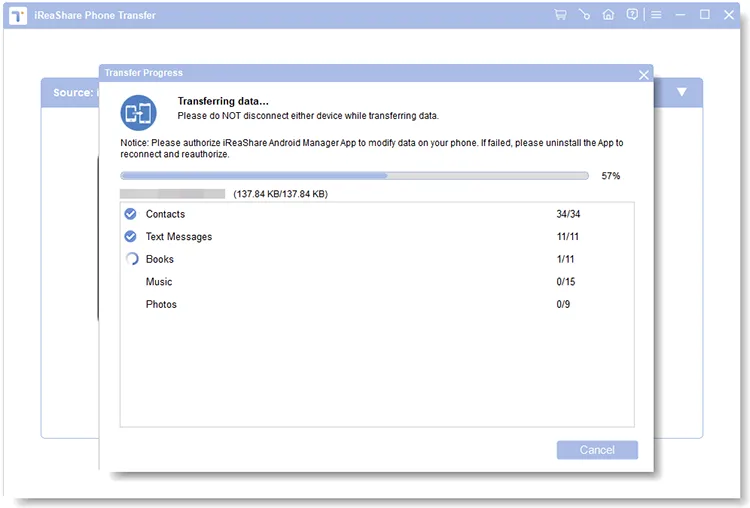
You can watch the video guide to use this app for sharing files:
1.4 LocalSend
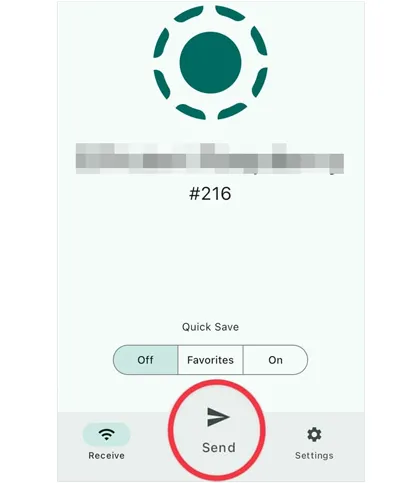
An open-source favorite, LocalSend allows you to share files securely over a local Wi-Fi network. Because it is completely decentralized, it requires no internet connection, no accounts, and no registration. It is fast, lightweight, and features an incredibly clean user interface across all desktop and mobile platforms.
- Free of charge, free of tracking, and contains absolutely zero advertisements or hidden costs.
- Operates entirely over local Wi-Fi, keeping your data secure and making transfers incredibly fast without consuming mobile data.
- Users can download the app and immediately start sharing without registering an email or setting up a profile.
- Both devices must be connected to the exact same local Wi-Fi network; it cannot send files remotely over the internet.
- Can occasionally fail to detect peer devices if the local Wi-Fi router has AP/Client isolation enabled.
- It is strictly a point-to-point transfer tool, meaning it provides no cloud storage or permanent link sharing.
1.5 Google Drive
While fundamentally a cloud storage service, Google Drive acts as a powerful cross-platform sharing hub. By uploading files to the cloud, you can generate access links with customized view/edit permissions. It is universally accessible via native apps or any web browser, making it ideal for collaborative documents and permanent file sharing.
- Provides 15 GB of free cloud storage upon registration, which is significantly more than most competitors.
- Allows multiple users to comment, edit, and collaborate on shared files and office documents in real time.
- Users can set strict access levels, choosing whether a recipient can only view, comment on, or fully edit a file.
- Files must be fully uploaded to the cloud before they can be shared, which is slow for large files on limited connections.
- Large shared files count against your total storage quota, requiring paid upgrades if you manage heavy media files.
- Because files are stored on Google's remote servers, it may not satisfy users with strict local-only data privacy requirements.
1.6 Xender
Xender is one of the pioneers of mobile-to-mobile ad-hoc Wi-Fi transfers. It establishes a local hotspot, allowing multiple devices to connect simultaneously and exchange files at speeds vastly exceeding standard Bluetooth. It remains heavily popular for sharing large media files and apps offline.
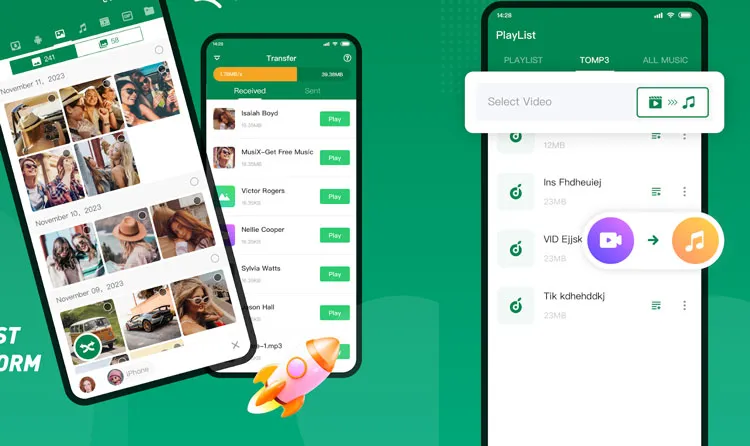
- Can create its own ad-hoc Wi-Fi network, allowing offline transfers even in remote areas without a router.
- Supports connecting up to four devices simultaneously, allowing a user to share a file with a group at once.
- Specially optimized to backup and share installed mobile applications directly between Android devices.
- The app interface is notoriously cluttered with bloatware, recommended games, and social media feeds.
- The free mobile application features frequent pop-up ads and video advertisements that disrupt the user experience.
- Requires extensive system permissions (Location, Storage, Phone state) on mobile devices to initialize local hotspots.
1.7 Dropbox
Similar to Google Drive, Dropbox provides a highly stable cloud infrastructure. Its "Dropbox Transfer" feature is a standout tool designed specifically for sending large files (up to 100 GB depending on your plan) to clients or friends without requiring them to have a Dropbox account or cluttering your own storage allocation.

- Uses advanced block-level syncing, meaning if you edit a large file, it only re-uploads the changed portions, saving immense time.
- "Dropbox Transfer" lets you send large files with professional layouts, custom branding, and expiration dates.
- The background desktop client is incredibly stable and manages background syncing with minimal system lag.
- Only provides a restrictive 2 GB of free storage space, which fills up almost immediately with modern media.
- Free users are strictly limited to linking a maximum of three devices to a single account.
- Premium subscription tiers are tailored primarily for enterprise or professional use, making them costly for casual users.
1.8 Snapdrop
Snapdrop is an open-source, web-based cloning of Apple's AirDrop. It requires absolutely no app installations. As long as two or more devices are connected to the same Wi-Fi network, navigating to snapdrop.net in a browser will instantly display the neighboring devices, allowing for frictionless point-and-click file transfers.
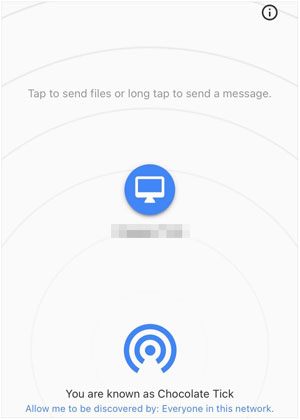
- Runs entirely within any modern web browser via WebRTC, requiring no app downloads or software installations.
- Replicates the seamless, tap-to-send experience of AirDrop for Windows, Android, and Linux users.
- Because it operates via a webpage, it consumes virtually zero device storage or background battery power.
- If a browser tab is accidentally closed or refreshed during a transfer, the entire file transfer fails and must be restarted.
- Tends to freeze or drop connections when attempting to transfer exceptionally large files (like 4K movies).
- Devices must rely on a central discovery server to see each other; if the app website goes down, local transfers stop working.
1.9 LANDrop
Similar to LocalSend, LANDrop is a cross-platform, open-source local file-sharing application. It utilizes your local network to send photos, videos, and large folders securely without compressing them. It supports Windows, macOS, Linux, iOS, and Android.
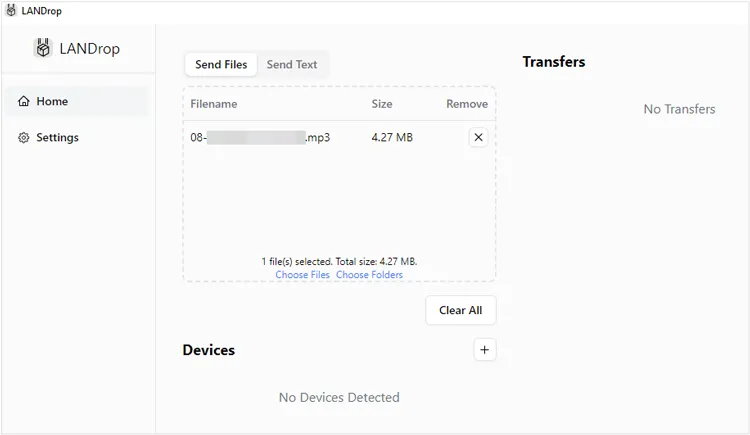
- Transfers photos and videos in their raw, original quality without compressing or downsizing them.
- Works exactly the same way on iOS, Android, macOS, Windows, and Linux, featuring a highly consistent UI.
- Uses cryptographic algorithms to ensure that files cannot be intercepted by other users on the same Wi-Fi network.
- The user interface is incredibly minimalist, lacking advanced file management tools or visual progress metrics.
- Strictly limited to local network environments; cannot share files across different network locations.
- On iOS and Android, the app must be kept open in the foreground; backgrounding the app often pauses transfers.
1.10 Feem v4
Feem v4 positions itself as a premium, lightning-fast offline file transfer tool. It uses Wi-Fi Direct technology to move data between devices without needing an active internet connection. Aside from file sharing, Feem features a neat local chat function, allowing you to send messages directly between connected devices.
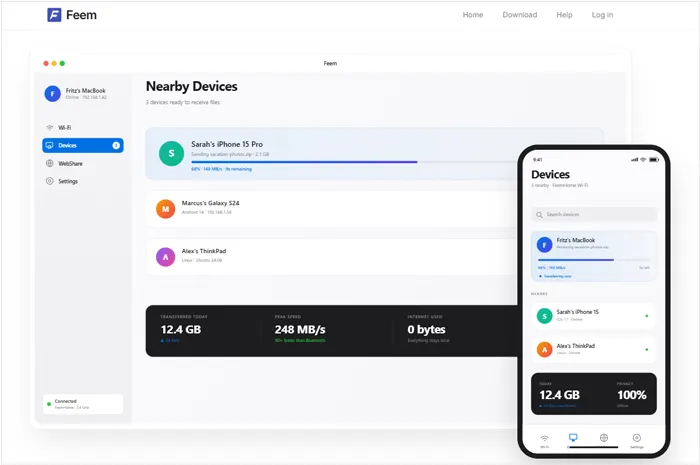
- Utilizes Wi-Fi Direct rather than standard local Wi-Fi router routing, making it significantly faster than traditional LAN transfers.
- Includes an integrated chat interface that allows users to send text messages and links alongside their files.
- Capable of automatically resuming broken file transfers right where they left off if a connection drops.
- The user interface layout feels dated and less intuitive compared to modern material-design apps.
- Essential quality-of-life features, like turning off ads or changing the default download folder, are locked behind a paid Pro version.
- Apple's aggressive background RAM management frequently causes Feem to lose local connection stability on iPhones.
1.11 NitroShare
NitroShare is a lightweight, open-source file transfer application built primarily for local network desktop transfers (Windows, macOS, Linux), though it also has Android support. It focuses heavily on minimalism and speed, integrating cleanly into your operating system's system tray or menu bar for quick drag-and-drop actions.
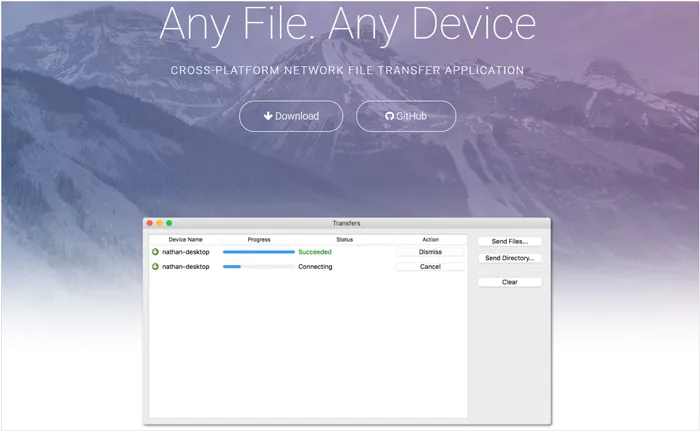
- Runs quietly in the OS system tray/menu bar, allowing quick drag-and-drop actions without opening a bulky app window.
- Instantly discovers any other running instances of NitroShare on the local network without user intervention.
- Written to be lightweight, it uses minimal CPU and RAM, making it perfect for older computers.
- The software is rarely updated, leading to potential compatibility issues with newer operating system updates.
- While it features an Android app, the mobile experience is highly unpolished and prone to crashes compared to the desktop versions.
- Files are sent unencrypted across the local network by default, which is unsafe on public Wi-Fi networks.
1.12 File Sharing - InShare
Developed by InShot, InShare is a highly popular mobile-first file-sharing application available on Android and iOS. It utilizes Wi-Fi hotspots to transfer apps, music, videos, and PDFs offline at high speeds, offering an intuitive interface designed for quick peer-to-peer exchanges.
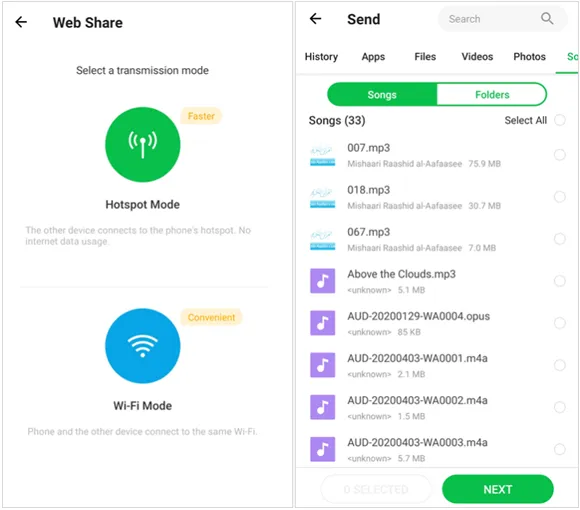
- Includes a dedicated "Phone Clone" feature to simplify transferring data from an old smartphone to a new one.
- Boasts transfer speeds up to 40Mb/s by utilizing localized Wi-Fi hotspot matching.
- Handles any file format natively, including zipped archives, folders, raw music files, and system applications.
- The app is heavily saturated with banner ads, interstitial pop-ups, and countdown ads that degrade usability.
- While excellent for mobile-to-mobile transfers, its workflow for connecting to a desktop computer is clunky and relies on a temporary web server.
- Demands sensitive system access, such as location and system setting modification permissions, to operate its local hotspot engine.
Part 2: Q&A About File Sharing Apps
Q1: Which is the best app for file transfer?
There is no singular "best" app, as the ideal choice depends completely on your specific environment and use case:
- Best for Privacy & No Internet (Local): LocalSend or SnapDrop. Because they transfer data entirely over your local Wi-Fi network without touching the internet, they are highly secure, completely free, and incredibly fast.
- Best for Global/Remote Sharing: Send Anywhere. If the recipient isn't in the same room as you, Send Anywhere handles cloud-relayed transfers beautifully via simple 6-digit PIN codes.
- Best for Cross-Platform Desktop-to-Mobile: Quick Share (for Windows & Android) or LocalSend (if Apple devices are mixed in).
Best for Bulk Transfer: iReaShare Phone Transfer can copy all your files at once between your Android and iOS devices via USB, so there is no file size limit, and the process is very stable.
Q2: Is Dropbox better than Google Drive?
Both platforms offer exceptional cloud-based sharing, but they lean into different strengths:
- Google Drive is generally better for overall value and collaboration. It provides 15 GB of free storage out of the box and integrates seamlessly with Google Workspace (Docs, Sheets), making it the superior tool for real-time, multi-user document collaboration.
- Dropbox is better for advanced file handling, security, and raw file syncing. Its proprietary block-level sync algorithm updates large files much faster than Google Drive. Additionally, its file-sharing features offer more robust control, such as password-protecting shared links and setting strict link expiration dates.
Q3: Is WeTransfer still free?
Yes, WeTransfer still offers a free tier, but its structure has changed significantly.
Following updates to its platform, the free tier now operates on a strict monthly usage system rather than just a per-transfer limit. Free users can send files up to 3 GB per transfer, but you are capped at a maximum of 10 transfers or a cumulative 3 GB of total data every 30 days (on a rolling basis). Furthermore, free transfer links now expire and delete your files automatically after 3 days instead of the old 7-day limit.
Conclusion
Finding the right cross-platform file-sharing tool can transform a frustrating tech barrier into a seamless click. Whether you prefer the zero-setup web interface of SnapDrop, the iron-clad local privacy of LocalSend, or the vast cloud ecosystems of Google Drive and Dropbox, there is a tool designed to fit your workflow.
For users dealing with major device upgrades or massive data migrations, dedicated software like iReaShare Phone Transfer shines by offering a stable, secure, and wired desktop approach to moving bulk data ecosystems effortlessly. By matching your specific transfer needs - whether it is a swift local beam or a complete phone-to-phone data migration - to the right utility, you can ensure your files move safely and swiftly across any device boundary.
Related Articles
Transfer Files from iPad to PC with 5 Methods Step by Step
How to Transfer Files from iPhone to Flash Drive (6 Functional Methods)
How to Transfer Files from Android to PC: 7 Hassle-Free Methods
10 Reliable Android File Transfer Apps: Transfer Files Easily