

TL;DR:
Is factory reset enough before selling Android phone? For most modern Android phones, a factory reset is sufficient to make personal data stored in internal memory inaccessible to the next owner, thanks to built-in encryption. However, it does not automatically take care of everything involved in preparing a phone for resale. Back up the files you want to keep, remove your linked accounts, and handle your SIM and SD cards separately. For devices containing highly sensitive information, an additional erasure tool such as iReaShare Android Data Eraser can provide another layer of protection.
Selling or giving away your old Android phone is a convenient way to upgrade your device, but it also raises concerns about personal data security. Your phone may contain private photos, messages, financial information, saved passwords, and other sensitive details that you don't want the next owner to access.
A factory reset is usually the first step people take before selling an Android phone. But is factory reset enough before selling an Android phone, or should you take additional measures to protect your privacy? Understanding the security of a factory reset and the preparations required before selling can help you make a safer decision.
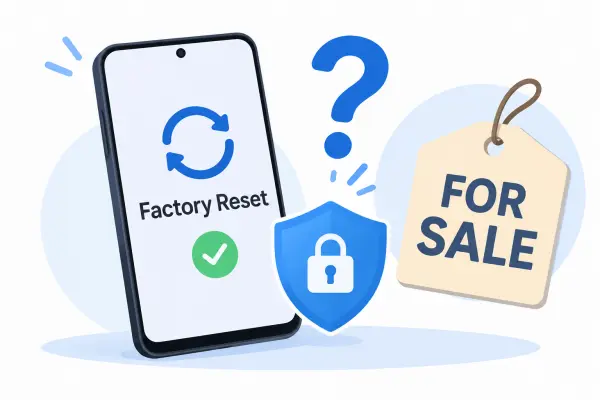
Part 1. Is Factory Reset Enough Before Selling an Android Phone?
Yes, a factory reset is generally enough for most modern Android phones. However, whether you need additional data protection depends on the type of information stored on your device.
For most modern Android phones:
Performing a factory reset through the system settings is usually sufficient to protect personal data stored in internal memory. Modern Android devices use encryption to secure user data, and a proper factory reset removes the local data and invalidates the encryption keys that protect it, making the original information inaccessible through ordinary recovery methods.
For phones containing highly sensitive data:
If your device has stored confidential business documents, financial records, or other sensitive information, you may prefer an additional layer of protection. A dedicated Android data eraser can overwrite stored data according to its selected erasure standard, providing an extra measure beyond the standard reset.
Keep in mind that a factory reset does not automatically delete cloud backups or information stored on removable SD cards. You should handle these separately before selling your phone.
Part 2. What Are the Risks of Selling an Android Phone Without Properly Wiping It?
Selling an Android phone without properly preparing it can put your personal information and account security at risk. If sensitive data or account access remains available to the next owner, they may misuse your information, access private files, or compromise your online accounts. Here are three potential risks to consider.
1. Personal and Sensitive Data Could Be Exposed
If you sell your Android phone without properly erasing its internal data, personal information such as photos, videos, messages, contacts, ID documents, bank screenshots, and private files could fall into someone else's hands. This information may be misused for identity theft, financial fraud, impersonation, or other malicious activities. For example, someone who obtains your personal documents or financial information may attempt to impersonate you or access your accounts.
2. Data on Removable Storage May Remain Accessible
A factory reset primarily erases data stored in the phone's internal memory. Files saved on a removable microSD card may not be affected. If you leave the card in the phone when selling it, the new owner may still be able to access photos, videos, documents, and other files stored on it. This can expose personal information even if the phone itself has been reset.
3. Your Online Accounts Could Be Compromised
If you leave accounts signed in or fail to remove account credentials properly before handing over your phone, the next owner may gain access to certain online services. Depending on the account and its security settings, this could expose emails, private messages, synced information, or social media content. Unauthorized access may also allow someone to impersonate you or attempt to compromise other accounts linked to those services.
Part 3. What to Do Before Selling Your Android Phone?
Before handing your Android phone to a buyer, complete the following preparations to protect your information and make the device easier to set up.
1. Back Up Your Important Data
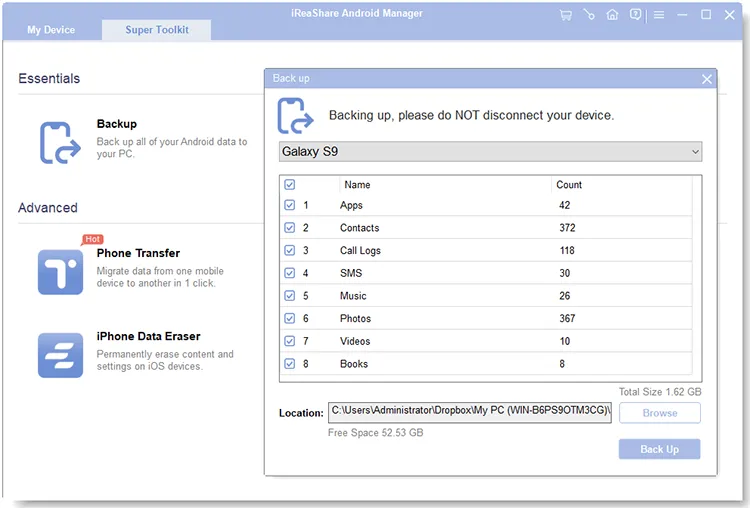
Before wiping your Android phone, save the information you want to keep, including contacts, text messages, photos, videos, music, and other important files. You can use Google services, an external storage device, or a computer to store your backup.
If you prefer backing up your data to a computer, iReaShare Android Manager is a practical option. It allows you to preview and select specific data types for transfer or back up supported Android data to a PC or Mac in one go. You can also choose where to store the backup files, making it easier to access them when needed.
With iReaShare Android Manager, you can back up contacts, SMS, call logs, photos, videos, music, apps, and other supported data. It supports USB and Wi-Fi connections, so you can choose the connection method that works best for you.
2. Remove Your Google and Manufacturer Accounts
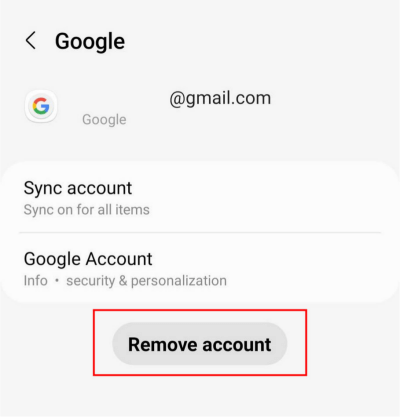
Next, remove the accounts associated with your Android phone. Open "Settings", find the account management section, select your Google account, and tap "Remove account". The menu names may vary depending on your Android version and phone manufacturer.
If you use a Samsung account or another manufacturer account, remove it as well. This helps prevent account verification and device activation issues when the new owner starts using the phone.
3. Remove Your SIM and SD Cards
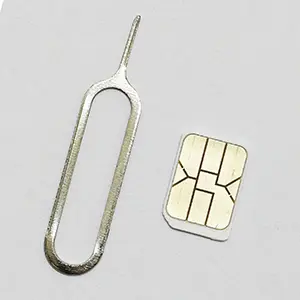
Take out your physical SIM card and microSD card before handing over the device. If your phone uses an eSIM, contact your carrier or follow its instructions to transfer or remove the mobile plan.
Check the SD card separately and copy any important files before formatting or securely erasing it. Remember that removing a card is not the same as deleting the information stored on it.
Part 4. How to Completely Wipe an Android Phone Before Selling?
A standard factory reset is generally sufficient for most modern Android devices. However, if you want to take an additional step to protect sensitive information, you can use a dedicated data erasure program.
iReaShare Android Data Eraser is a desktop tool designed to remove personal information from Android devices and overwrite stored data according to the selected erasure standard. Its key features include:
- Comprehensive Data Erasure: Removes existing files, private app data, system caches, personal media, system settings, and previously deleted items.
- Flexible Erasure Standards: Offers Low, Medium, and High levels to accommodate different privacy requirements.
- Detailed Erasure Reports: Generates reports containing device information, erasure standards, methods, overwrite passes, and results.
- Wide Android Compatibility: Supports most Android devices running Android 6.0 through Android 17.
If you want to try this tool, download the appropriate version for your computer:
Download for Win Download for Mac
How to use iReaShare Android Data Eraser to factory reset your Android phone completely:
-
Install and Connect Your Android Phone
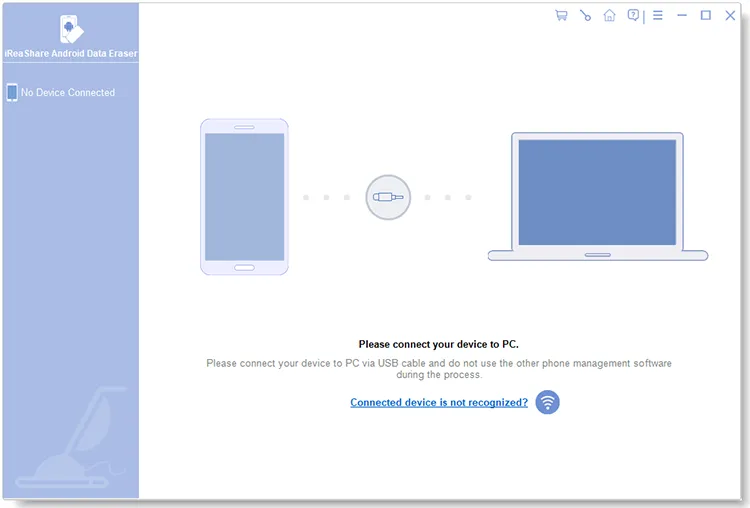
Download and install iReaShare Android Data Eraser on your Windows or Mac computer, then launch the program. You can connect your phone using either a USB cable or Wi-Fi.
-
Select an Erasure Level
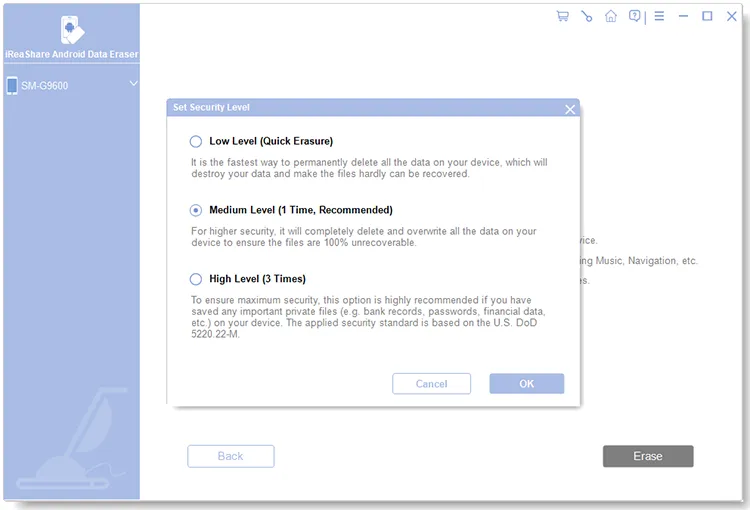
After the software recognizes your device, click "Continue" to enter the erasure interface. Choose "Low", "Medium", or "High" based on your privacy requirements, then click "OK" to confirm your selection.
-
Confirm the Data Erasure
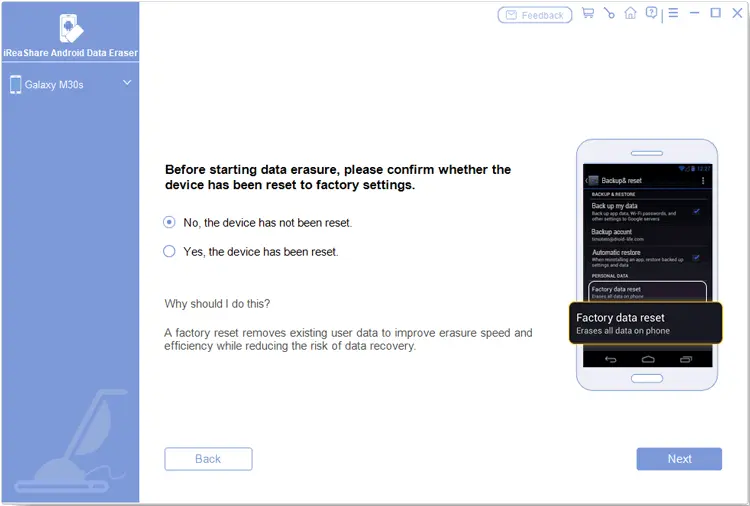
Type "delete" in the confirmation field, click "Erase", and select "OK" in the pop-up window. Follow the instructions to indicate whether your device has already been factory reset.
- If your phone hasn't been reset: Select "No, the device has not been reset". Click "Next" and follow the on-screen instructions to perform a factory reset. After your phone restarts, complete the initial setup and reconnect it to the software. Then select your preferred erasure level and confirm the operation again.
- If your phone has already been reset: Select "Yes, the device has been reset". Click "OK" and "Next" to continue.
-
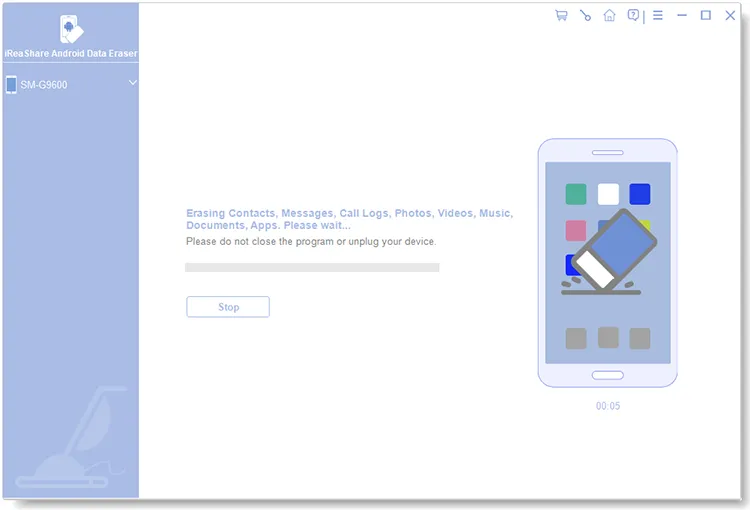
Start Erasing and Overwriting Android Data
After completing the required confirmations, the software scans your device and begins erasing its data. Keep your phone connected to the computer throughout the process.
-
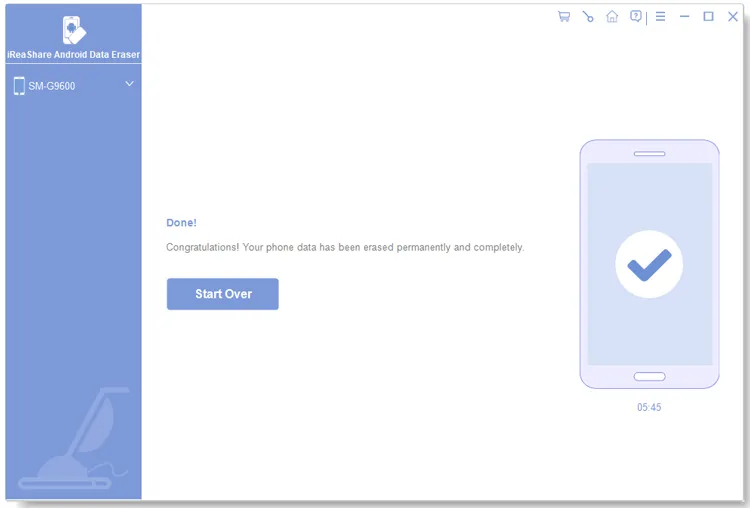
Save the Erasure Report
When the process finishes, the software displays the erasure result. Click "Save Report" to export the detailed erasure report as a PDF file. You can keep this document as a record of the device information, selected erasure standard, overwrite method, and completion status.
If you prefer a visual walkthrough, watch the video tutorial below to see how to connect your Android phone, select an erasure level, and permanently erase your device data with iReaShare Android Data Eraser.
Conclusion
So, is factory reset enough before selling an Android phone? In most cases, yes. Modern Android encryption makes a properly performed factory reset an effective way to protect the data stored in your phone's internal memory. You generally do not need to use additional wiping software unless you have particularly sensitive information or want an extra level of assurance.
What matters most is preparing the entire device for its next owner, not just resetting it. Make sure your important data is backed up, your accounts are removed, and your SIM and SD cards are handled properly. If you want to go beyond a standard reset, iReaShare Android Data Eraser offers additional data overwriting options to help make previously stored information unrecoverable. With these precautions, you can hand over your Android phone with greater confidence.
Related Articles
How to Wipe Phone for Trade-in Easily and Safely (Full Guide)
Solved: What Can I Do When I Fail to Erase Android Data?
What to Do with Old iPhone: Recycle or Repurpose It Securely
Is Factory Reset Enough Before Selling an iPhone? How to Wipe It Safely