For many years, iTunes was the default tool for managing iPhones, iPads, and iPods. Users relied on it to transfer files, back up devices, sync music, and organize media libraries. However, as technology evolved, the software grew notoriously bloated, heavy on system resources, and increasingly frustrating to use. If you are looking for an iTunes alternative for iPhone, iPad, and iPod touch, don't miss this latest review.
Part 1: Top 8 iTunes Alternatives for iPhone to Transfer and Manage Files
If your primary goal is to back up your phone, transfer photos, manage contacts, or move documents between your PC and iOS device, these file managers for iOS devices provide far better flexibility than iTunes ever did.
1.1 Apple Devices App
For Windows users, Apple officially split the core device management features out of iTunes into a dedicated, lightweight application called Apple Devices. Available via the Microsoft Store, this app handles manual backups, software updates, restorations, and standard data syncing for iPhones and iPads. This alternative to iTunes for iPhone delivers a familiar, native experience without the clutter of music or video stores.
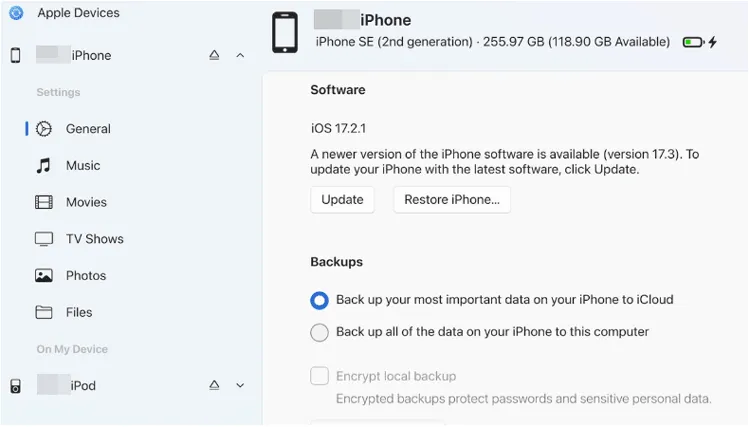
- It is an official Microsoft Store utility developed directly by Apple for native reliability.
- The interface focuses strictly on essential device maintenance tasks without any media storefront distractions.
- It executes full system updates, manual local backups, and restorations at rapid desktop speeds.
- The program is exclusive to Windows 10 and 11, completely excluding Linux and older Windows systems.
- It retains the rigid iTunes syncing model that lacks granular, single-file drag-and-drop transfers.
- Users cannot preview individual text messages, photos, or call logs before initiating a backup.
1.2 iReaShare iPhone Manager
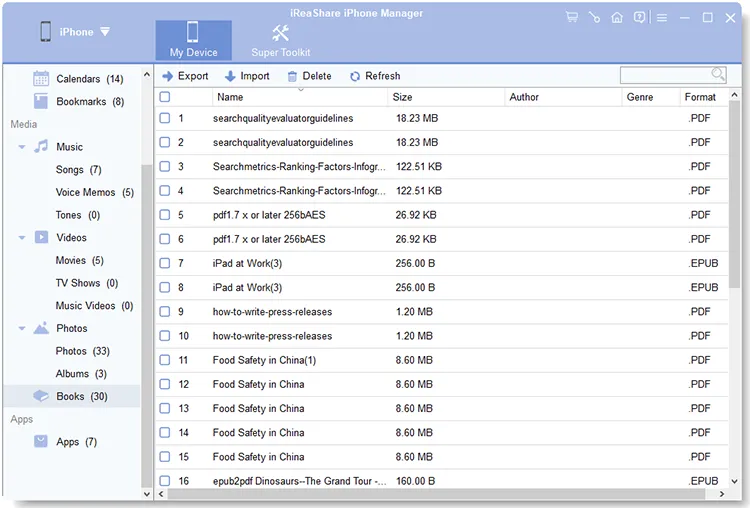
If you want a comprehensive, desktop-based data manager built for granular control, iReaShare iPhone Manager is more suitable for you. Unlike iTunes' rigid "all-or-nothing" syncing model, this iPhone manager allows you to preview and selectively export or import contacts, text messages, photos, videos, music, etc. It is highly valued for its ability to save text messages and call histories in accessible formats like CSV and XML.
Main features of iReaShare iPhone Manager:
* Selectively transfers iPhone files to your computer and vice versa.
* Backs up iOS data at once on a PC or Mac, and restore backup data to iPhone/iPad/iPod touch.
* Organizes your iOS data by category.
* Transfers media files like music, videos, photos, and documents with original quality and format.
* Supports iOS 5.0 or later, including iOS 26.
- Enables granular data control by allowing selective file previewing and exporting instead of forced full-system syncs.
- Users can export contacts and text messages into universally readable file formats including CSV, VCF, XML, etc.
- The interface allows direct file manipulation, let users easily add or delete notes, bookmarks, and playlists from the desktop.
- The strong compatability makes it work for most iOS devices, including iPhone 17/16/15/14/13/12/11/X, iPad Pro, iPad Air, iPad mini, iPod touch 7/6/5/4, etc.
- No ads, and support the read-only mode.
- Requires a paid commercial license key to unlock its comprehensive premium data management capabilities.
- Does not support advanced hardware diagnostics like real-time motherboard temperature tracking or system flashing.
- Wi-Fi connection is unavailable.
Download the best alternative to iTunes for managing iPhone.
Download for Win Download for Mac
Here's how to use it:
-
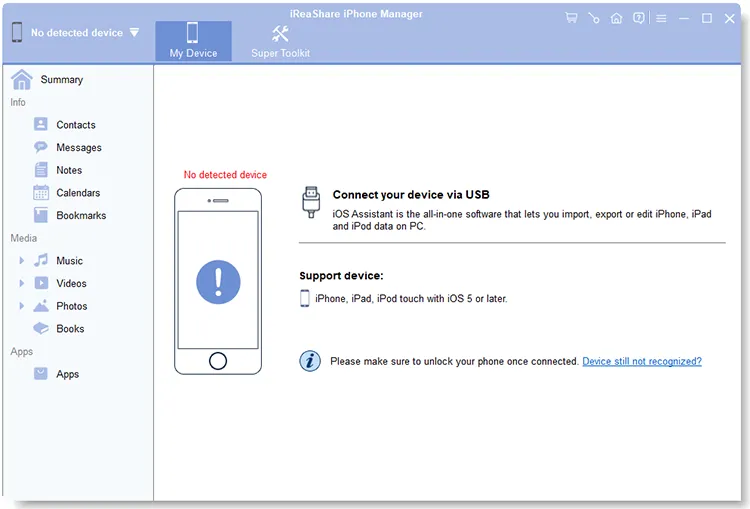
Install the iPhone Manager software on your computer after downloading it. Then launch it and connect your iOS device to the computer with USB.
-
Click "Trust" on your mobile device if prompted. Then your iPhone or iPad will trust your computer, and the connection will be established.
-
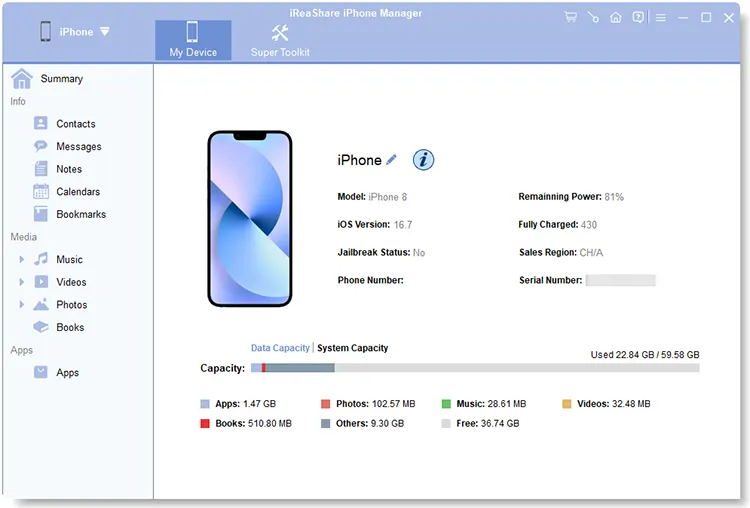
Choose a data type, and you can view your iOS data on the interface. Select the items you want to transfer, and click "Export" to save them to the computer. By the way, you can navigate to "Super Toolkit" to back up your iOS data at one go.
Watch the video guide below to transfer iPhone files to a PC without iTunes:
1.3 3uTools
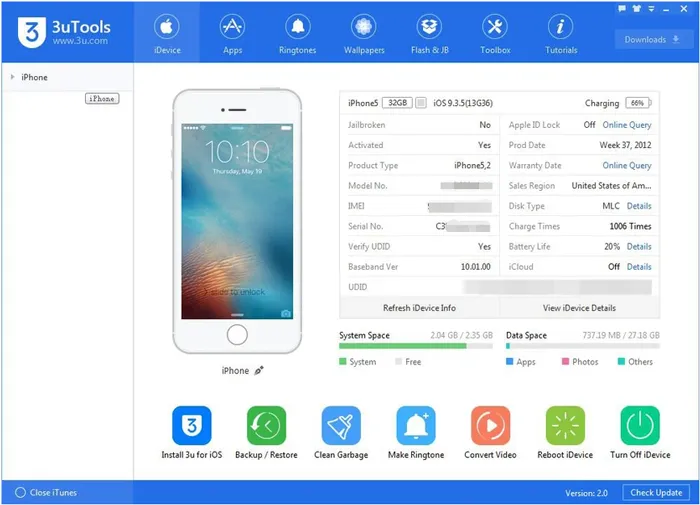
Widely considered the ultimate Swiss Army knife for iOS power users, 3uTools is a completely free Windows utility. Beyond standard file transfers for photos, music, and videos, it offers advanced diagnostic tools. Users can view detailed battery health data, flash firmware, jailbreak devices, and manage real-time iOS screen mirroring.
- It is completely free to use without any hidden features hidden behind a premium subscription paywall.
- Includes a broad range of power-user tools for iOS flashing, firmware downgrading, and direct device jailbreaking.
- Provides incredibly comprehensive diagnostic reports detailing battery health, cycle counts, and component authenticity.
- The desktop interface is complex and can easily overwhelm non-technical users.
- The utility is only available for Windows systems, offering no official application software for macOS or Linux.
- Advanced system operations can brick a connected mobile device if executed incorrectly by an inexperienced user.
1.4 DearMob iPhone Manager
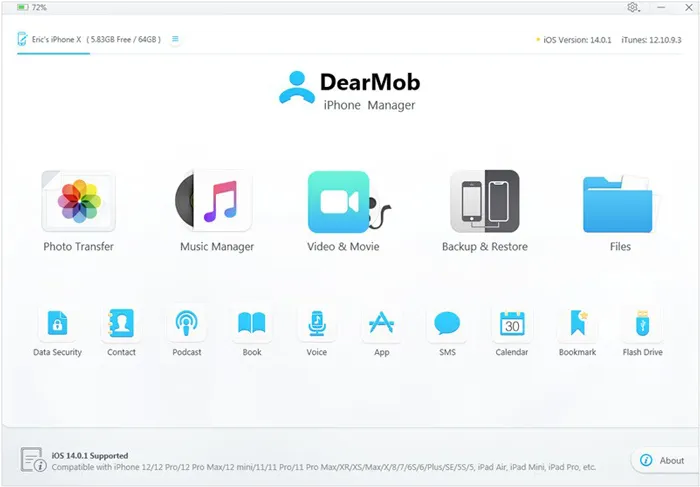
DearMob iPhone Manager strikes a perfect balance between robust security and high-speed data transfer. It allows users to safely back up their iPhone files with military-grade encryption. It also includes built-in media conversion tools that can automatically transcode format-restricted files, such as turning Apple's HEIC photos into widely accessible JPGs or converting high-resolution videos to MP4.
- Protects sensitive local database archives using strong, military-grade data encryption algorithms.
- Contains automatic media transcoders to convert Apple HEIC photos or HEVC videos into standard formats.
- Operates at incredibly fast hardware-accelerated processing speeds when transferring large blocks of 4K video files.
- The trial version enforces daily file transfer caps that restrict long-term free use.
- The user interface design looks somewhat dated compared to modern minimalist application aesthetics.
- requires a persistent background companion service installation to maintain uninterrupted mobile communications.
1.5 CopyTrans Filey
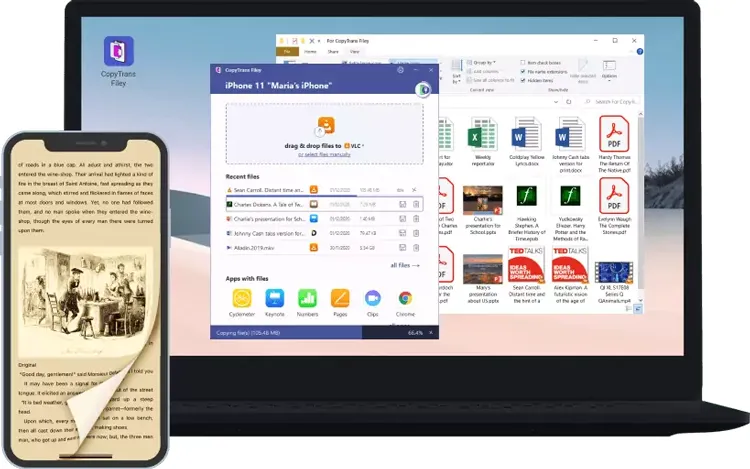
If your workflow revolves around application-specific documents, CopyTrans Filey is a specialized tool that connects your PC to your iPhone via USB or Wi-Fi. It acts as a bridge for third-party iOS apps, letting you drag and drop PDFs, e-books, and office documents directly into apps like Documents by Readdle or VLC. It can even turn your iPhone into a temporary USB flash drive.
- Simplifies cross-platform data handling by allowing effortless drag-and-drop file distribution over local Wi-Fi networks.
- The interface organizes local application storage structures into clear, manageable file folders.
- It is completely free of charge and does not disrupt the user's workflow with annoying commercial advertisements.
- It is strictly focused on app file sharing and cannot create full iOS system images.
- Lacks secondary system utilities like contact book editing, call history extraction, or custom ringtone creation.
- Remains restricted to Windows operating environments without any cross-platform macOS application support.
1.6 Libimobiledevice
For tech-savvy users, developers, and open-source enthusiasts, Libimobiledevice is a cross-platform software library that natively communicates with iOS protocols. Because this iTunes alternative requires no runtime library from Apple, it allows Linux, macOS, and Windows systems to access iOS files, backups, and device information purely through command-line interfaces.
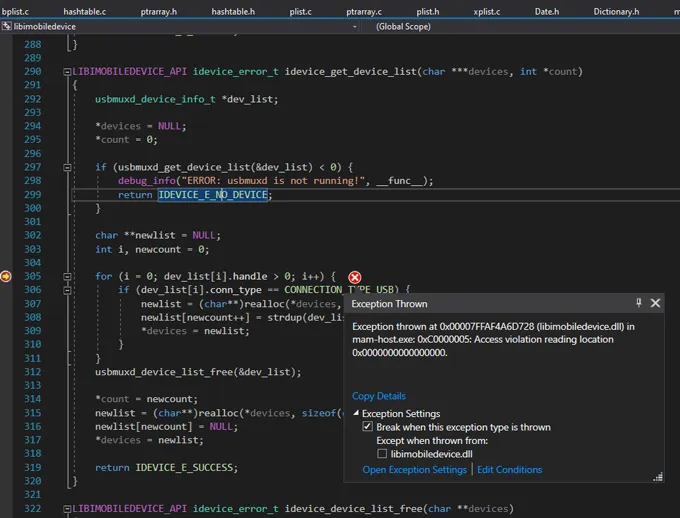
- Operates as a completely open-source program that runs natively on Linux, macOS, and Windows.
- The package does not require any background runtimes or proprietary software components from Apple to communicate.
- Gives software engineers and system developers deep command-line access to core iOS internal storage sectors.
- Lacks a graphical user interface entirely, forcing users to input manual text commands.
- The initial software installation and compiling process can be highly difficult for casual consumers to navigate.
- An incorrect command-line string entry can accidentally wipe out data partitions on a connected target device.
1.7 LocalSend
If you want to skip cables entirely, LocalSend is an exceptional, open-source alternative to Apple's AirDrop. It operates over your local Wi-Fi network, allowing you to share photos, large videos, and files securely between an iPhone and any Windows, Linux, or Android device. It requires zero cloud configuration, keeping your transfers fast and completely private.
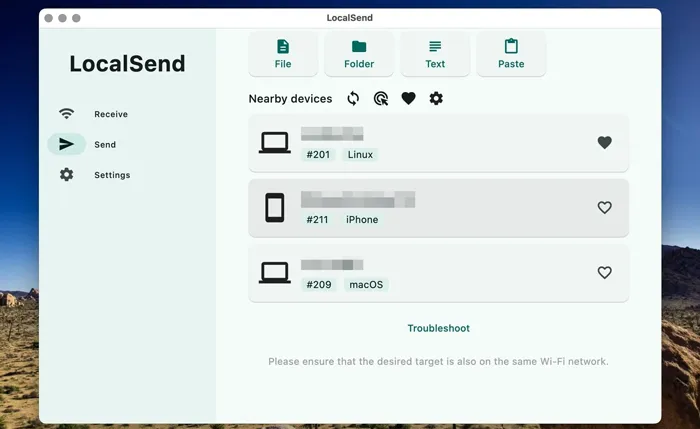
- Works across Windows, macOS, Linux, Android, and iOS for seamless cross-platform local area sharing.
- The open-source program processes all data transactions locally over Wi-Fi without uploading to cloud servers.
- Does not require account registrations, login credentials, or complex configuration settings to connect devices.
- Both the sending and receiving hardware must remain connected to the exact same Wi-Fi router network.
- It is strictly limited to ad-hoc file transfers and cannot manage device backups or phone synchronization.
- Large media directories can suffer from reduced speeds if your local Wi-Fi router encounters network congestion.
1.8 Documents by Readdle
Documents by Readdle is an all-in-one file hub that lives directly on your iPhone. While it functions as a powerful iOS file explorer, it doubles as a file transfer manager. By using its built-in "Wi-Fi Transfer" feature, you can open a web browser on your computer and instantly drop files directly into your phone's local storage.
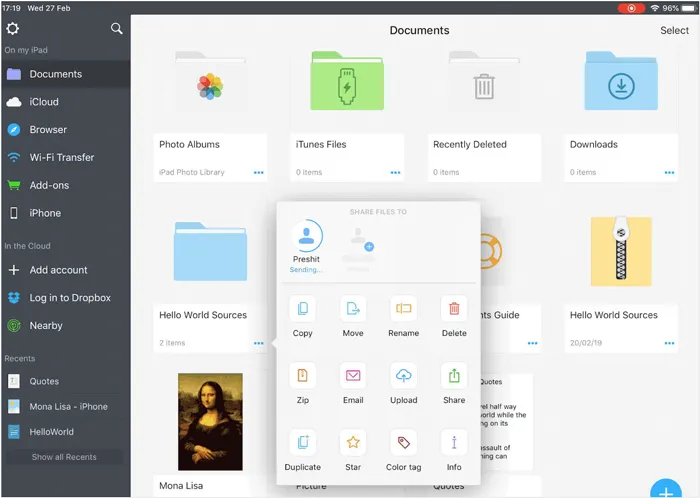
- Operates directly on iOS as an advanced file hub, reducing the need for desktop connections.
- Includes an internal web browser for direct downloading of files onto local mobile storage.
- The built-in Wi-Fi transfer portal lets any computer drop items into the app via a standard web browser.
- Advanced tools like professional PDF editing features require an expensive annual premium subscription.
- Cannot manipulate system-level iOS components such as contacts, system settings, or core text messaging data.
- The mobile app consumes significant internal storage space on your device as your file library expands.
Part 2: Top 7 iTunes Similar Software for iPhone to Play Music
If you miss the days when iTunes was simply a great local music library manager, these alternatives to iTunes for iPhone offer beautiful interfaces, high-fidelity audio output, and superior playlist curation without the device-management baggage.
2.1 Apple Music
For macOS users and Windows users alike, the standalone Apple Music app has officially inherited the local music playback role. It retains full support for your legacy iTunes library, locally ripped MP3s, and advanced smart playlists, while seamlessly blending them with Apple's 100-million-song streaming catalog if you choose to subscribe.
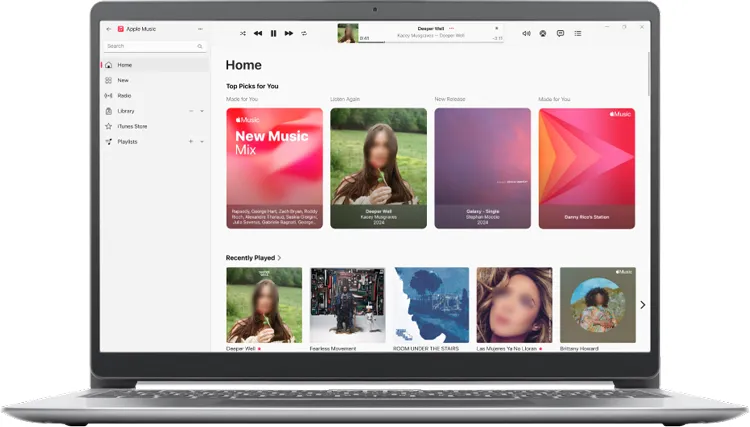
- Integrates your legacy iTunes music files and local track metadata configurations seamlessly into a modern layout.
- The layout effortlessly blends your physical audio collection with an expansive cloud streaming library ecosystem.
- Supports high-fidelity lossless audio file streaming and Dolby Atmos spatial audio surround sound mapping.
- Can feel sluggish on Windows computers because it demands significant system memory.
- Core features and personalized playlist generation tools are restricted behind a paid monthly subscription.
- Can feel overly cluttered for purists who only want to manage local offline music archives.
2.2 MusicBee
For Windows users with massive local audio collections, MusicBee is widely praised as the best desktop music manager available. It is incredibly lightweight, supports extensive skin customization, and features robust tagging tools. Most importantly, it includes built-in sync features that allow you to convert and transfer music directly to non-iOS devices or manage local audio files bound for your iPhone.
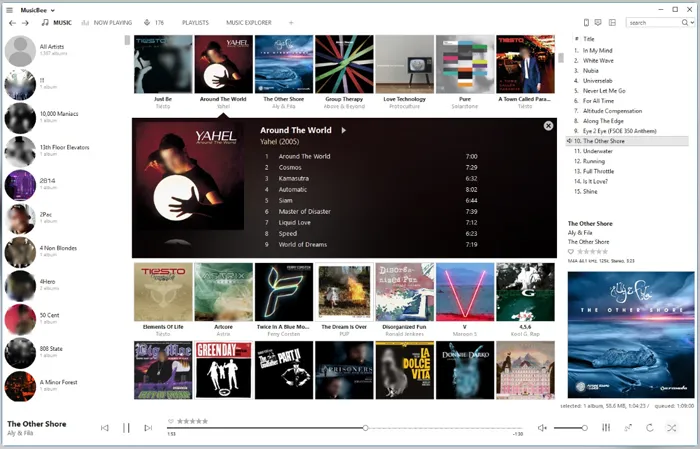
- Handles massive local music libraries containing hundreds of thousands of audio files without any performance lag.
- Offers endless visual personalization options via an expansive community skin library.
- Includes automated audio tag editors that automatically pull missing metadata and album cover art online.
- It is coded strictly for Windows and cannot be installed on macOS systems.
- The extensive array of advanced configuration toggles presents a steep learning curve for basic users.
- Syncing tracks with an iOS phone requires extra manual plugins and configuration adjustments.
2.3 Clementine
Clementine is a multi-platform, open-source music player inspired by classic audio managers. It focuses on a clean, sidebar-based library layout. It stands out for its ability to search and play music directly from your local hard drive while simultaneously integrating cloud storage services like Dropbox, OneDrive, and Google Drive.
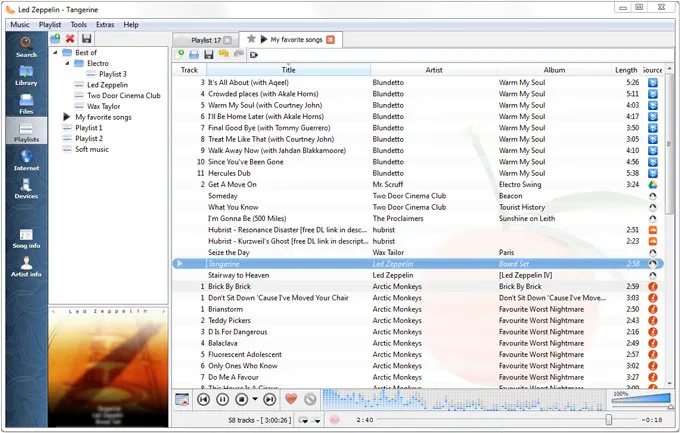
- The sidebar layout lets you browse local storage and cloud drives like OneDrive or Google Drive together.
- Contains built-in internet radio tools that let users stream stations directly from services like Icecast.
- Runs smoothly across Windows, macOS, and Linux operating systems with identical feature parity.
- The visual layout has not been updated in years and looks visually outdated compared to modern apps.
- Can experience intermittent playback stability issues when parsing massive high-resolution audio directories.
- Lacks advanced music management tools like dynamic smart playlist creation engines.
2.4 CopyTrans Manager
If you want to manage the music residing on your iPhone using a Windows PC, CopyTrans Manager is a free, lightweight alternative to iTunes syncing. It allows you to drag songs from your computer desktop directly onto your connected iPhone, edit song tags (such as artist, album, and genre), and organize phone playlists on the fly without erasing your existing library.
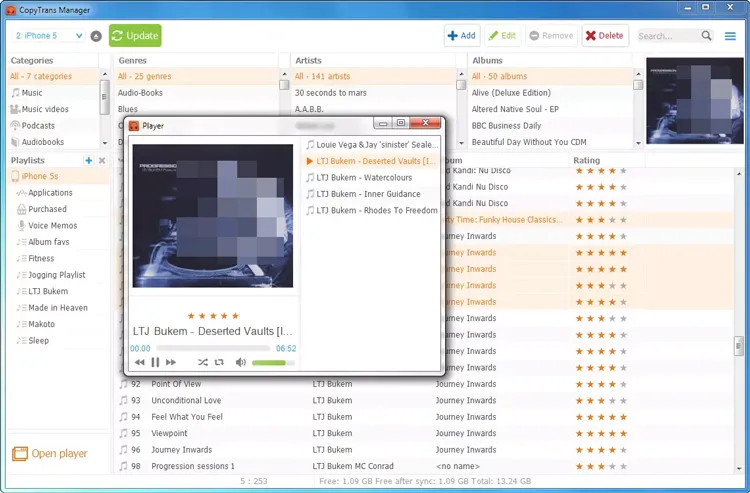
- Enables direct drag-and-drop music injection onto an iPhone without deleting existing mobile music databases.
- The lightweight application loads almost instantly and consumes minimal processing power on older computers.
- Users can edit audio tags, fix track titles, and adjust album groupings directly inside the phone interface.
- The utility is exclusive to the Windows operating platform, lacking an official utility release for macOS.
- Does not provide built-in media file conversion tools to transcode incompatible audio formats during transfer.
- It is built strictly for phone loading and lacks an advanced desktop audio playback interface.
2.5 Waveform Music Player
Developed by Wide Angle Software, Waveform is a modern music manager designed specifically for Windows 10 and 11. It provides a clean, contemporary layout where you can play music locally or browse audio stored directly on a connected iOS device. It excels at automatically retrieving missing album artwork and organizing tracks seamlessly without forced synchronization loops.
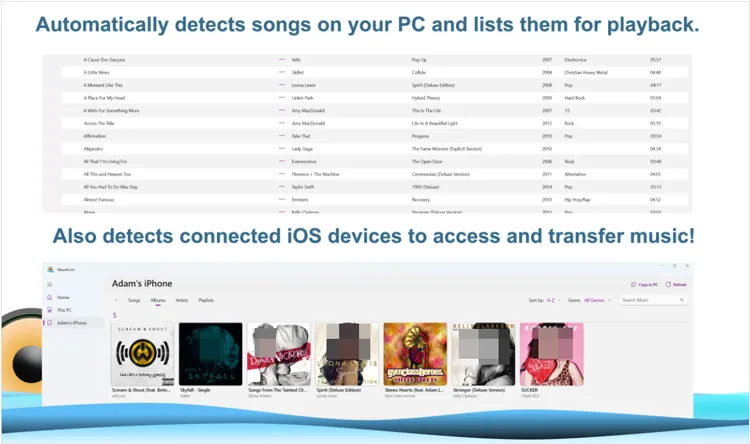
- It is 100% free for Windows 10 and 11 users and does not bundle unwanted adware.
- Seamlessly copies music from PC to iPhone or vice versa via a USB cable without forced library sync loops.
- The modern interface automatically tracks down and applies missing high-quality artist artwork to your local tracks.
- It is strictly restricted to desktop Windows environments and offers no mobile application variant.
- Lacks advanced sound customization features like multi-band parametric equalizers found in competitive players.
- Does't integrate with mainstream cloud storage or online streaming audio services.
2.6 Strawberry Music Player
A fork of the Clementine project, Strawberry is tailored specifically for audiophiles and music collectors. It focuses heavily on high-fidelity audio playback, supporting precise equalizers, bit-perfect output, and advanced audio formats like FLAC and WavPack. It also includes excellent tools for managing tracking data and organizing massive local libraries.
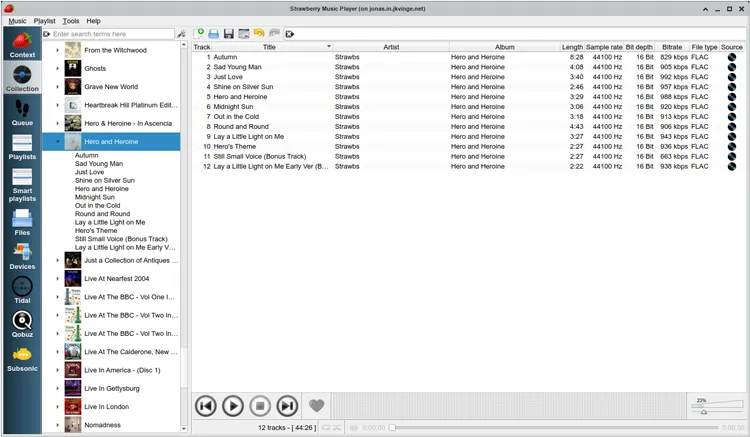
- It is engineered for high-fidelity audio, supporting bit-perfect output streams and complex digital-to-analog tracking.
- Natively decodes advanced audiophile formats including FLAC, WavPack, and high-definition DSD files.
- Includes highly sophisticated multi-channel audio tag management tools for meticulous database collectors.
- The dense, information-heavy configuration panel can feel intimidating to casual music fans.
- Lacks seamless mobile syncing features, making it difficult to push audio tracks onto an iPhone.
- The application interface is built strictly for utility and lacks sleek visual styling options.
2.7 Foobar2000
Foobar2000 is legendary in the audio community for its extreme minimalism and modular design. The desktop version can be customized with various plugins to handle virtually any audio task imaginable. Furthermore, its companion iOS app allows you to host a powerful, no-nonsense local music media player directly on your iPhone.
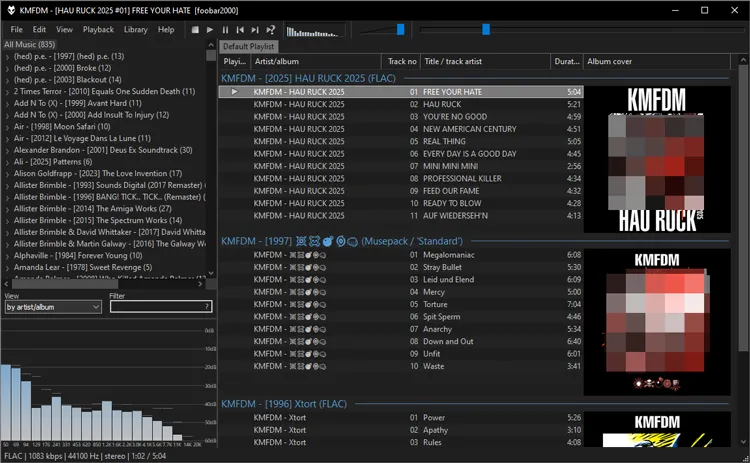
- The modular interface uses minimal background hardware resources, making it one of the fastest desktop players.
- An expansive component plugin ecosystem allows users to add almost any technical feature imaginable.
- The companion iOS application allows mobile users to bring the powerful audio processing tools directly onto their iPhones.
- The default layout is incredibly plain and looks like a basic spreadsheet application out of the box.
- Configuring the advanced component modules requires a high degree of technical patience and manual reading.
- Lacks automated cloud metadata matching, requiring users to tag their files manually or write custom script lines.
Part 3: Q&A About iTunes Alternative for iPhone, iPad, and iPod
Q1: Does iTunes still exist in 2026?
Yes, but its footprint is shrinking. On Mac computers running modern macOS versions, iTunes has been completely removed and replaced by distinct, modular apps. On Windows, while legacy versions of iTunes are still technically functional and hosted on the Microsoft Store for older systems, Apple has officially transitioned its development focus toward separate apps: Apple Music, Apple TV, and Apple Devices.
Q2: Why did Apple discontinue iTunes?
Apple retired the unified iTunes framework because the software suffered from extreme feature creep. Over two decades, iTunes evolved from a simple MP3 player into a store, a video player, a device backup utility, a ringtone creator, and a podcast manager. Splitting these duties into standalone apps dramatically improved computer performance, streamlined the user experience, and aligned desktop platforms with the decoupled app architecture used on iOS.
Q3: What apps are replacing iTunes?
The responsibilities of iTunes have been split into three distinct applications:
- Apple Music: Handles local music libraries, purchases, and streaming subscriptions.
- Apple TV: Manages purchased movies, TV shows, and Apple TV+ streaming content.
- Apple Devices/macOS Finder: Dedicated exclusively to backing up, updating, syncing, and restoring iPhones, iPads, and iPods.
Conclusion
Although iTunes once dominated iPhone management and music playback, users now have many better alternatives available in the app world. Some tools focus on fast file transfer and device management, while others specialize in music playback and media organization.
For users seeking a dependable desktop powerhouse, platforms like iReaShare iPhone Manager serve as excellent examples of modern design, striking a great balance between deep data control and user-friendly navigation.
Choosing the best iTunes alternative ultimately depends on your needs, operating system, and preferred workflow. With the right software, managing your iPhone, iPad, or iPod can become much simpler and more efficient than ever before.
Download for Win Download for Mac
Related Articles
iTunes Could Not Back Up iPhone Because an Error Occurred: Fix It in 10 Ways
iTunes Could Not Connect to This iPhone - 9 Fixes and 2 Alternatives
How to Access iPhone Files on PC Without iTunes: 7 Alternatives
How to AirDrop iPhone to Android Easily and 4 Alternatives