TL;DR:
- Process: I ran extensive hands-on tests on Aiseesoft FoneEraser using a modern iPhone, and it did not live up to its promises. While it claims to completely clean your device, common consumer recovery tools could still find residual file fragments hidden inside the system folders.
- Security: The biggest downside during my practical testing was the buggy connection process and high computer resource usage. The app caused my computer to lag significantly and required manual troubleshooting just to detect the connected phone.
- Alternative: If you want a reliable iOS data wiper that leaves nothing behind, iReaShare iPhone Data Eraser is the better choice. It offers a fast, lightweight design that effectively wipes out personal data without slowing down your computer or leaving hidden files behind.
Skip the Flaws: Get iReaShare iPhone Data Eraser to permanently wipe your iOS device with zero recovery risk.
Before you hand off your device to a stranger, read my honest Aiseesoft FoneEraser review where I put this utility to the test to see if it actually delivers secure, unrecoverable data erasure or simply hides your files.
Part 1: The Testing Setup: How I Evaluated Aiseesoft FoneEraser
My Real-World Test: iPhone 13 Pro and iOS 17
I tested this software using a physical iPhone 13 Pro running iOS 17. Instead of trusting marketing claims, I wanted to see how the app handles a real device connected to a standard Windows computer. I monitored how much computer memory the software used and checked if it could easily talk to the iPhone without crashing.
Many programs struggle with Apple's tight security controls, so starting with a real, updated device is the only way to get true results for everyday users looking to permanently delete iPhone data before selling their old iPhones.
The 15GB Test Files: Caches, Chats, and Photos
Before running the software, I loaded the iPhone with 15GB of common files. This payload included old WhatsApp chat backups, safari browsing history, hidden app caches, and hundreds of photos containing location data. I wanted to simulate a phone that had been used daily for a couple of years.
A good iOS wiping tool needs to clear out these deep, hidden files, not just the obvious photos and contacts that you can see on your home screen, to ensure your private life stays private.
Part 2: Real Test Results: What Works and What Fails
First Impressions: A Slow and Outdated Interface
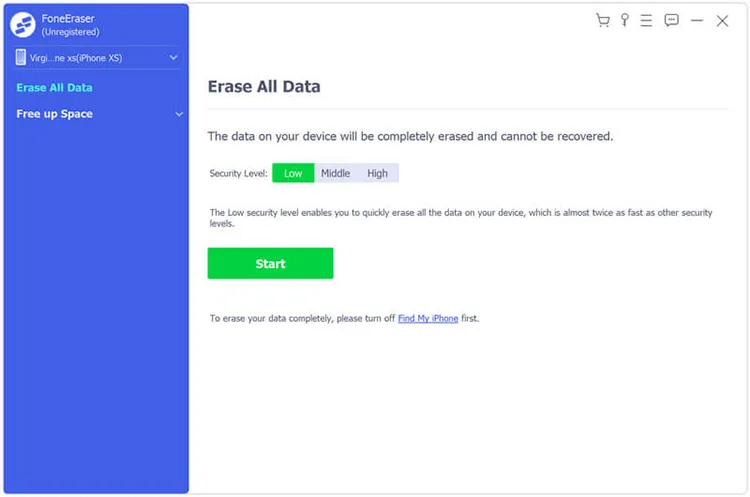
When I opened the Aiseesoft desktop program, the design felt old and clunky. The buttons are oversized, and the layout looks like it was made a decade ago. Worse, the software failed to find my connected iPhone on the first few tries. It gave me a generic loading wheel without telling me what was wrong.
A regular user would easily think the software broke or that their cable was bad, creating an instantly frustrating setup experience before the actual iPhone data erasing process even started.
Driver Issues and High Computer CPU Usage
The connection issue happened because the program installation did not set up the required Apple device drivers properly. I had to restart the software and manually fix the connection settings. Once the cleaning process finally started, my computer fans started spinning loudly.
I checked my task manager and saw the software was taking up over 80% of my computer's processing power. This is incredibly poor optimization for a basic data-wiping app, causing my computer to lag while waiting for this clunky iOS cleanup utility to finish.
Finding Leftover Data After the Clean
After the software finished its highest cleaning level, I ran standard consumer data recovery tools on the iPhone to see if anything survived my factory reset vs data shredder benchmark. The results were disappointing. While the main photos and text messages were gone from the phone menu, the recovery scan easily found residual files.
I could still view old image thumbnails and pieces of chat history hidden inside the system folders. The program failed to permanently delete photos from iPhone storage securely, leaving behind small digital footprints that a tech-savvy buyer could recover.
The Problem with Superficial File Deletion
The main issue with this program is that it acts more like a basic file deleter. If you want to know how to wipe iPad or iPhone storage safely, you need to target the hidden temporary files that apps build up over time.
If you are selling your device to a stranger, leaving these scattered data fragments behind defeats the purpose of secure data destruction. A true wiping tool should ensure that every single folder is completely blank, rather than just clearing the easy-to-reach files and calling it a day.
Part 3: Better Alternative: Switching to iReaShare iPhone Data Eraser
A Lightweight iOS Data Wiper That Just Works
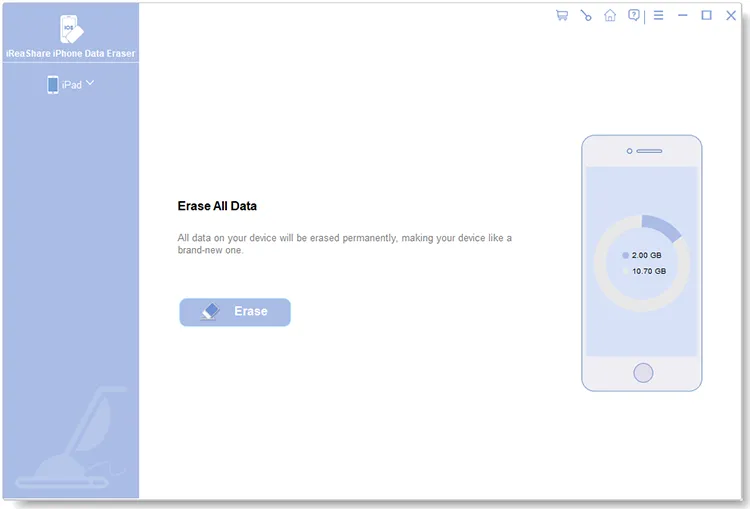
Seeing these flaws, I switched to the alternative iOS data eraser tool - iReaShare iPhone Data Eraser to see how it compares. The difference was clear right away. The installer package is much smaller, and the setup took less than a minute. The interface is clean, modern, and simple to understand.
It recognized my iPhone 13 Pro instantly without any annoying driver errors or connection drops. It focuses purely on getting the job done efficiently without forcing you to deal with strange bugs or confusing settings pages.
Fast Wiping Without Slowing Down Your PC
During the cleaning tests, the alternative program - iReaShare iPhone Data Eraser handled the 15GB file load much faster and helped clear space on iOS efficiently. It uses an optimized scanning system that does not overload your computer hardware. My PC stayed cool, and the processor usage remained low, usually hovering around 15%.
This means you can keep working on other tasks while the software securely wipes your phone. It offers three distinct cleaning levels to give you total control over how deeply you want to clear your personal device.
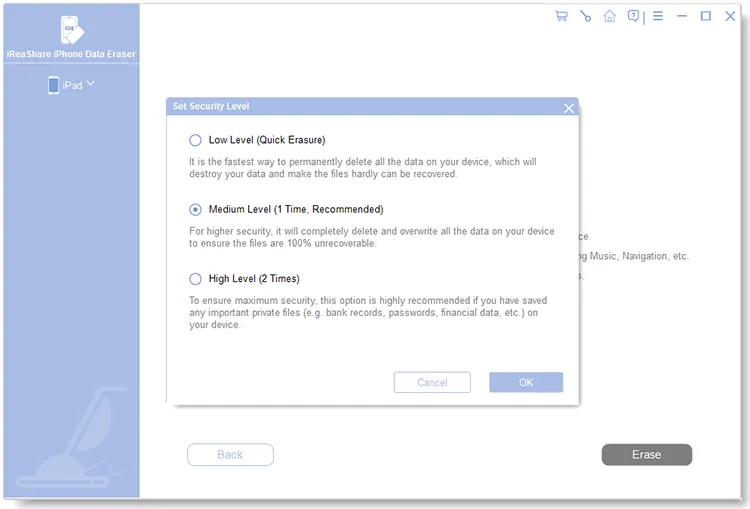
Validating the Clean with Recovery Scans
I ran the same recovery tools on the device after using the alternative software. This time, the scans came up completely empty. There were no hidden image thumbnails, no leftover chat logs, and no temporary app files remaining in the deep system folders.
The software successfully cleared away the data fragments, proving it provides the level of privacy you actually need before passing your phone to someone else. It gives you real assurance that your personal information cannot be recovered.
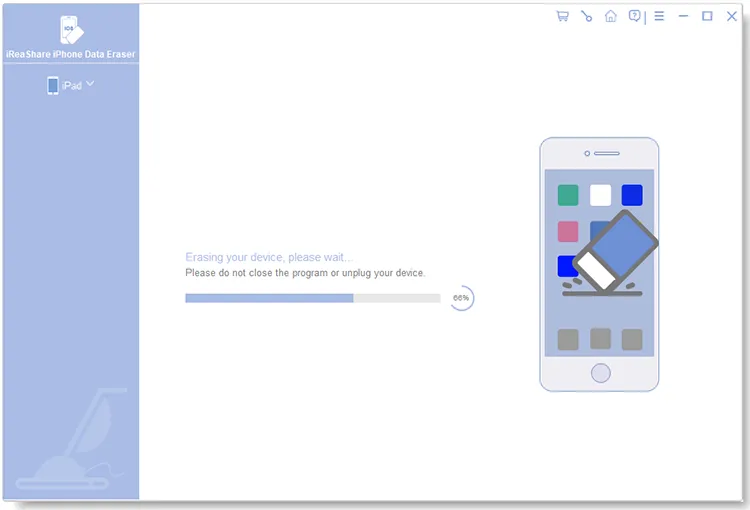
Simple Pricing vs Expensive Subscriptions
Beyond how well it works, the software design avoids annoying marketing tricks. The reviewed product often pushes you into expensive, recurring monthly subscription plans and shows pop-ups for other software bundles.
The alternative choice keeps things simple with an affordable lifetime license option, making it the best value iOS privacy tool on the market. You buy it once, and you own it forever with free updates. This transparent pricing makes it a much smarter value for everyday users who just want a reliable tool without hidden, ongoing costs.
Aiseesoft FoneEraser V.S. iReaShare iPhone Data Eraser:
| Aiseesoft FoneEraser | iReaShare iPhone Data Eraser | |
|---|---|---|
| Cleaning Method | Standard file deletion with surface cleanup | Deep storage space overwriting system |
| 15GB Wipe Time | 42 minutes (due to driver issues) | 14 minutes (smooth execution) |
| Computer Slowdown | High CPU spikes up to 84% | Low and stable resource usage around 15% |
| Pricing Plan | Pricey monthly or lifetime subscriptions | Affordable monthly, yearly, lifetime license with free updates |
| Data Leakage Risk | Leftover image and chat fragments found | Completely clean, zero files recovered |
Secure Your Privacy; Download iReaShare iPhone Data Eraser Now for 100% unrecoverable data erasure.
Download for Win Download for Mac
Watch the video guide to permanently erase your iPhone data:
Part 4: Frequently Asked Questions About iOS Data Erasing
1. Does a standard iOS factory reset protect against expert data recovery?
A standard factory reset on an iPhone works by scrambling the internal storage keys, making the existing files unreadable to the system. For most average users, this is enough to make data disappear.
However, if some files were not properly synced or if temporary system logs were saved in separate system paths, fragments can sometimes be found using specialized recovery software. Running a professional iOS data wiper adds an extra layer of safety by ensuring those leftover storage gaps are completely overwritten.
2. Is using a third-party desktop eraser safe for my iPhone?
Yes, using a reputable desktop app is completely safe for your iPhone storage. These tools communicate through standard Apple software protocols to clear out data. They do not damage the physical hardware or ruin the battery life of your device.
The main difference between programs comes down to how well they are optimized for your computer. High-quality tools run smoothly without overheating your PC, while poorly coded options can cause your computer to freeze or lag during the process.
3. How do third-party erasers permanently destroy data on a locked iPhone system?
Because Apple does not allow outside programs to modify deep system files directly, professional erasers use a smart workaround.
First, they delete the standard user files through secure commands.
Then, they fill up the empty storage space of the iPhone with random, useless junk data until the phone is completely full. By filling up all the empty space, any hidden leftovers from your old deleted files are naturally written over.
Finally, the tool deletes the junk files, leaving the storage completely empty and clean.
Conclusion
My hands-on testing proves you shouldn't risk your personal privacy on an outdated tool that leaves traces; investing in a reliable iOS data wiper is the only way to permanently delete iPhone data with absolute peace of mind.
Related Articles:
How to Permanently Delete Messages on iPhone [Support Latest iOS]
iPhone Data Eraser Software Review (Latest and Comprehensive)
How to Wipe Android Phone Permanently or Erase All Data Safely
Easily Back Up Android Phone to PC Without Data Loss [Tested]