TL;DR:
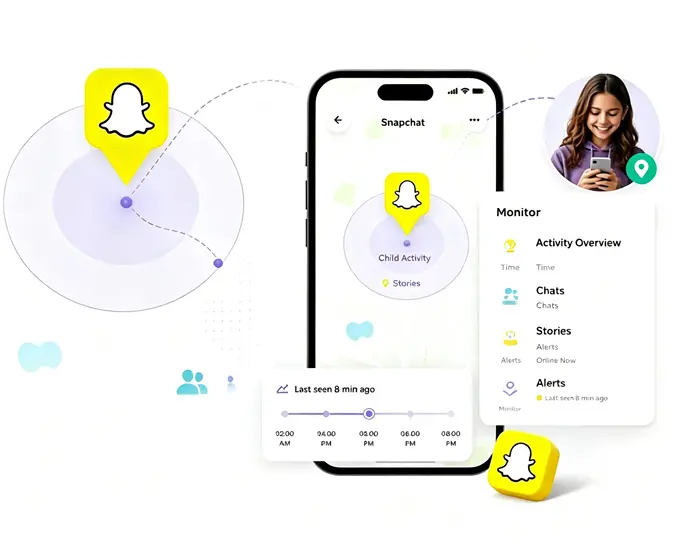
Snapchat profile viewers can help you explore publicly available Snapchat profiles, Stories, and other visible content, but they cannot bypass private account restrictions. In this article, we review four Snapchat profile viewer tools, including KidsGuard for Snapchat, SpyBroski, Storyclone, and ChatStory America, and compare their features, use cases, and limitations to help you choose a suitable option.

KidsGuard for Snapchat Monitor Snapchat activitives


Snapchat is one of the most popular social media platforms for sharing photos, videos, and stories. While the app allows users to connect with friends and discover public content, many people search for a Snapchat profile viewer when they want to check available profile information, view public stories, or explore Snapchat content more conveniently.
A Snapchat profile viewer is a tool or service that helps access publicly available Snapchat profile details, such as usernames, profile pictures, public stories, or other visible information. However, legitimate tools cannot bypass Snapchat's privacy settings or reveal private profiles, hidden conversations, or restricted content. With various Snapchat viewer tools available online, it can be challenging to find a reliable option. In this article, we review several popular Snapchat profile viewer tools, explain their key features, and show how to use them to help you choose the right solution.
1. KidsGuard for Snapchat
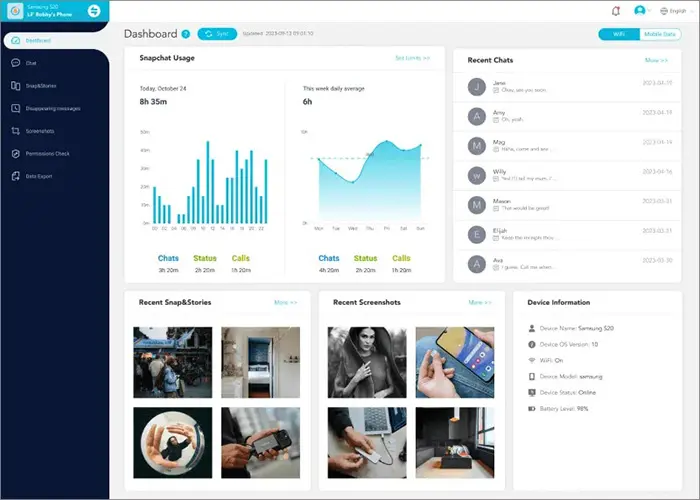
Developed by ClevGuard, KidsGuard for Snapchat is a Snapchat monitoring tool designed to help check Snapchat-related activities on an authorized device. Unlike basic online Snapchat viewers, it provides more detailed insights through a web-based dashboard.
It is mainly designed for parents who want to understand Snapchat usage patterns and view available activity information remotely after completing the setup process. The tool focuses on monitoring supported Snapchat activities rather than bypassing Snapchat's privacy settings.
Key Features
- Check available Snapchat-related activities from a connected device through an online dashboard.
- Access supported Snapchat information and content collected from the monitored device.
- Understand Snapchat usage patterns, including activity frequency and app-related details.
- View available information conveniently from a browser after completing the setup.
- Follow guided steps to connect the device and start viewing supported activity data.
How to Use KidsGuard for Snapchat
-
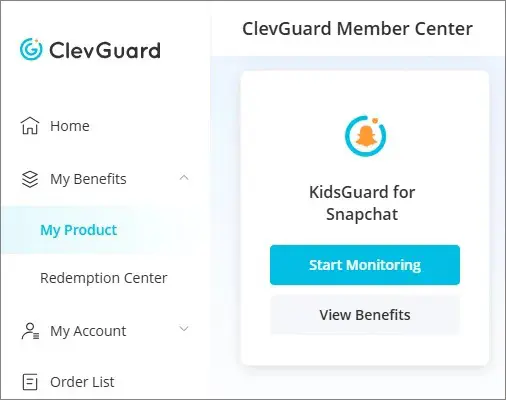
Create an account, select a suitable subscription plan, and go to "My Product" to click "Start Monitoring" and activate the monitoring process.
-
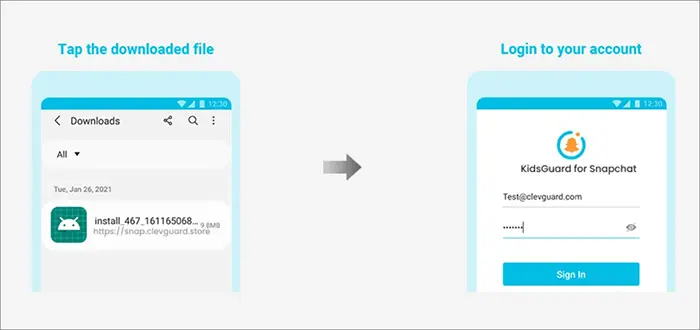
Install KidsGuard for Snapchat on the authorized device and follow the provided instructions to finish the setup.
-
Sign in to the online dashboard to remotely check available Snapchat information, including chats, Snaps, Stories, and other supported activities.
- Provides more detailed Snapchat activity information than basic online viewers.
- Offers remote access through a web dashboard.
- Includes additional monitoring features beyond simple profile viewing.
- Requires installation and setup on the target device.
- Some features depend on device permissions and compatibility.
- Cannot access private Snapchat profiles or restricted content.
2. SpyBroski
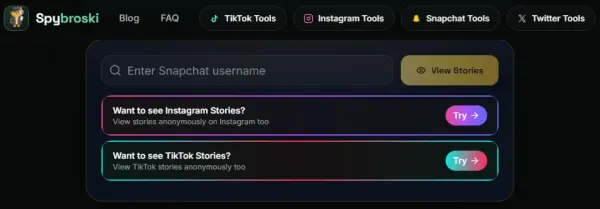
SpyBroski is an online Snapchat viewer tool that focuses on anonymous access to publicly available Snapchat content. It allows you to search Snapchat usernames and explore available Stories, profiles, and other public content without installing an app or logging into your Snapchat account.
Unlike monitoring tools that require device setup, SpyBroski works directly in a browser, making it a convenient option for users who only want to view Snapchat content quickly. However, its availability depends on whether the target account has publicly accessible content.
Key Features
- Browse available Snapchat content without revealing your identity through the platform.
- View available public Snapchat Stories without opening the official app.
- Search for Snapchat users by username and check available information.
- Use the tool directly online without downloading additional software.
- Provides a straightforward interface for searching and viewing Snapchat content.
How to Use SpyBroski
Step 1. Open the SpyBroski SnapViewer website in your browser.
Step 2. Enter the Snapchat username or profile information you want to search for.
Step 3. Browse the available Snapchat Stories or public profile content shown in the results.
- No app installation required.
- Easy to use through a web browser.
- Suitable for anonymous viewing of available Snapchat content.
- Only works with publicly available content.
- Cannot access private Snapchat accounts or restricted information.
3. Storyclone
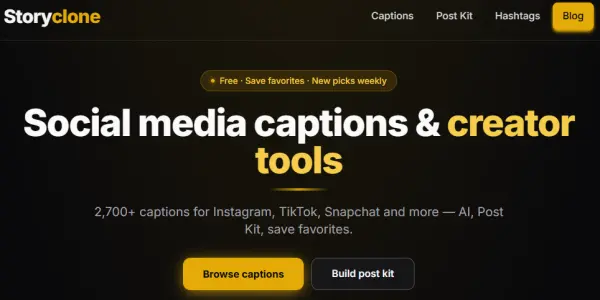
Storyclone is an online social media content tool that provides a dedicated Snapchat Story Viewer and Downloader feature. It allows you to view publicly available Snapchat Stories, Highlights, and Spotlight content through a browser without logging into a Snapchat account.
Unlike traditional Snapchat profile viewers that mainly focus on profile lookup, Storyclone focuses more on anonymous Story browsing and content saving. It supports searching through Snapchat usernames or profile links, making it a convenient option for users who want to explore public Snapchat content quickly.
Key Features
- Watch publicly available Snapchat Stories without logging into your Snapchat account or revealing your identity through the platform.
- Save available Snapchat photos and videos directly to your device without additional software.
- Browse available Spotlight videos from public Snapchat profiles.
- Find Snapchat content by entering a username, profile link, Story link, or Spotlight link.
- Access the viewer through a browser without connecting a Snapchat account.
How to Use Storyclone
Step 1. Open the Storyclone Snapchat Story Viewer page in your browser.
Step 2. Enter a Snapchat username or paste a supported profile, Story, or Spotlight link into the search box.
Step 3. Browse available Snapchat Stories or Spotlight content, then save the content to your device if the download option is available.
- Supports both Snapchat Story viewing and downloading.
- Does not require a Snapchat account or app installation.
- Works directly from a web browser.
- Only supports publicly available Snapchat content.
- Mainly focuses on Stories and videos rather than complete profile information.
4. ChatStory America
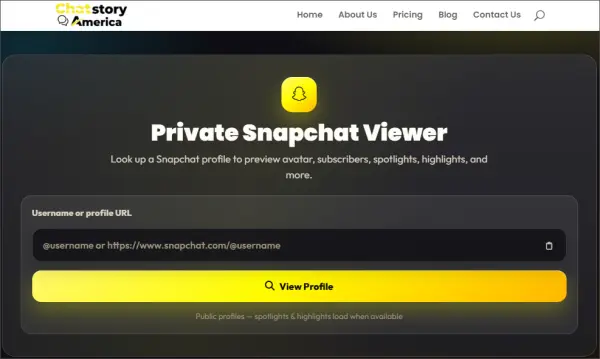
ChatStory America is an online Snapchat viewer platform that provides tools for exploring publicly available Snapchat content. It offers multiple viewing options, including Snapchat Profile Viewer, Story Viewer, Video Viewer, and Anonymous Viewer features.
The platform is designed for users who want to browse Snapchat content without creating an account, installing an app, or logging into Snapchat. It focuses on accessing public profiles and Stories while keeping the viewing process simple and private.
Key Features
- Search public Snapchat profiles and explore available profile information.
- Browse public Snapchat Stories without using a personal Snapchat account.
- Watch available Snapchat videos and other public media content online.
- Use the platform directly through a web browser.
- Access Snapchat viewing tools across different devices.
How to Use ChatStory America
Step 1. Open the ChatStory America Snapchat viewer page.
Step 2. Enter a Snapchat username or profile URL in the search box.
Step 3. Hit the "View Profile" button to review the available public profile information, Stories, or other Snapchat content.
- Provides multiple Snapchat viewing tools in one platform.
- No Snapchat login or app installation required.
- Supports different types of public Snapchat content.
- Only supports publicly available Snapchat information.
- Results may vary depending on account privacy settings.
Tips: How to Choose a Snapchat Profile Viewer?
Choosing the right Snapchat profile viewer depends on your specific needs, such as the type of Snapchat content you want to access, available features, and the level of convenience you expect. The following table provides a quick comparison of the reviewed tools to help you understand their main functions and choose a suitable option.
| Tool | Best For | Main Features |
|---|---|---|
| KidsGuard for Snapchat | Snapchat activity monitoring | Snapchat activity insights, remote dashboard access, and supported content viewing |
| SpyBroski | Anonymous Snapchat viewing | Username search, public profile lookup, and Story viewing |
| Storyclone | Snapchat Story viewing and downloading | Anonymous Story viewing, content downloading, and Spotlight support |
| ChatStory America | Snapchat profile and content lookup | Profile search, Story viewing, and anonymous browsing |
FAQs of Snapchat Profile Viewer
1. Does Snapchat notify profile views?
No, Snapchat does not notify users when someone views their profile. Unlike some social platforms that provide profile visitor features, Snapchat does not show a list of people who have checked a profile.
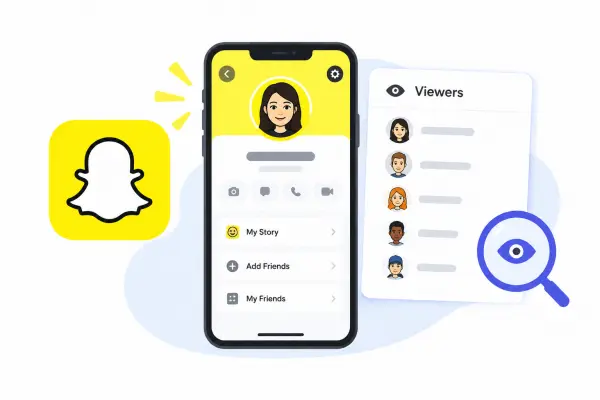
However, Snapchat does allow users to see who has viewed their Stories. If you watch someone's public Story, your account may appear in their Story viewer list depending on Snapchat's settings.
2. Are Snapchat profile viewers safe?
The safety of Snapchat profile viewers depends on the tool you choose. Reliable tools should only access publicly available Snapchat content and should not require your Snapchat password or other unnecessary account information.
You should be cautious with services that claim they can unlock private profiles, reveal hidden conversations, or bypass Snapchat's privacy protections, as these claims are often unreliable. Before using a third-party Snapchat viewer, check its features, privacy policies, and user feedback.
3. Is there a free Snapchat profile viewer?
Yes, some Snapchat profile viewers offer free access to basic features, such as searching usernames or viewing publicly available Stories. However, free tools usually come with limitations, such as fewer features or restricted access to certain content.
If you need more advanced functions, such as detailed activity insights or additional viewing options, a paid tool may provide more features. Regardless of the tool you choose, remember that legitimate Snapchat viewers cannot access private profiles or restricted content.
Conclusion
A Snapchat profile viewer can be useful for exploring publicly available Snapchat profiles, Stories, and other visible content without using the platform directly. However, the features available vary between tools, and no legitimate service can bypass Snapchat's privacy protections or reveal private information.
Among the options reviewed above, KidsGuard for Snapchat is more suitable for users who need Snapchat activity insights through a monitoring dashboard, while SpyBroski, Storyclone, and ChatStory America are better suited for browser-based public content viewing. Choose a tool based on your specific needs, available features, and privacy considerations to find the most suitable Snapchat profile viewer.
Related Articles
How to Pause Snapchat Location? 4 Methods You Need
How to Screen Record on Snapchat on iPhone/Android/Computer?