


TL;DR:
The best free mind map software includes Mind Map Maker, Canva, FreeMind, Xmind, MindMeister, Mindomo, Coggle, Miro, MindMup, and Lucidspark. These tools offer different ways to organize ideas, from traditional desktop mind mapping and online diagram creation to visual brainstorming and team collaboration. Some are completely free, while others provide free plans with limits on the number of diagrams, storage, or advanced features. Comparing their free offerings and limitations can help you choose the right tool for your needs.
Mind maps make it easier to organize information, connect related ideas, and turn complicated topics into clear visual structures. Whether you are brainstorming a project, preparing study notes, planning content, or managing a team task, the right mind mapping tool can help you work more efficiently.
However, not every tool advertised as free provides the same experience. Some offer unlimited mind maps but restrict advanced features, while others limit the number of diagrams, storage space, or export options. To help you choose, we have selected 10 free mind map software options and compared their free features, usability, and limitations.

A Comparison of 10 Free Mind Map Software Options
These are 10 popular free mind map software options worth considering. Each has different strengths and limitations. The table below compares their free plans to help you find the right one.
| Software | Free Plan Type | Free Usage | Best For |
|---|---|---|---|
| Mind Map Maker | Freemium | Limited free files and AI credits | AI-assisted mind mapping |
| Canva | Freemium | Free templates and basic design tools | Visual mind maps |
| FreeMind | Open-source | Completely free to use | Offline mind mapping |
| Xmind | Freemium | Limited free maps and basic tools | Structured brainstorming |
| MindMeister | Freemium | Up to 3 free mind maps | Online collaboration |
| Mindomo | Freemium | Up to 3 free diagrams | Education and planning |
| Coggle | Freemium | 3 private and unlimited public diagrams | Simple online mind mapping |
| Miro | Freemium | Up to 3 editable boards | Team brainstorming |
| MindMup | Freemium | Up to 3 free mind maps | Quick idea organization |
| Lucidspark | Freemium | Basic free whiteboard tools | Collaborative brainstorming |
1. Mind Map Maker
Mind Map Maker is an online mind mapping tool that combines traditional mind mapping with AI-powered features. It allows you to organize thoughts, create diagrams, and visualize information through a browser or its desktop and mobile applications. Its interface is relatively straightforward, making it suitable for students, content creators, and professionals who want to structure ideas without spending too much time learning the software.
Main Features:
- Create mind maps, flowcharts, organizational charts, and other diagrams.
- Use AI tools to generate mind maps and summarize information.
- Add text, images, and other visual elements to diagrams.
- Save and access your work through cloud storage.
- Export diagrams as images and share them with others.
What's Free?
Mind Map Maker's free plan allows you to create up to 3 files, with a maximum of 60 nodes and 2 inserted images per mind map. You also receive 100 MB of cloud storage and can export diagrams as standard-format images. This is enough for occasional brainstorming and relatively small projects.
Limitations:
- The free plan limits you to 3 files, 60 nodes per mind map, and 2 inserted images per map.
- Cloud storage is capped at 100 MB.
- PDF and HD image exports require a paid subscription.
How to Create a Mind Map with Mind Map Maker
-
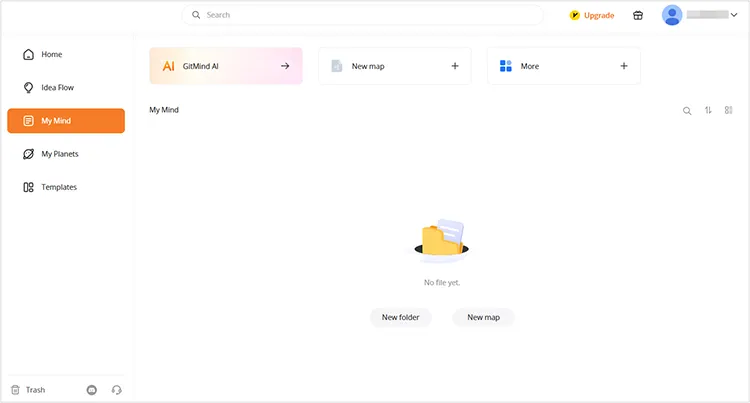
Download and install Mind Map Maker on your computer. Launch the program and click "New Map" to start creating a mind map.
-
Enter your central topic and add related ideas as branches and subtopics. Then customize the layout and content to complete your mind map.

-
Once finished, click the "Download" icon and choose your preferred output format, such as PNG, JPG, or PDF, to save the mind map to your computer.

2. Canva
Canva is a popular online graphic design platform that also provides a mind map maker. Rather than focusing exclusively on traditional mind mapping, it lets you create visually appealing diagrams using templates, shapes, lines, images, and other design elements. This makes it especially useful when you want to turn brainstorming results into presentation-ready graphics or shareable visual content.

Main Features:
- Choose from professionally designed mind map templates.
- Customize colors, fonts, shapes, branches, and labels.
- Add images, illustrations, icons, and sticky notes.
- Collaborate with others on an online whiteboard.
- Share or download finished mind maps in formats such as JPG, PNG, and PDF.
What's Free?
Canva provides free mind map templates and basic whiteboard tools. You can start with a blank canvas or customize a template, add branches and visual elements, and collaborate with other people. Basic sharing and export options also make it convenient to distribute completed diagrams.
Limitations:
- Some premium templates, illustrations, photos, and design elements are only available with Canva Pro.
- Advanced brand design and certain AI-powered tools require a paid subscription.
- Template availability and export options may vary depending on the elements used.
3. FreeMind
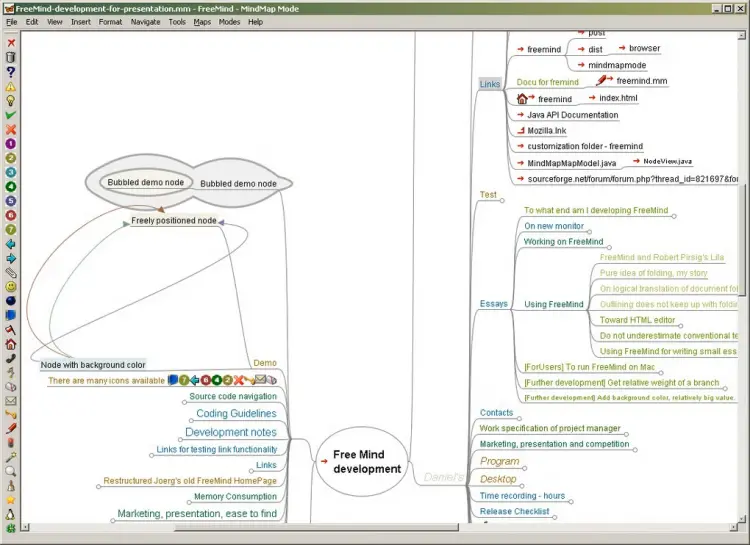
FreeMind is a free, open-source mind mapping application written in Java. Unlike many browser-based tools, it is designed primarily for desktop use. It focuses on hierarchical information organization, allowing you to build a central topic and expand it into multiple levels of related ideas. Its folding and unfolding functions are particularly helpful when working with large and complicated diagrams.
Main Features:
- Create hierarchical mind maps with multiple branches and sub-branches.
- Fold and unfold nodes to manage complex diagrams.
- Add links and notes to individual topics.
- Organize research materials, personal knowledge, and project information.
- Run on Windows, macOS, and Linux.
What's Free?
FreeMind is completely free and open-source. You can download and use its core mind mapping features without paying for a subscription or dealing with a limited free trial. It is a practical option if you prefer a traditional desktop mind mapper and do not need cloud-based collaboration.
Limitations:
- Its interface looks outdated compared with modern mind mapping applications.
- It lacks built-in real-time collaboration and cloud-based teamwork features.
- Some users may find its customization and visual design options relatively limited.
4. Xmind
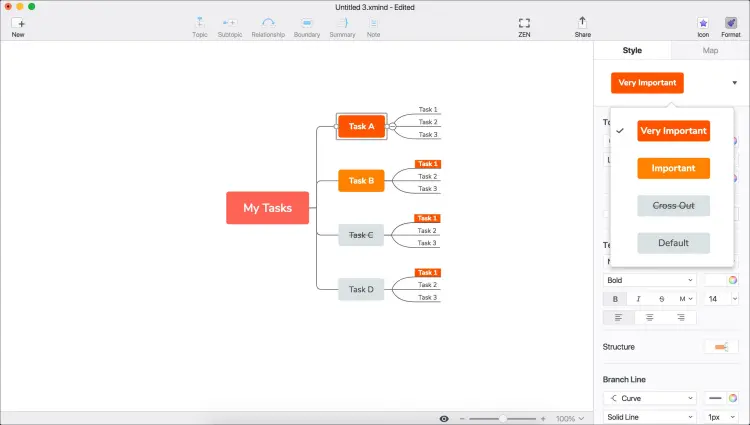
Xmind is a dedicated mind mapping application designed to help you organize information through structured diagrams. It offers various layouts and visual styles, making it useful for brainstorming, outlining, note-taking, and project planning. Compared with general-purpose whiteboard tools, Xmind places more emphasis on traditional mind mapping and structured thinking.
Main Features:
- Create mind maps with multiple structures and layouts.
- Use themes, stickers, and visual styles to organize topics.
- Add branches and subtopics to develop complex ideas.
- Turn mind maps into presentations with Pitch.
- Publish maps through shareable links.
What's Free?
Xmind's free plan allows you to manually create up to 10 online maps. It also includes basic themes and stickers, a three-day version history, up to five slides in Pitch, and 50 free AI credits at sign-up. These features are sufficient for exploring the application and creating relatively simple mind maps.
Limitations:
- The free plan limits manually created online maps to 10, with up to 3 sheets per collaborative map.
- Advanced export options, including PDF and SVG, require a paid plan.
- Some advanced presentation and AI-powered features are restricted.
5. MindMeister
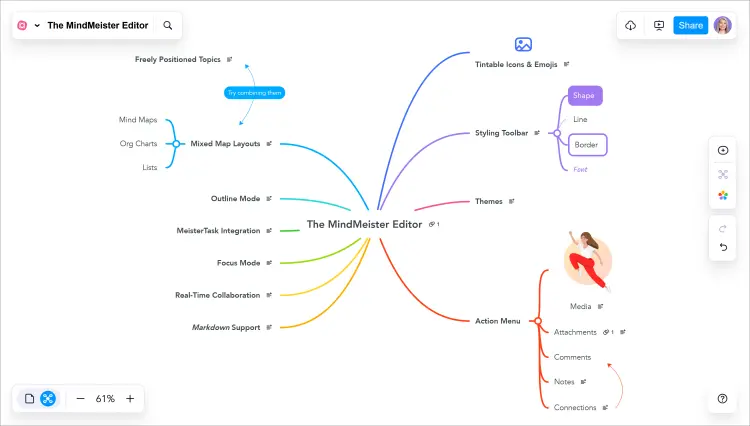
MindMeister is a web-based mind mapping tool that focuses on helping individuals and teams visualize ideas and collaborate. You can create a central topic, add branches, and invite other people to contribute to the same diagram. It is suitable for group brainstorming, lesson planning, meeting notes, and project discussions.
Main Features:
- Create and edit mind maps directly in a browser.
- Invite collaborators to work on shared diagrams.
- Use templates to organize ideas more quickly.
- Present mind maps without creating a separate slide deck.
- Access mind maps through its iOS and Android applications.
What's Free?
MindMeister's free plan includes up to 3 mind maps, templates, presentations, focus mode, and unlimited collaborators. It also provides mobile applications, making it convenient to view and work on diagrams across devices.
Limitations:
- You can create only 3 mind maps with a free account.
- File export options are limited compared with paid plans.
- Advanced features such as version history, attachments, and more extensive customization are unavailable.
6. Mindomo
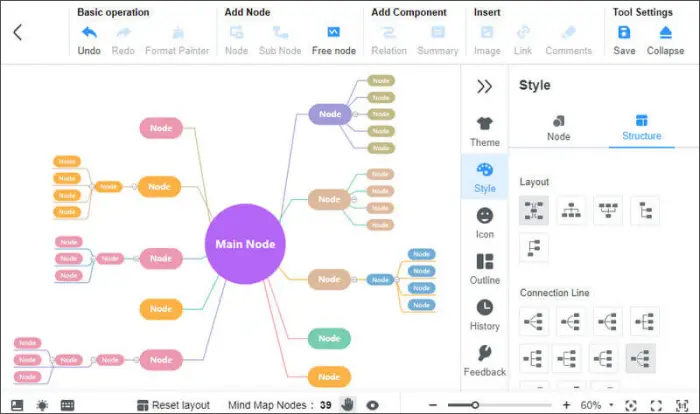
Mindomo is a mind mapping and visual planning platform that supports several types of diagrams, including mind maps, concept maps, organizational charts, and timelines. It can be accessed online or through desktop and mobile applications. With its educational and project-planning features, it is suitable for students, teachers, and professionals who need more than basic brainstorming.
Main Features:
- Create mind maps, concept maps, and other diagrams.
- Use templates to organize information.
- Add notes, links, and visual elements to topics.
- Share diagrams and collaborate with other people.
- Use AI features to generate and develop mind maps.
What's Free?
Mindomo's free plan allows you to create up to 3 diagrams. It also includes free templates, sharing and publishing features, unlimited collaborators, and access to its iOS and Android applications. A trial AI credit is available for exploring its AI-powered mind mapping features.
Limitations:
- The free plan allows you to create only 3 diagrams.
- Export options are limited, with formats such as PDF and PNG requiring an upgrade.
- AI functionality is restricted to the trial credit included with the free account.
7. Coggle
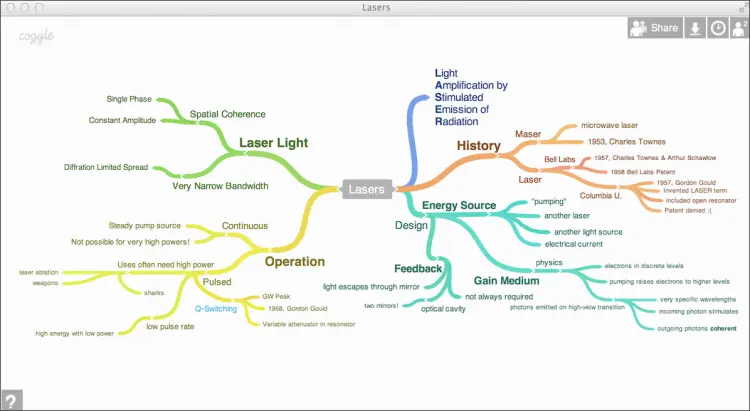
Coggle is an online mind mapping tool designed to make brainstorming and idea organization simple. Its interface allows you to build diagrams by adding branches and connecting related topics. You can also work with other people in real time, making it a convenient choice for group discussions, study sessions, and collaborative planning.
Main Features:
- Create mind maps directly in a web browser.
- Add branches, images, and icons to visualize ideas.
- Collaborate with other people in real time.
- Share diagrams through links or QR codes.
- Export diagrams as PDF, images, text, and other formats.
What's Free?
Coggle's free plan includes 3 private diagrams and unlimited public diagrams. It also offers real-time collaboration, unlimited image uploads, more than 1,600 icons, automatic branch arrangement, and PDF and image downloads. You can even export maps as FreeMind-compatible files.
Limitations:
- You can create only 3 private diagrams, so it may not be suitable for managing numerous confidential projects.
- Additional private diagrams and advanced customization require a paid subscription.
- Public diagrams are not ideal for storing sensitive information.
8. Miro
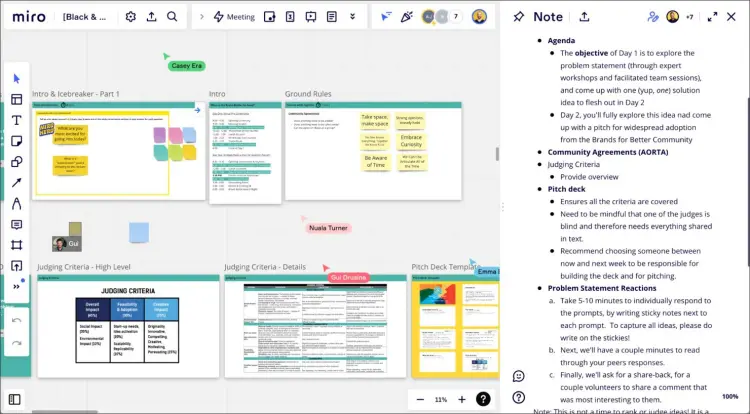
Miro is an online visual collaboration platform that provides a flexible whiteboard for brainstorming, mind mapping, and project planning. Instead of limiting you to a traditional tree structure, it allows you to arrange sticky notes, shapes, diagrams, and other elements freely across a large canvas. It is particularly useful for teams that want to combine mind mapping with workshops and collaborative discussions.
Main Features:
- Create mind maps and other visual diagrams on an online whiteboard.
- Use templates to start brainstorming more quickly.
- Add sticky notes, shapes, connectors, and text.
- Invite team members to collaborate on boards.
- Connect with third-party applications and productivity tools.
What's Free?
Miro's free plan provides 3 editable boards, access to templates, basic collaboration tools, and integrations with various applications. It also offers limited AI functionality, allowing you to explore some AI-powered diagram and content-generation features.
Limitations:
- Only the 3 most recently created boards remain editable; other boards become view-only.
- Private board sharing and several advanced collaboration features are unavailable on the free plan.
- AI functionality is limited compared with paid subscriptions.
9. MindMup
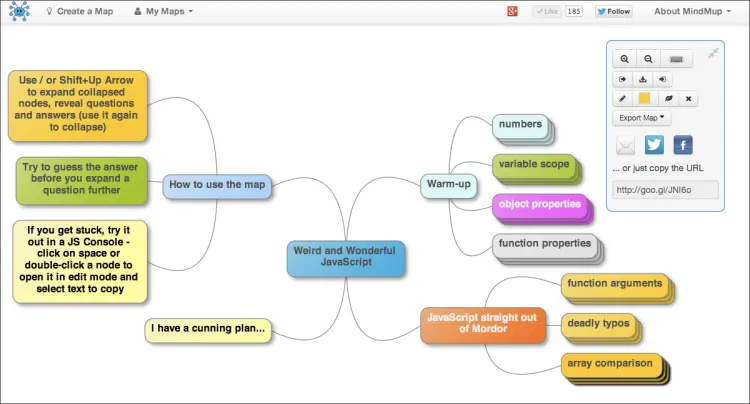
MindMup is a browser-based mind mapping application that emphasizes quick diagram creation and simple sharing. It is designed for people who want to organize their thoughts without installing complicated desktop software. You can create a map, add notes, arrange branches, and publish your work online.
Main Features:
- Create mind maps directly in a web browser.
- Add notes and annotations to individual topics.
- Organize ideas using different branches and connections.
- Share and publish mind maps online.
- Use Google Drive to store and access diagrams.
What's Free?
MindMup's current Starter plan is free and allows you to create up to 3 mind maps. You can add notes and annotations, share your diagrams, and publish them online. This makes it a reasonable choice for occasional brainstorming and simple planning tasks.
Limitations:
- The free plan allows you to create only 3 mind maps.
- Shared maps are limited to view-only access under the free Starter plan.
- Advanced sharing, attachments, and additional map management features require a paid subscription.
10. Lucidspark
Lucidspark is an online virtual whiteboard designed for brainstorming and team collaboration. It provides a flexible canvas where you can collect ideas, arrange sticky notes, connect concepts, and develop visual plans with other participants. Although it is not exclusively a mind mapping application, its whiteboard environment makes it useful for creating freeform mind maps and organizing group ideas.

Main Features:
- Create visual brainstorming boards and mind maps.
- Add sticky notes, shapes, and connectors.
- Collaborate and exchange ideas with team members.
- Use templates to organize workshops and planning sessions.
- Share diagrams through links and presentations.
What's Free?
Lucidspark offers a free plan with basic ideation tools, standard templates, sharing, and collaboration features. You can create visual boards, add objects, and organize ideas without paying for an initial subscription. The free plan also provides access to basic AI diagram-generation functionality.
Limitations:
- The free plan has limitations on the number of editable documents and available storage.
- Advanced collaboration tools and integrations require a paid subscription.
- Some premium templates and AI-powered capabilities are restricted.
Conclusion
These are 10 of the most popular free mind map software options worth considering. Each offers a different way to organize ideas, so choose one based on the type of diagrams you need and how you plan to use them. Before committing, check its editing, privacy, and export options to make sure the free plan meets your needs. You can also create a test mind map to see whether the tool fits your workflow before deciding to upgrade.
Related Articles:
Best Data Wipe Software: Top 9 Tools to Securely Erase Your Data
HDD Wipe Software Reviews: 9 Options Available (Find the Best)