TL;DR:
Kangaskhan Pokémon GO is a Normal-type Pokémon known for its regional availability, making it difficult to find if you do not live in Australia. Its availability can change during special events, Mega Raids, and other limited-time opportunities, while trading offers another way to add it to your Pokédex. If you want to obtain Mega Kangaskhan, you will also need Kangaskhan Mega Energy. Location-changing tools offer another way to explore different areas, but they cannot guarantee a spawn or catch, and location spoofing may put your game account at risk.

Location Changer Change virtual location


Kangaskhan is a unique Pokémon in Pokémon GO, known for its distinctive appearance and Mega Evolution. Whether you want your first Kangaskhan, a Shiny Kangaskhan, or enough Mega Energy to unlock Mega Kangaskhan, this guide about Kangaskhan in Pokémon GO explains the main options available in 2026. You will also learn how regional availability affects your chances of finding it and what to consider before using a location-changing tool.

Part 1. What Is Kangaskhan in Pokémon GO?
Kangaskhan is a Generation I Pokémon listed as No. 115 in the Pokédex. It is a pure Normal-type Pokémon known for carrying its young in a pouch on its belly. Unlike many other Pokémon, it does not have a standard evolution, but it can temporarily Mega Evolve into Mega Kangaskhan.
Here are the basic details of Kangaskhan in Pokémon GO:
| Attribute | Details |
|---|---|
| Pokédex Number | #115 |
| Generation | Generation I |
| Type | Normal |
| Region | Kanto |
| Evolution | No standard evolution |
| Mega Evolution | Mega Kangaskhan |
| Shiny Available | Yes |
| Weakness | Fighting-type moves |
| Maximum CP | Approximately 2,924 at Level 50 |
Part 2. Where Can I Find Kangaskhan in Pokémon GO?
Kangaskhan is a regional Pokémon primarily associated with Australia. Under normal gameplay conditions, its wild appearances are generally limited to this region, making it less accessible to Trainers in other parts of the world. Its regional status is one of the main reasons why Kangaskhan can be challenging to add to your Pokédex.
Part 3. How to Get Kangaskhan in Pokémon GO in 2026
There are several ways to obtain Kangaskhan, depending on your location and which events are active. The following methods cover the main options, from catching it in its usual region to using a location-changing tool.
3.1 Catch Kangaskhan in Australia
The most straightforward way to find Kangaskhan is to play Pokémon GO in Australia, where it is normally available in the wild.
Follow these steps:
Step 1. Open Pokémon GO while you are in Australia.
Step 2. Check the Nearby Pokémon screen to see whether Kangaskhan is appearing around nearby PokéStops.
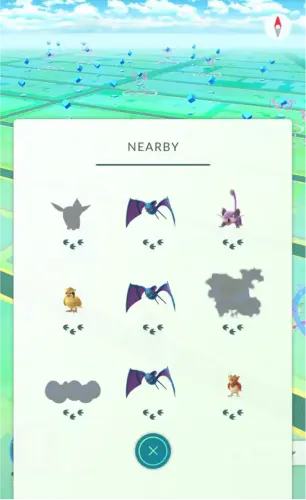
Step 3. Travel to the indicated area and look for it on the map.
Step 4. Tap Kangaskhan when it appears and use a Poké Ball to catch it. If it escapes, try another throw or use a Razz Berry to improve your chances of catching it.
You can explore parks, city streets, and other accessible areas where Pokémon spawn. Incense and Lure Modules may also help you encounter more Pokémon, although neither guarantees that Kangaskhan will appear.
Best for: Players visiting or living in Australia who want to obtain Kangaskhan through ordinary gameplay.
Limitation: Even within its usual region, Kangaskhan does not appear at every location or at all times. You may need to explore multiple areas or wait for a suitable spawn.
3.2 Catch Kangaskhan During Special Events and Raids
If you cannot travel to Australia, special events and Mega Raids may provide a more practical opportunity to obtain Kangaskhan.
Pokémon GO has featured Kangaskhan and Mega Kangaskhan in events that made the Pokémon available to players beyond its usual regional distribution. For example, Mega Kangaskhan appeared in Mega Raids during Pokémon GO Tour: Kalos - Global in February 2026. However, that event has already ended, so it should not be treated as a currently available option.
To look for future opportunities:
Step 1. Visit the official Pokémon GO news page or check the in-game event announcements.
Step 2. Look for events featuring Kangaskhan, Mega Kangaskhan, or related encounters.
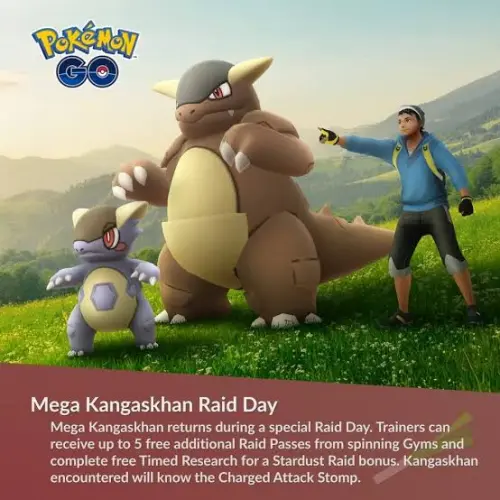
Step 3. Check the event dates, raid schedule, and any participation requirements.
Step 4. If Mega Kangaskhan appears in Mega Raids, join a suitable raid lobby and team up with other Trainers.
Step 5. Defeat the Raid Boss and complete the encounter to try to catch Kangaskhan.
Defeating Mega Kangaskhan can also award Kangaskhan Mega Energy. The post-raid encounter is with regular Kangaskhan, which may be shiny if you are lucky.
Best for: Players outside Australia who want to catch Kangaskhan or collect Mega Energy without relying on a local trade.
Limitation: Event appearances are temporary. Always confirm the current schedule and rewards instead of assuming Kangaskhan is available in every Mega Raid rotation.
3.3 Trade for Kangaskhan
Trading is another option if you have a friend or local Trainer who already owns Kangaskhan. This can be especially useful if you missed a global event or do not have access to its usual region.
Here is how to trade for Kangaskhan:
Step 1. Add the Trainer who has Kangaskhan as a friend in Pokémon GO.
Step 2. Arrange an in-person meeting within the game's permitted trading distance.
Step 3. Open your Friends list and select that Trainer.
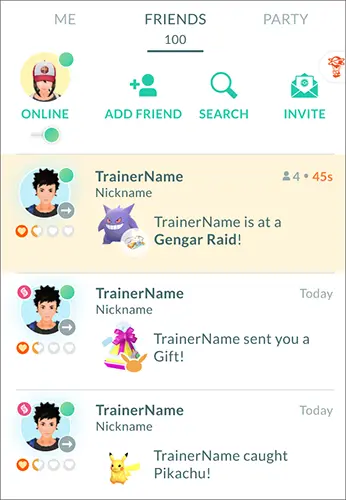
Step 4. Choose the "Trade" option and select "Kangaskhan" from their available Pokémon.
Step 5. Review the Stardust cost and trade details before confirming the exchange.
The Stardust cost depends on factors such as your Friendship level, whether Kangaskhan is already registered in your Pokédex, and whether the trade involves a Shiny Pokémon. If you have never registered Kangaskhan before, the exchange may count as a Special Trade and cost more Stardust.
Keep in mind that adding a friend from Australia does not normally let you trade with them remotely. Both Trainers must meet the applicable in-game trading requirements.
Best for: Players who know someone nearby who has an extra Kangaskhan.
Limitation: You need a willing trading partner, and the exchange may require substantial Stardust. Trading also does not guarantee that the Pokémon will have high IVs.
3.4 Use a Location-Changing Tool to Explore Kangaskhan in Pokémon GO
If travelling to Australia is not practical, a GPS location-changing tool such as Location Changer offers an alternative way to explore different areas in Pokémon GO without physically travelling there. It allows you to change the reported GPS location of a compatible Android or iOS device and explore virtual locations beyond your current area. While this may help you discover new places in the game, it does not guarantee a Kangaskhan encounter, as Pokémon spawns depend on the game's mechanics and current events.
Key Features of Location Changer:
- Change the GPS location on Android and iOS devices.
- Work with GPS-based apps and games, including Pokémon GO.
- Adjust your virtual location using a joystick.
- Create custom routes and simulate GPS movement.
- Choose from multiple movement modes for location simulation.
- Support the latest Android and iOS versions, including iOS 27 and Android 17.
How to use Location Changer to explore Kangaskhan in Pokémon GO without moving?
-
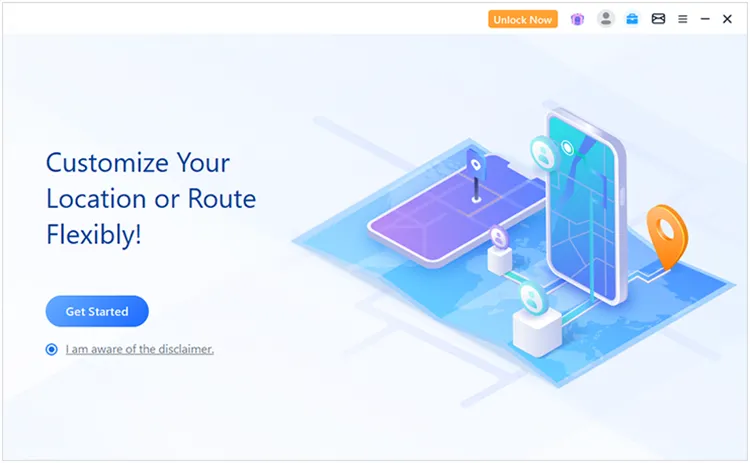
Open Location Changer on your Windows or Mac computer, then click "Get Started" to start configuring your virtual location.
-
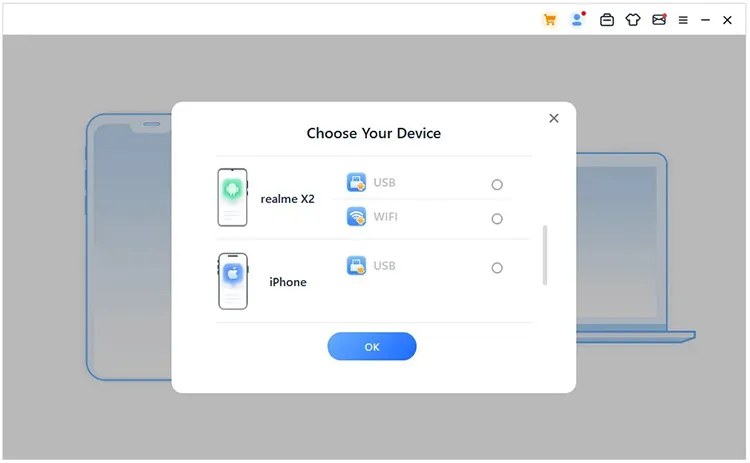
Connect your Android phone or iPhone to the computer and follow the instructions displayed in the program. Make sure the software recognizes your device before proceeding.
-
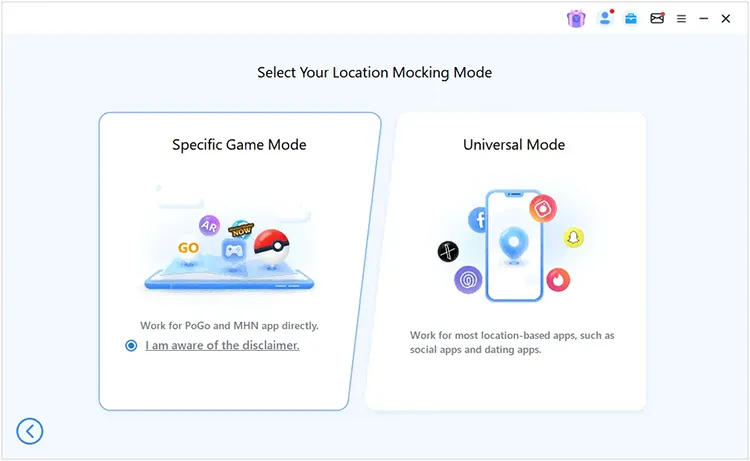
After connecting your device, proceed to the mode selection screen and choose "Specific Game Mode" to access location-changing features designed for games such as Pokémon GO.
-
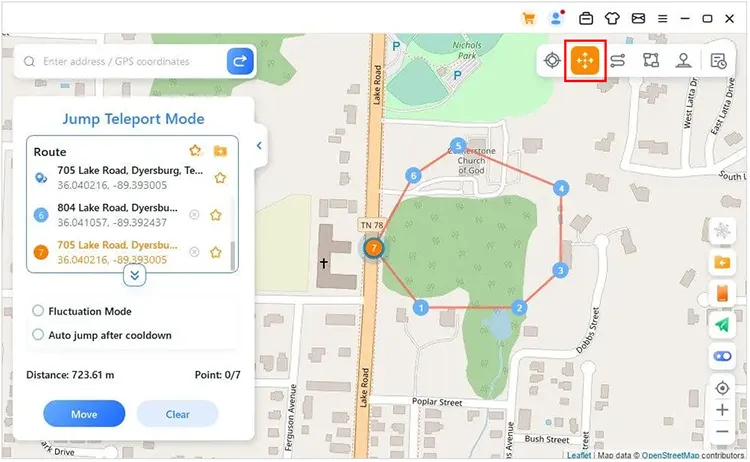
Once the map appears, select a suitable movement mode and choose your desired destination. Apply the new GPS location, then open Pokémon GO to check whether Kangaskhan is available in that area.
Best for: Players who want to explore virtual locations without physically travelling.
Limitations: GPS spoofing may violate Pokémon GO's terms or trigger anti-cheat measures, potentially resulting in warnings or account restrictions. Using a location-changing tool does not eliminate these risks, and you should review the game's current rules before proceeding.
Part 4. How to Get Mega Kangaskhan in Pokémon GO?
Mega Kangaskhan is the temporary Mega-Evolved form of Kangaskhan. It has higher stats than the regular form and can be useful for certain battles, but it does not count as a separate permanent evolution.
To obtain Mega Kangaskhan, you first need a regular Kangaskhan and enough Kangaskhan Mega Energy. You do not need to catch a separate Mega Kangaskhan to unlock the form.
4.1 Get Kangaskhan Mega Energy
Kangaskhan Mega Energy is a special resource used to Mega Evolve Kangaskhan. One of the main ways to obtain it is by participating in Mega Kangaskhan Raids when they are available.
To collect Mega Energy:
Step 1. Check the current raid schedule for Mega Kangaskhan.
Step 2. Join an available Mega Raid and team up with other Trainers.
Step 3. Defeat the Raid Boss within the time limit.
Step 4. Claim the raid rewards, which may include Kangaskhan Mega Energy.
Step 5. Repeat the process if you still need more energy.

The amount of Mega Energy you receive can depend on your raid performance and the game's reward rules. Other research or event rewards may be available during specific events, so check the listed rewards before participating. Mega Energy is species-specific. You need Kangaskhan Mega Energy rather than energy for another Pokémon.
4.2 Mega Evolve Kangaskhan
Once you have a Kangaskhan and enough Mega Energy, you can activate its Mega Evolution directly from the Pokémon's details page.
Follow these steps:
Step 1. Open Pokémon GO and go to your Pokémon storage.
Step 2. Find and select Kangaskhan.
Step 3. Check the Mega Evolution section on its details page.
Step 4. Make sure you have enough Kangaskhan Mega Energy.
Step 5. Tap "Mega Evolve" and confirm your choice.
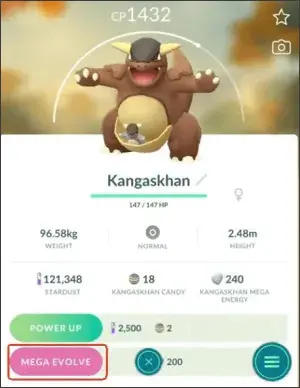
The first Mega Evolution costs 200 Kangaskhan Mega Energy. After Kangaskhan has Mega Evolved for the first time, subsequent Mega Evolutions generally cost less energy, with the cost decreasing further as its rest period progresses. Eligible Pokémon can also Mega Evolve again for free once the applicable rest period has ended.
Mega Evolution is temporary, so Kangaskhan will eventually return to its regular form. However, you can Mega Evolve it again when the requirements are met.
FAQs About Kangaskhan in Pokémon GO
1. Are Kangaskhan rare in Pokémon GO?
Kangaskhan can be difficult to obtain if you live outside its usual region because it does not normally appear in the wild worldwide. Its rarity also depends on current events, raid rotations, and trading opportunities. If an event makes Kangaskhan available globally, it may become much easier to catch for a limited time.
2. Can Kangaskhan be shiny in Pokémon GO?
Yes. Shiny Kangaskhan is available in Pokémon GO. You may encounter one through eligible wild encounters, raids, or special events when Kangaskhan is available. However, encountering Kangaskhan does not guarantee a shiny version, and shiny rates may vary depending on the encounter type and event bonuses.
3. What is Kangaskhan weak against in Pokémon GO?
Kangaskhan is a pure Normal-type Pokémon, making it weak to Fighting-type attacks. Pokémon with strong Fighting-type moves are generally good choices when battling it.
Conclusion
Kangaskhan Pokémon GO can be challenging to obtain because it is normally associated with Australia. If you are in the region, you can search for it in the wild; otherwise, keep an eye on special events and Mega Raids or consider trading with a nearby Trainer. A location-changing tool such as Location Changer is another option some players explore, but it cannot guarantee an encounter and may carry account risks.
Once you have Kangaskhan, collect enough Mega Energy to unlock Mega Kangaskhan and take advantage of its temporary battle benefits. By checking current event announcements and choosing the acquisition method that suits your situation, you can improve your chances of adding this regional Pokémon to your collection.
Related Articles:
How to Change Location in Pokémon GO on iPhone and Android
Pokémon GO GPS Signal Not Found: Causes and Effective Fixes